MCP server · Translation
Weblate MCP server
by mmntm
Lets your AI look up, search and update translations in your Weblate account using plain English.

This is a small helper that connects your AI assistant to Weblate, the tool many teams use to manage translations for their apps and websites. Once it is set up, you can ask your AI things like which strings are still untranslated, or update a French welcome message, without clicking around the Weblate website. It is handy for anyone who works with translations but does not want to learn the Weblate interface inside out.
What is an MCP server? The 30-second version
On its own, your AI can only chat with you. An MCP server is a little helper program that gives your AI a new skill or a connection to another service. This one connects your AI to your own Weblate account, so when you ask a question about your translations, the AI can actually go and look them up or change them for you. You stay in the chat, and the helper does the running around.
What this MCP server does
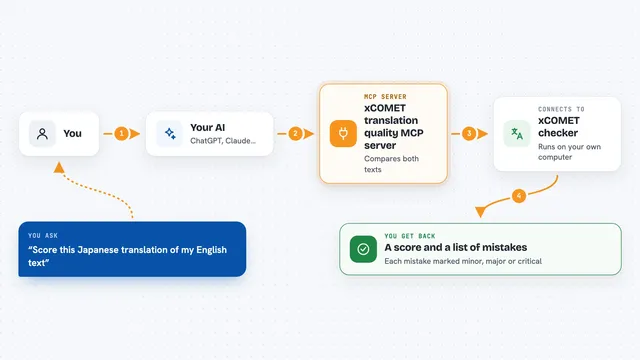
You ask your AI a question about your Weblate translations, in normal words. The AI passes that request to this helper program. The helper then talks to your Weblate account over the internet, using a special key you provide. Weblate sends back the information, and the helper hands it to your AI, which shows it to you in the chat. If you ask for a change, like updating a translation, the helper sends that change to Weblate too.
 Click to zoom
What you can do with it
- List all the projects in your Weblate account
- List the components inside a project
- Search for translations that contain a specific word or phrase
- Look up the translation of a specific key in a specific language
- Update or write a translation value
- Update many translations at once in a single batch
- See translation progress and statistics for a project or language
- Check recent changes and who made them
Try asking your AI
- “List all projects in my Weblate instance”
- “Show me the French translations for the frontend component”
- “Which strings in the common component are still untranslated?”
- “Update the welcome message translation to Bienvenue”
- “What is the translation progress for the German language across all projects?”
What it gives back to you
You get answers in the chat, in plain text: lists of projects or components, the value of a translation, search results, or statistics like completion percentages and string counts. When you ask for a change, the AI tells you what it updated, and you can see the new value in Weblate. It can also show recent changes with who made them and when.
Before you start
What you need
- A Weblate account with API access turned on
- Your Weblate API web address (the URL of your Weblate instance, ending in /api)
- A Weblate API token (a kind of password for apps; you create one in your Weblate account settings)
- The Claude desktop app or another app that supports MCP servers
Good to know
It can change your translations in Weblate, so double check before letting it write or batch update anything, and keep your API token private.
Install it with your AI
Add Weblate MCP server to your AI, no technical skills needed
You don't install anything by hand. You copy one prompt, paste it into an AI that can work on your computer, and it checks, installs and connects the server for you, asking you when it needs something.
Sign in to get the install prompt
Members get a ready-made prompt that lets the Claude desktop app check Weblate MCP server, install it and connect it for them, step by step. You don't need any technical skills: you copy, paste and answer a few questions. Your connected AI can also find and install any of the 4,361 MCP servers here for you.
Who it's for
Translators, localization managers, product and content teams who already use Weblate and want to check or update translations from a chat instead of the website.