MCP server · Translation
KAERIS i18n MCP server
by RaiGanja
Translate your app's text files into 46 languages, safely and without breaking placeholders.
This is a helper that lets your AI translate the text inside your app's language files. It handles the common file types used by apps and websites, and it keeps the little placeholders like {name} or %s intact. It is handy if you are adding new languages to an app and do not want to hand-edit every file.
What is an MCP server? The 30-second version
On its own, your AI can only chat. An MCP server is a small helper program that gives your AI a new skill or a connection to another service. This one connects your AI to KAERIS, a translation service for app text files. Once it is set up, you can just ask your AI to translate a file, and it will do it through this helper.
What this MCP server does
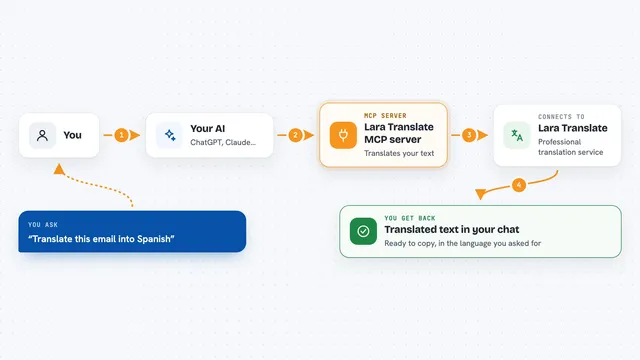
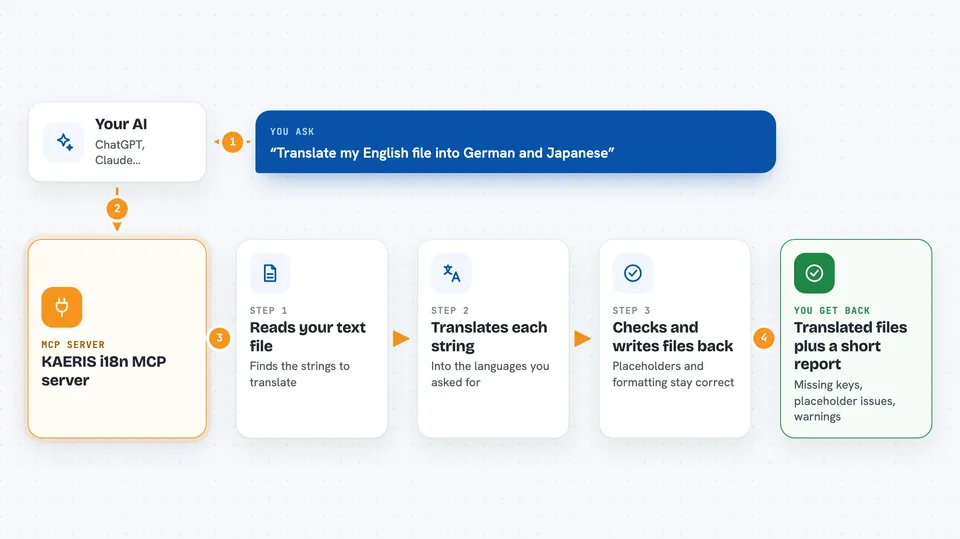
You ask your AI something like "translate my English file into German and Japanese." The AI uses this helper to look at your file and send the text to KAERIS. KAERIS translates each string and checks that placeholders and formatting are still correct. The helper writes the translated files back, and the AI tells you what it did. It can also just look at your project and tell you which languages are missing or broken, without translating anything.
 Click to zoom
What you can do with it
- Translate a language file into any of 46 languages
- Add a brand new language by translating your whole source file
- Only translate the new or changed strings, leaving the rest untouched
- Check which keys are missing or broken for a language
- List the exact missing keys with their source text
- See which languages your project already supports
- Get a quality check on translations, like placeholder mismatches
Try asking your AI
- “Translate locales/en.json into German, Ukrainian and Japanese.”
- “Add French and Spanish translations for these buttons: Save, Cancel, Delete.”
- “Only translate the new keys I added to en.json, don't redo the whole file.”
- “Check this repo's i18n and tell me what's missing or broken.”
What it gives back to you
You get back the translated text or files, plus a short report. The report can list missing keys, extra keys, placeholder problems, and other quality warnings. If you asked for a status check, you get a summary per language instead of translations. Everything appears right in your chat.
Before you start
What you need
- Python installed (for the pip install option)
- Or Docker (if you prefer the Docker option)
- An MCP client like Claude Desktop, Cursor, or Claude Code
- Optional: a KAERIS API key for higher limits (the free tier works without one)
Good to know
Translating files uses the KAERIS service and may cost money on paid tiers, though the free tier works without a key.
Install it with your AI
Add KAERIS i18n MCP server to your AI, no technical skills needed
You don't install anything by hand. You copy one prompt, paste it into an AI that can work on your computer, and it checks, installs and connects the server for you, asking you when it needs something.
Sign in to get the install prompt
Members get a ready-made prompt that lets the Claude desktop app check KAERIS i18n MCP server, install it and connect it for them, step by step. You don't need any technical skills: you copy, paste and answer a few questions. Your connected AI can also find and install any of the 4,361 MCP servers here for you.
Who it's for
Developers and product people who need to localize an app into many languages and want help from their AI.