MCP server · Analytics
Measure MCP server
by Turbo-Puffin
Lets your AI look up pageviews, referrers and trends for your websites, right in the chat.

Measure is a web analytics tool, and this MCP server is a small helper that connects it to your AI assistant. Once it is set up, you can ask your AI questions about your site traffic in plain words instead of clicking around a dashboard. It is handy for anyone who runs a website and wants quick answers about how it is doing.
What is an MCP server? The 30-second version
On its own, your AI can only chat with you. An MCP server is a small helper program that gives your AI a new skill or a connection to an app or service. This one connects your AI to Measure, a web analytics service, so the AI can look up your site numbers for you. You just ask a question, and the helper fetches the answer from Measure.
What this MCP server does
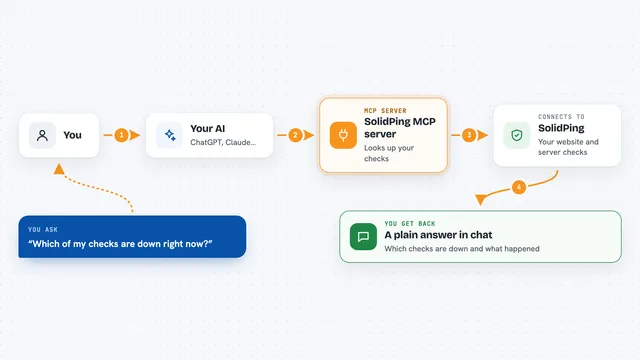
You ask your AI something about your website traffic, like how many people visited last week. The AI uses this helper to talk to your Measure account. Measure sends back the numbers, like pageviews, referrers or trends. The AI then puts that into a normal sentence or a short list for you. You get the answer in the chat, without opening a separate dashboard.
 Click to zoom
What you can do with it
- Check how many pageviews your site got in a chosen time period
- See which websites or search engines sent you visitors
- Spot trends, like whether traffic is going up or down
- Ask for a plain-language summary of your site's performance
- Compare traffic between two date ranges
- Get AI-generated insights about what your numbers mean
Try asking your AI
- “How many people visited my site last week?”
- “Which sites sent me the most visitors this month?”
- “Is my traffic going up or down compared to last month?”
- “Give me a short summary of how my site did in the past 30 days.”
What it gives back to you
You get answers in the chat, usually as short sentences or a small list. Things like pageview counts, a list of referrers, or a trend description. If you ask for insights, the AI writes a short explanation of what the numbers suggest. Everything stays in the conversation, so you can ask follow-up questions.
Before you start
What you need
- A Measure account with at least one website set up
- Access details for the Measure MCP server, as described in its setup instructions
- An AI assistant that supports MCP servers, like the Claude desktop app
Good to know
It reads your website analytics data, so treat any access details like a password and only connect it to accounts you are comfortable sharing with your AI assistant.
Install it with your AI
Add Measure MCP server to your AI, no technical skills needed
You don't install anything by hand. You copy one prompt, paste it into an AI that can work on your computer, and it checks, installs and connects the server for you, asking you when it needs something.
Sign in to get the install prompt
Members get a ready-made prompt that lets the Claude desktop app check Measure MCP server, install it and connect it for them, step by step. You don't need any technical skills: you copy, paste and answer a few questions. Your connected AI can also find and install any of the 4,361 MCP servers here for you.
Who it's for
Website owners, bloggers, marketers and small teams who want quick answers about their site traffic without digging through a dashboard.