MCP server · Analytics
Japan Corporate Data MCP server
by yamariki-hub
Look up Japanese company details, financials, patents, subsidies and government statistics right inside your AI chat.

This is a small helper that lets your AI pull official information about Japanese companies from government websites. You ask a question in plain words, and your AI fetches the answer from public Japanese government data sources. It is handy if you work with Japanese companies, do research, or need company facts without opening five different websites.
What is an MCP server? The 30-second version
On its own, your AI can only chat with you using what it already learned. An MCP server is a small helper program that gives your AI a new skill or a connection to an outside service. This one connects your AI to Japanese government data services like gBizINFO, EDINET and e-Stat. Once it is set up, your AI can look things up there for you whenever you ask.
What this MCP server does
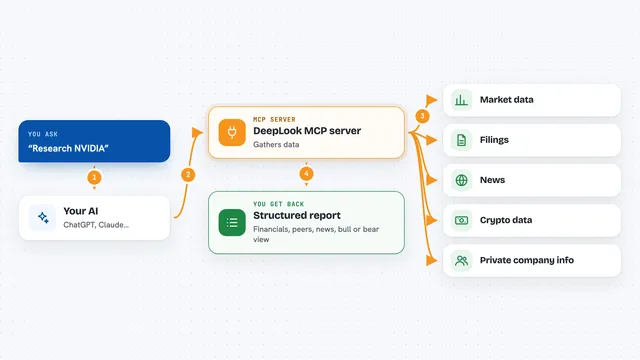
You type a question about a Japanese company, a patent, a subsidy or a statistic. Your AI sends that request to this helper program running on your computer. The helper talks to the official government data services and brings the answer back. Your AI then shows you the result in the chat, in normal sentences or a short list. You do not need to visit any of those government websites yourself.
 Click to zoom
What you can do with it
- Search for a Japanese company by name
- Get basic company details like address, capital and number of employees
- Look up revenue, profit and asset figures
- Find patents filed by a company
- See subsidies and grants a company received
- Check government procurement records
- Read securities reports filed with EDINET
- Search Japanese government statistics
Try asking your AI
- “Tell me about Sony Group's company information”
- “Search Toyota's patent filings”
- “Find AI related companies in Tokyo”
- “Search Japanese manufacturing statistics”
- “Look up SoftBank's recent EDINET filings”
What it gives back to you
You get back plain answers in the chat: company names, addresses, financial numbers, patent lists, subsidy records or statistics. Sometimes it is a short summary, sometimes a small table or bullet list. The information comes straight from the government data services, so it is the official version. Nothing is changed on those sites; this helper only reads.
Before you start
What you need
- Python installed on your computer (the README uses pip to install the helper)
- A free gBizINFO API token from the Ministry of Economy, Trade and Industry (you register on their website and get it right away)
- A free EDINET subscription key from the Financial Services Agency (registration plus a second security step)
- A free e-Stat application ID from the Statistics Bureau (instant registration)
Good to know
The data comes from public government sources and can be out of date or incomplete, so double check anything important before you rely on it.
Install it with your AI
Add Japan Corporate Data MCP server to your AI, no technical skills needed
You don't install anything by hand. You copy one prompt, paste it into an AI that can work on your computer, and it checks, installs and connects the server for you, asking you when it needs something.
Sign in to get the install prompt
Members get a ready-made prompt that lets the Claude desktop app check Japan Corporate Data MCP server, install it and connect it for them, step by step. You don't need any technical skills: you copy, paste and answer a few questions. Your connected AI can also find and install any of the 4,361 MCP servers here for you.
Who it's for
People who research or work with Japanese companies, such as analysts, journalists, students, sales teams and anyone doing business research on Japan.