MCP server · Social media
XFlux MCP server
by yxs1640-png
Let your AI look up X/Twitter profiles, tweets, searches and Smart Money data, without posting anything.
XFlux is a helper that lets your AI read things from X (the site formerly called Twitter). It can look up a profile, pull someone's recent tweets, search for tweets about a topic, and show you lists from a feature called Smart Money. It is handy if you follow people or topics on X and want your AI to do the reading for you.
What is an MCP server? The 30-second version
On its own, your AI can only chat with you. It cannot open X, check a profile, or search tweets. An MCP server is a small helper program you connect once, and it gives your AI a new skill. Here, that helper connects your AI to XFlux, so you can ask in plain words and your AI can look things up on X through XFlux and bring the answers back to your chat.
What this MCP server does
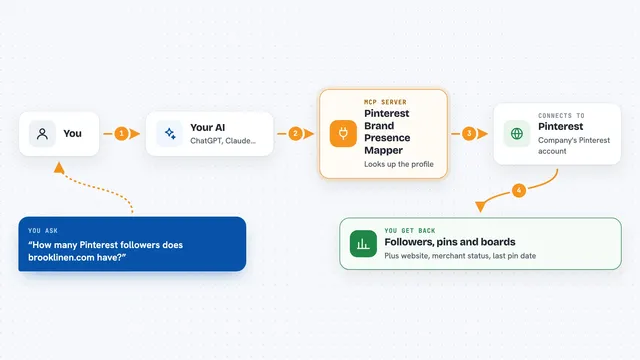
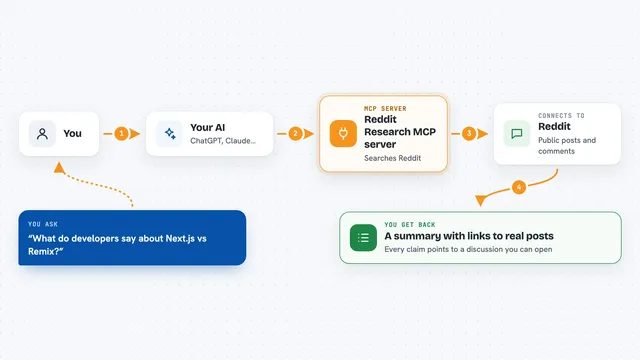
You ask your AI something about X in your own words. Your AI passes that request to the XFlux helper, which sends it to the XFlux service. XFlux reads the public data you asked for, like a profile or a batch of tweets, and sends it back. Your AI then turns that data into a normal reply, with names, text, dates and links. XFlux only reads; it never posts tweets or sends messages for you.
What you can do with it
- Look up a public X profile by @username
- Show the most recent tweets from an account
- Search recent tweets for a word, phrase or hashtag
- Fetch a single tweet if you have its ID
- List your saved monitors (read-only)
- Show recent hits from one of your monitors
- List ranked Smart Money accounts and their recent calls
Try asking your AI
- “What has @elonmusk tweeted about this week?”
- “Search X for recent tweets about the new iPhone”
- “Give me the profile for @naval on X”
- “Show me the latest Smart Money calls”
What it gives back to you
You get back plain text in your chat: a short profile, a list of tweets with text and dates, or a list of accounts with short notes. Long results may be trimmed to fit; you can ask your AI to summarise them. Nothing is posted, sent or changed on X.
Before you start
What you need
- A free XFlux account (1,000 calls per month, no credit card)
- An XFlux API key from your dashboard (a kind of password for apps)
- Node.js installed on your computer (the free program that runs the helper)
- A desktop AI app that supports MCP, like Claude Desktop or Cursor
Good to know
It only reads public data and never posts to X, but your searches and lookups are sent to the XFlux service, so do not paste anything private into your prompts.
Install it with your AI
Add XFlux MCP server to your AI, no technical skills needed
You don't install anything by hand. You copy one prompt, paste it into an AI that can work on your computer, and it checks, installs and connects the server for you, asking you when it needs something.
Sign in to get the install prompt
Members get a ready-made prompt that lets the Claude desktop app check XFlux MCP server, install it and connect it for them, step by step. You don't need any technical skills: you copy, paste and answer a few questions. Your connected AI can also find and install any of the 4,609 MCP servers here for you.
Who it's for
People who follow accounts or topics on X and want their AI to read and summarise that information for them.