AI agent for secondary school teachers
Assessment Item Analysis and Reteach Agent
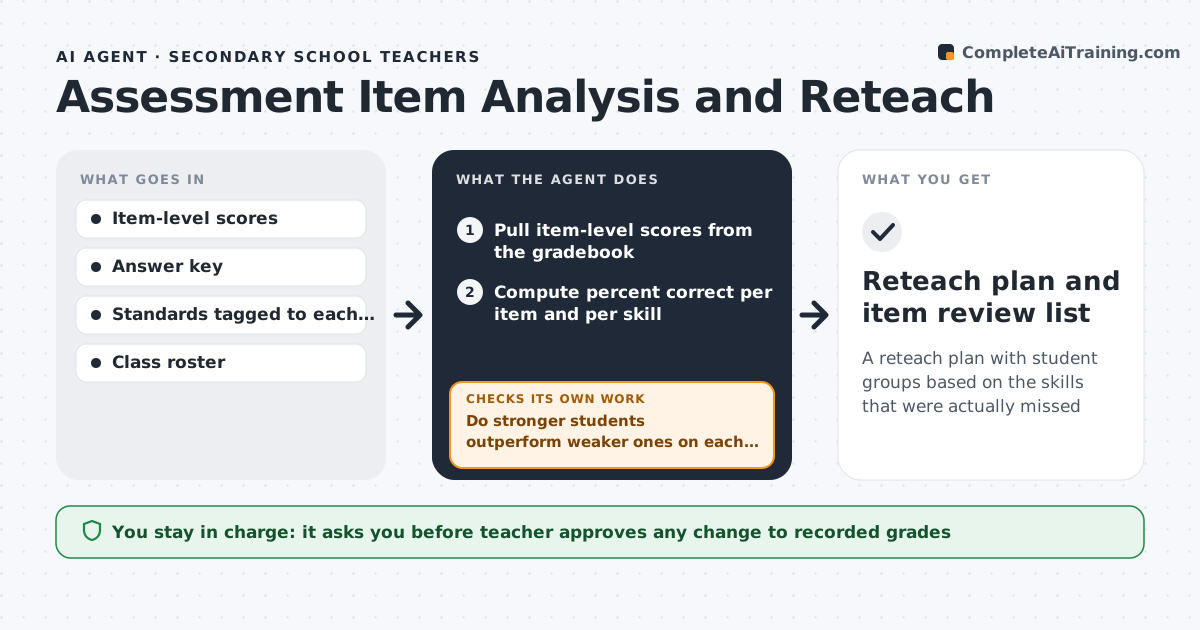
A reteach plan with student groups based on the skills that were actually missed
What it does
After a quiz, most teachers only see a score per student, not which skill or which question caused the trouble. This agent pulls item-level results from the gradebook or answer sheets and works out percent correct per item and per skill. For each low-scoring item, it checks whether stronger students outperformed weaker ones. If they scored the same, the item is likely badly written, so it flags it for review instead of reteaching. For real skill gaps under 60% correct, it groups students by missed skills and drafts reteach mini-lessons and practice items. It checks each group is under 8 students and has a plan for every missed skill. The teacher approves groups and any score changes. Edge case: if fewer than ten students took the quiz, it reports raw counts and does not label items as faulty.
How it works
Follow the arrows from top to bottom. The orange dashed arrow is the loop: when a check fails, the agent goes back and tries again.
Read the steps as a list
- Quiz results are posted
- Pull item-level scores from the gradebook
- Compute percent correct per item and per skill
- Do stronger students outperform weaker ones on each low-scoring item?If not: mark the item as possibly flawed, remove it from skill totals and recompute. Back to step 3.
- Group students by missed skills
- Draft reteach mini-lessons and practice items per group
- Does each group have fewer than 8 students and a plan for every missed skill?If not: split large groups by second weakest skill and regroup. Back to step 5.
- Teacher approves groups and any item score adjustmentsThe agent waits here for your OK.
- Reteach plan and item review list
How it decides
An item is a skill gap when under 60% answer correctly and stronger students do better than weaker ones. If strong and weak students miss it equally, it is treated as a possible item problem.
- Under 60% correct on a skill triggers reteaching
- Items where top and bottom students score the same are flagged, not retaught
- Score changes for flawed items need teacher approval
Make it yours
Every agent is a starting point. You choose these settings for your own situation.
- Percent-correct threshold for reteaching (default 60%)
- Maximum group size (default 8)
- Where results come from (LMS, gradebook, scanned sheets)
- Length of reteach lessons (default 15 minutes)
What keeps you in control
It always asks you first
- Teacher approves any change to recorded grades
- Teacher approves student groupings
Hard limits
- Never changes recorded grades on its own
- Keeps student data inside the school's systems
It stops when
- Done: every missed skill has a group and a plan
- Stop: item-level data is not available
Set it up
We guide you through the set-up, step by step
Members get the full set-up guide for this agent. No technical skills needed: you copy, paste and upload.
- One set of instructions to paste into your AI, with the clicks for ChatGPT, Claude, Microsoft 365 Copilot, Gemini and Grok
- The agent then walks you through connecting your own data, one source at a time
- A downloadable copy with the flow chart, the rules and the full guide