AI agent for medical billers
Authorized Visit Balance Agent
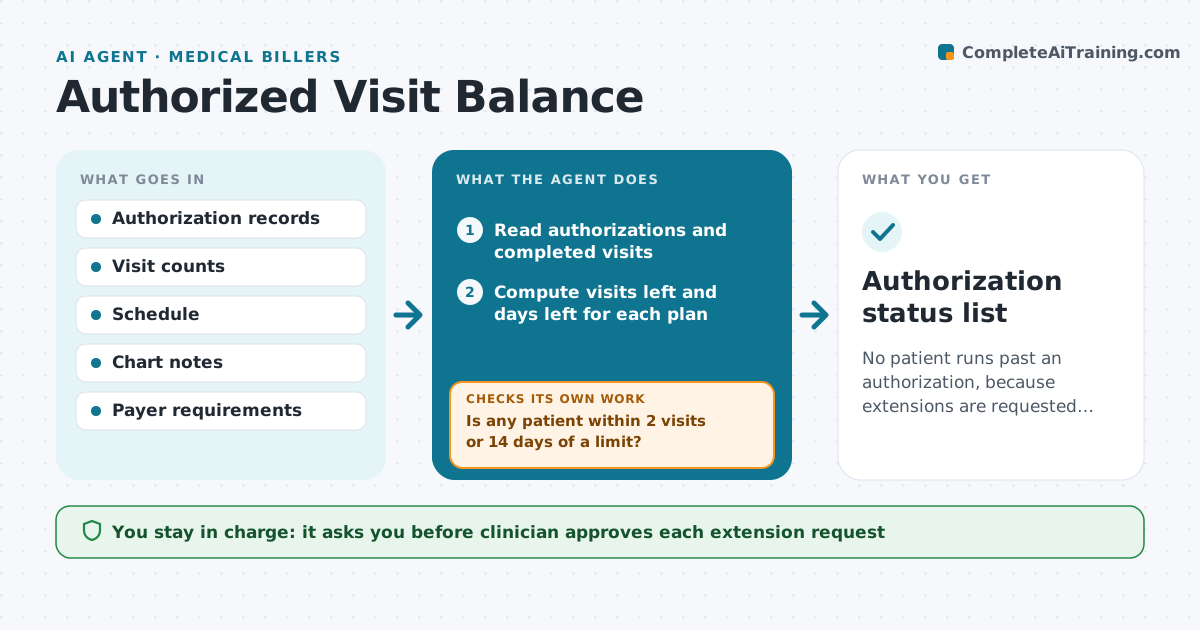
No patient runs past an authorization, because extensions are requested early with the right documentation.
What it does
Patients run out of authorized visits in the middle of treatment, and the clinic finds out when a claim is denied. The agent reads each active plan, the number of visits authorized and used, and the next scheduled visits. When a patient is within two visits of the limit, it checks the chart for medical necessity and drafts an extension request with progress notes and goals. If the payer asks for more information, it adds the missing note and resubmits for approval. It tracks the decision and updates the schedule. Edge case: an authorization that expires by date before the visit count runs out.
How it works
Follow the arrows from top to bottom. The orange dashed arrow is the loop: when a check fails, the agent goes back and tries again.
Read the steps as a list
- Daily balance check
- Read authorizations and completed visits
- Compute visits left and days left for each plan
- Is any patient within 2 visits or 14 days of a limit?If not: Mark the plan as safe and check again after the next visit. Back to step 2.
- Read the chart for progress and medical necessity
- Draft the extension request with goals and notes
- Clinician approves the requestThe agent waits here for your OK.
- Submit and track the payer response
- Did the payer approve without asking for more?If not: Add the missing note or form and resubmit after approval. Back to step 8.
- Update the schedule and visit balance
- Authorization status list
How it decides
It counts visits and expiry date against the authorization and treats two visits or 14 days before either limit as the time to request more.
- Request more at 2 visits left or 14 days to expiry
- Use only chart facts, never invent progress
- Pause scheduling past the limit until approved
- Follow up with the payer after 5 days
Make it yours
Every agent is a starting point. You choose these settings for your own situation.
- Visit and day triggers (default 2 visits, 14 days)
- Payers and their forms
- Follow-up days (default 5)
- Who is notified
What keeps you in control
It always asks you first
- Clinician approves each extension request
- Clinician approves any change to the treatment plan
Hard limits
- Never submit documentation without the clinician's approval
- Do not exaggerate progress
It stops when
- Done: extension approved or the patient discharged
- Stop: the payer denies and the clinician decides on appeal or self-pay
Set it up
We guide you through the set-up, step by step
Members get the full set-up guide for this agent. No technical skills needed: you copy, paste and upload.
- One set of instructions to paste into your AI, with the clicks for ChatGPT, Claude, Microsoft 365 Copilot, Gemini and Grok
- The agent then walks you through connecting your own data, one source at a time
- A downloadable copy with the flow chart, the rules and the full guide