AI agent for process improvement analysts
Current-State Process Map Agent
An accurate map of the real process with waits and rework
What it does
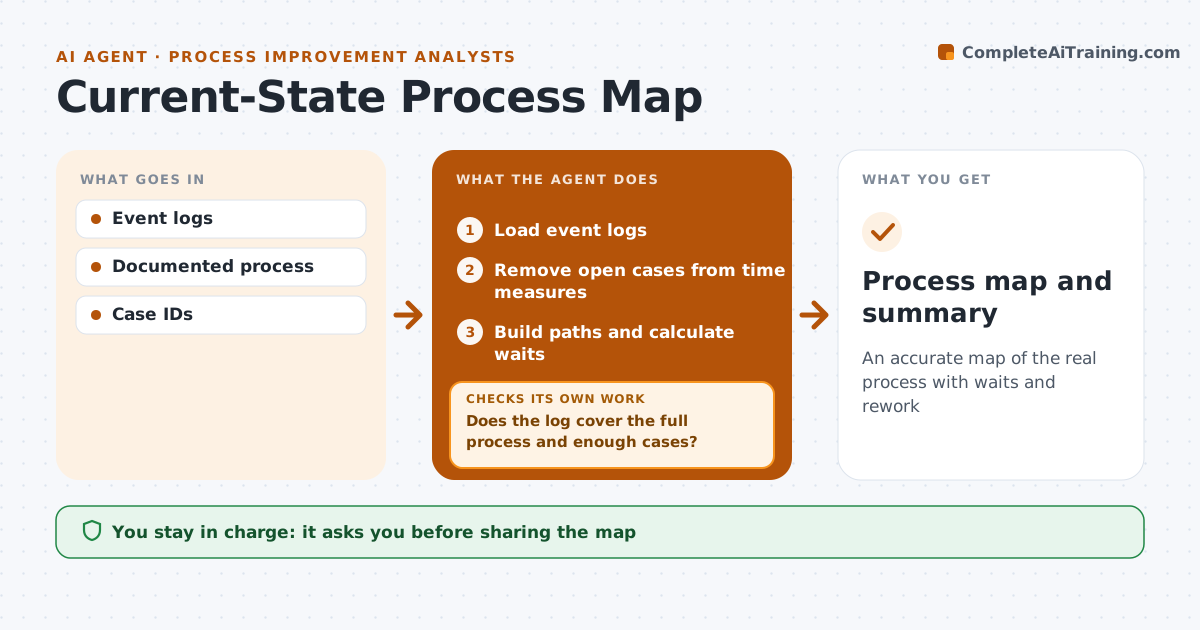
People describe how a process should work, not how it really works, so interview maps miss loops and waits. This agent reads system event logs, such as ticket or order status changes, and builds a map of the actual paths, how often each happens and where time is spent waiting. It checks the log covers the full process and enough cases. If steps are missing, it asks for other data sources and joins them. Cases still open at the end of the period are kept out of time measures. It compares the real map with the documented one and highlights loops, rework and long waits. It drafts a summary for a workshop. The process analyst approves before sharing.
How it works
Follow the arrows from top to bottom. The orange dashed arrow is the loop: when a check fails, the agent goes back and tries again.
Read the steps as a list
- Project starts
- Load event logs
- Does the log cover the full process and enough cases?If not: ask for other data sources and load them. Back to step 2.
- Remove open cases from time measures
- Build paths and calculate waits
- Compare with documented process
- Draft workshop summary of loops and waits
- Analyst approves summaryThe agent waits here for your OK.
- Process map and summary
How it decides
It builds the paths from case events and ranks steps by wait time and rework.
- Open cases out of time measures
- Rank by wait and rework
- Minimum case count
Make it yours
Every agent is a starting point. You choose these settings for your own situation.
- Minimum cases
- Time period
- Steps to merge
What keeps you in control
It always asks you first
- Sharing the map
Hard limits
- Never names individuals
It stops when
- Done
- Stop: logs unavailable
Set it up
We guide you through the set-up, step by step
Members get the full set-up guide for this agent. No technical skills needed: you copy, paste and upload.
- One set of instructions to paste into your AI, with the clicks for ChatGPT, Claude, Microsoft 365 Copilot, Gemini and Grok
- The agent then walks you through connecting your own data, one source at a time
- A downloadable copy with the flow chart, the rules and the full guide