AI agent for chiropractors
Prior Authorization Packet Agent
Get a complete prior authorization approved without a denial loop
What it does
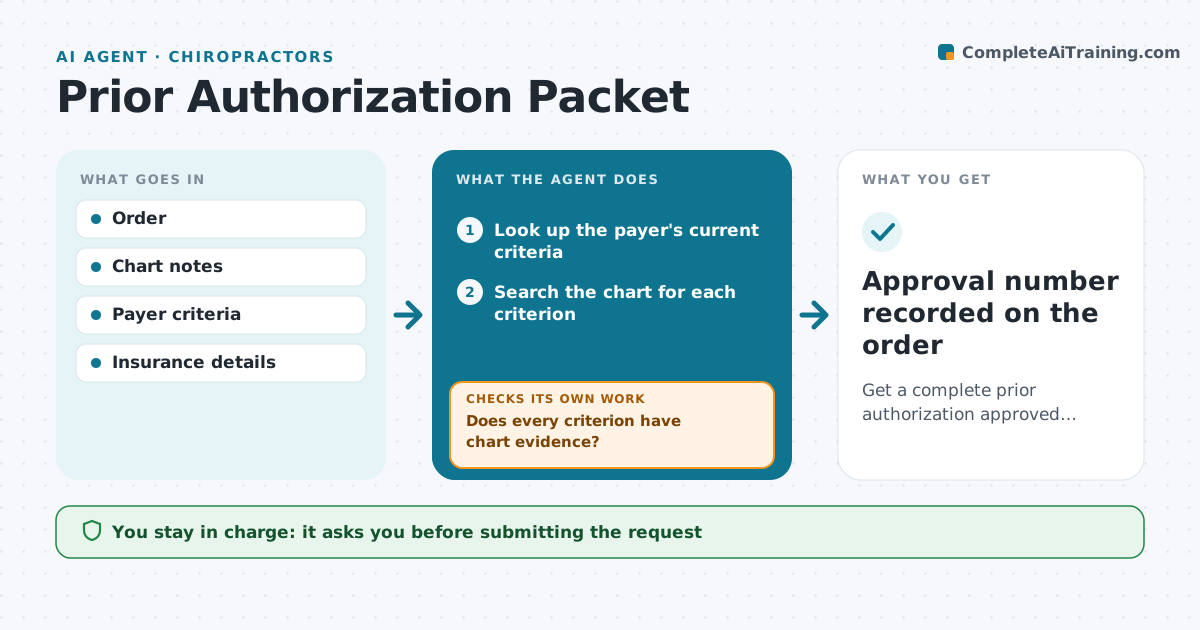
Many treatments, scans and therapy visits need payer approval first, and each payer has its own criteria. Staff spend hours hunting through charts. When an order needing authorization is placed, this agent looks up the payer's current criteria and searches the chart for each required piece: diagnosis, prior treatments tried, test results, functional scores and dates. It builds a packet citing each chart entry. If a criterion has no evidence, it sends the clinician a short list of missing items and rechecks once notes are added. It never submits with a criterion unmet unless the clinician confirms. A staff member reviews and submits. The agent then tracks payer status daily, and on a denial drafts a peer-to-peer brief or appeal within one business day. Edge case: a criteria document older than the plan year is confirmed by staff before use.
How it works
Follow the arrows from top to bottom. The orange dashed arrow is the loop: when a check fails, the agent goes back and tries again.
Read the steps as a list
- Order needing authorization is placed
- Look up the payer's current criteria
- Search the chart for each criterion
- Build the packet with cited chart entries
- Does every criterion have chart evidence?If not: send the clinician a list of missing items and wait for documentation. Back to step 3.
- Staff member reviews and submits the requestThe agent waits here for your OK.
- Track payer status daily
- Was it approved?If not: draft a peer-to-peer brief or appeal with the denial reason. Back to step 4.
- Approval number recorded on the order
How it decides
Each payer criterion is a test that must be met by a dated chart entry. The packet goes forward only when all tests pass or the clinician confirms an exception.
- Never submit with a criterion unmet unless the clinician confirms
- Urgent orders are worked first
- Denials get an appeal draft within one business day
Make it yours
Every agent is a starting point. You choose these settings for your own situation.
- Payers and services in scope
- How often to check status
- Who receives missing-item lists
- Appeal template per payer
What keeps you in control
It always asks you first
- Submitting the request
- Sending an appeal
- Any clinical statement added to the packet
Hard limits
- Never invent or paraphrase clinical findings beyond the chart
- Patient data stays within approved systems
It stops when
- Done: approval recorded
- Stop: second denial, hand to the clinician and billing lead
Set it up
We guide you through the set-up, step by step
Members get the full set-up guide for this agent. No technical skills needed: you copy, paste and upload.
- One set of instructions to paste into your AI, with the clicks for ChatGPT, Claude, Microsoft 365 Copilot, Gemini and Grok
- The agent then walks you through connecting your own data, one source at a time
- A downloadable copy with the flow chart, the rules and the full guide