AI tool
Freu AI
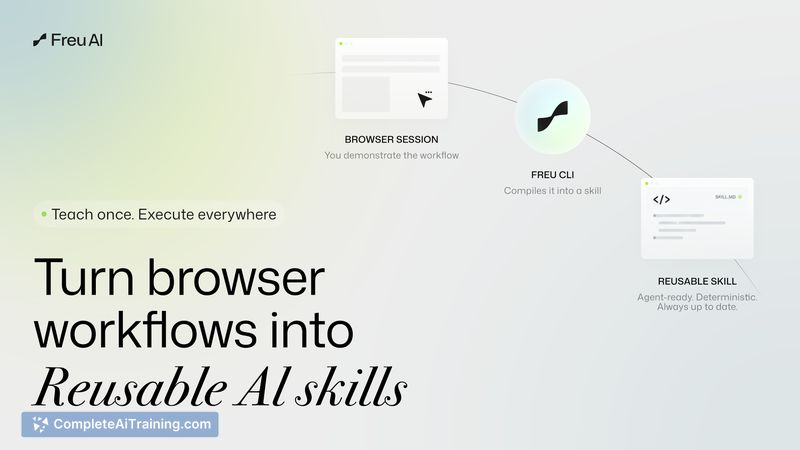
Freu AI for Mac records a desktop workflow once, compiles it into a reusable DSL (AOT), then runs natural-language cross-app automations locally-eliminating repeat cloud token costs and cutting latency to seconds.
About Freu AI
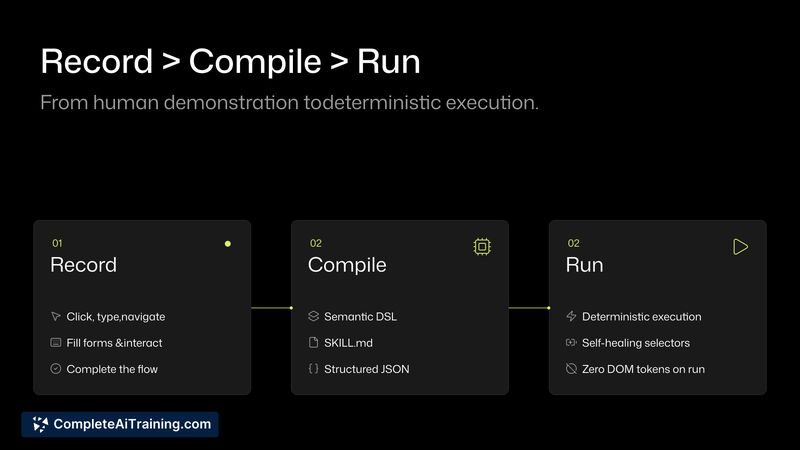
Freu AI is an AI agent for Mac that automates desktop applications using natural-language commands. It records a cross-application workflow once by "seeing" the UI, compiles that session into a deterministic DSL, and then runs the workflow locally with no recurring execution cost.
Review
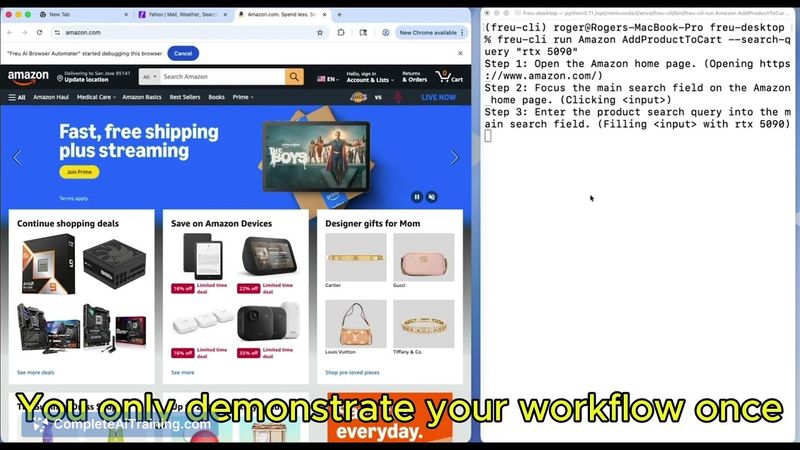
Freu AI takes a different technical approach to desktop automation by compiling workflows ahead of time so routine runs avoid repeated cloud reasoning. Early testing suggests this reduces latency and ongoing token bills, while the open-source freu-cli component provides a bridge for web automation use cases.
Key Features
- Natural-language recording and playback of Mac desktop workflows across multiple apps.
- Ahead-of-Time (AOT) compilation into a deterministic DSL so subsequent runs execute locally with zero recurring run cost.
- Semantic UI (SUI) vision that anchors to element meaning instead of fragile X/Y coordinates or brittle selectors.
- Open-source freu-cli for DOM/browser automation available on GitHub (freu-cli).
- Planned local vision execution engine to further reduce cloud dependence and keep routine executions offline.
Pricing and Value
Freu AI's model separates an initial cloud cost for the one-time compilation step from zero-cost local runs afterward. That means you pay for the cloud reasoning once when the workflow is recorded; repeated executions incur no recurring token bills. The product also offers free/open-source components (freu-cli) and appears positioned to deliver value for users who run the same cross-app tasks frequently and want lower ongoing cloud spend and lower latency.
Pros
- Zero recurring execution cost after the workflow is compiled, which can dramatically cut cloud spending for repetitive tasks.
- AOT compilation reduces runtime latency compared with sending screenshots to a cloud LLM every time.
- Semantic UI approach is less brittle than coordinate- or selector-based automation when small UI shifts occur.
- Open-source freu-cli gives developers a usable tool for browser automation and experimentation.
- Plans for a local vision execution engine promise greater privacy and fully offline routine runs in the near future.
Cons
- The initial compilation and any anomaly recovery currently require cloud reasoning, so there is a one-time and occasional token cost.
- Unexpected dialogs or unusual UI states may still trigger cloud fallback today, which adds complexity and temporary dependency on remote models.
- Mac-only at launch, so users on other platforms cannot use the desktop automation features yet.
Freu AI is well suited for Mac power users, operational teams, and developers who run repetitive, cross-application workflows and want to reduce ongoing cloud costs and latency. It is especially attractive for those who value local execution and are comfortable with an early-stage product that is actively being expanded and refined.
Jobs Freu AI suits
We checked Freu AI against 500+ jobs; these get the most out of it.
Alternatives to Freu AI
Other tools that do the same main job. Our AI compared Freu AI with similar tools and kept the ones you could use instead.