AI tool
Trainer
Trainer records your clicks, inputs and decisions as you perform a task once, then converts that demo into a reusable AI agent that repeats the workflow-no prompt engineering or manual labeling.
About Trainer
Trainer is a no-code tool that creates AI agents by recording your screen as you perform a task. It captures clicks, keystrokes and the intent behind each action, then converts that demonstration into a reusable agent without requiring prompts or labeled datasets.
Review
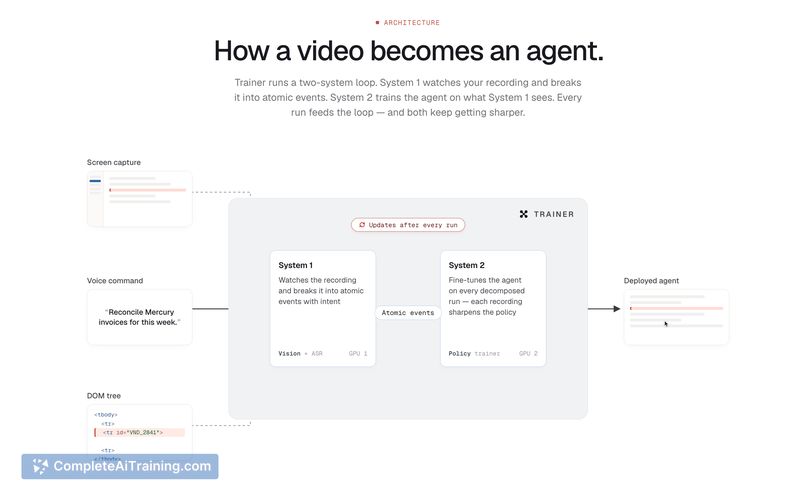
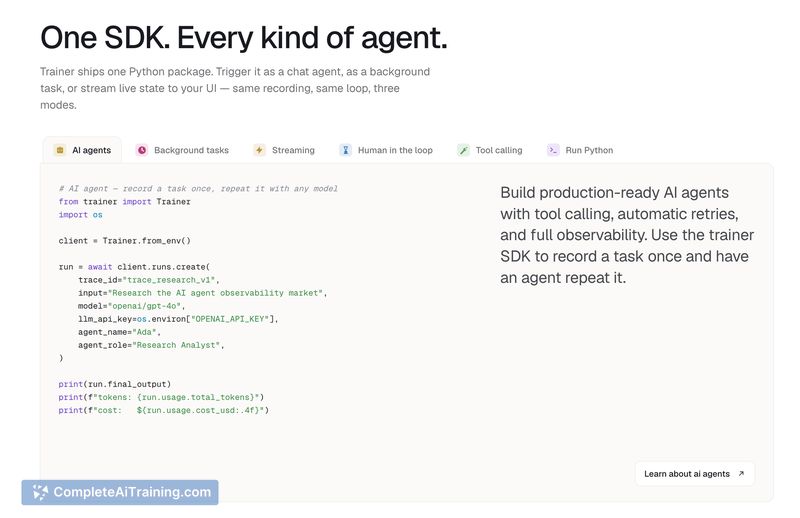
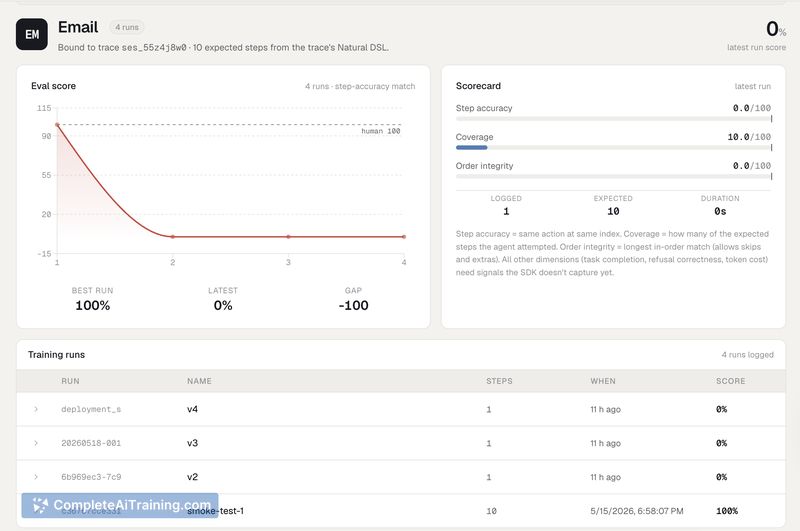
Trainer adopts a demonstration-first approach to automation, making it straightforward to convert routine workflows into repeatable agents. The tool emphasizes semantic recognition of interface elements so agents can adapt when layouts shift, and it is positioned for users who prefer showing a task instead of writing instructions.
Key Features
- Screen-based training: Record a task once and create an agent from the actions you perform.
- Semantic element recognition: Identifies buttons, inputs and context rather than relying on fixed pixel coordinates.
- No prompts or labeled data: Converts demonstrations into workflows without manual prompt engineering or dataset annotation.
- Flexible recordings: Supports long or multi-stage recordings and allows multiple recordings to cover different parts of a process.
- Interrupt and variation handling: Built to tolerate interruptions and small UI changes by inferring intent at runtime.
Pricing and Value
At launch Trainer offers a free plan, which makes it easy to experiment with recording-based automation without upfront cost. The value proposition is strong for teams and individuals who need to automate repetitive browser tasks quickly, since it reduces time spent on prompt engineering or writing automation scripts. Details on paid tiers or enterprise features are limited at launch, so organizations with advanced security or integration needs should verify roadmap and SLA options before committing long term.
Pros
- Very low barrier to entry: record a workflow and get an agent without coding.
- Adapts to UI changes by interpreting element labels and context instead of fixed coordinates.
- No need for prompt engineering or labeled datasets to produce usable automation.
- Handles long and multi-stage processes with multiple recordings.
- Free to start, which is helpful for evaluating fit on real tasks.
Cons
- Screen recordings can raise privacy and security questions for sensitive data; organizations should review data handling policies.
- Highly atypical interfaces (canvas-heavy apps or custom renderers) may still require extra effort or fallbacks.
- Major UI redesigns could necessitate re-recording or supplemental recordings for reliable results in some cases.
Trainer is best suited for operations, support, product and marketing teams or individual contributors who perform repeatable browser tasks and want to automate them quickly without coding. It is a practical choice for data entry, report generation, and routine admin workflows, while enterprises with strict compliance needs should validate privacy and integration capabilities before deploying widely.
Jobs Trainer suits
We checked Trainer against 500+ jobs; these get the most out of it.
Alternatives to Trainer
Other tools that do the same main job. Our AI compared Trainer with similar tools and kept the ones you could use instead.