AI tool
Hermes Desktop
Hermes Desktop is an open-source AI agent that grows with you. Native macOS, Windows and Linux app for automating workflows, managing tasks and research pipelines. By Nous Research.

About Hermes Desktop
Hermes Desktop is an open-source desktop agent available as a native application for macOS, Windows, and Linux. It is MIT-licensed and focuses on persistent agent state, local tool access, and support for a wide range of connectors out of the box.
Review



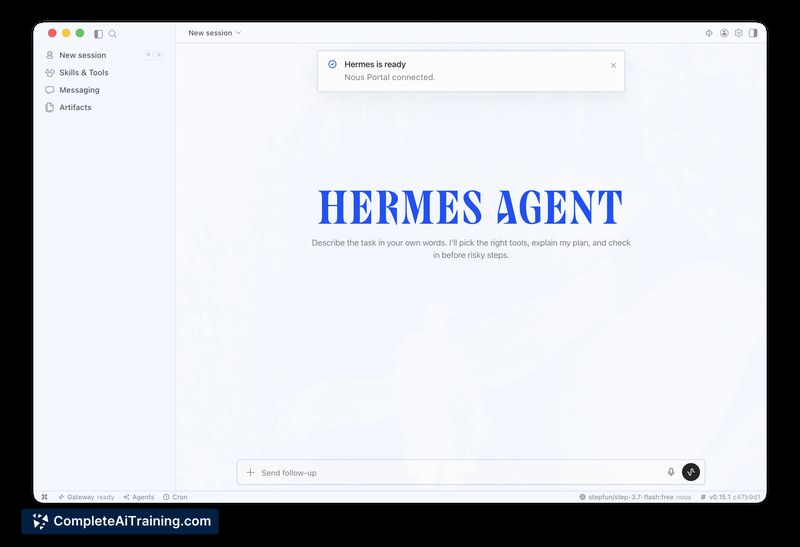
Hermes Desktop offers a local agent experience intended for developer-focused workflows and users who want an agent that can retain knowledge across sessions. The native app approach reduces browser overhead and makes low-latency access to local tools and files more practical than many web-based wrappers.
Key Features
- Native desktop clients for macOS, Windows, and Linux to reduce latency and overhead.
- Persistent memory across sessions so the agent can accumulate information over time.
- Open-source codebase with an MIT license, enabling inspection, modification, and self-hosting.
- Batteries-included connectors for common services and tools, easing integration with existing workflows.
- Developer-oriented tooling and integrations for working with code and local files.
Pricing and Value
Hermes Desktop is offered with free options and is distributed under an MIT license, which makes the core product available at no direct cost for most users and projects. That model provides strong value for developers, hobbyists, and teams that prefer self-hosting or modifying the agent. Organizations that require managed support, centralized control panels, or enterprise features may need to invest in additional tooling or custom integration work.
Pros
- Native applications lower latency and simplify access to local tools and files compared with browser-based wrappers.
- Open-source MIT license encourages transparency and customization.
- Persistent agent memory helps with continuity across sessions and longer-term workflows.
- Wide set of connectors available out of the box makes integration faster for many common tasks.
- Developer-friendly features and integrations for code-related tasks.
Cons
- No built-in orchestration layer for managing multiple agents across different machines, which can be limiting for teams running several instances.
- Long-term memory and context scaling raise open questions: users will want clarity on how history is stored, retrieved, and kept from overflowing context windows for large codebases.
- Self-hosting and deeper customization require technical experience; non-technical users may face a learning curve.
Overall, Hermes Desktop is a strong fit for developers, technical users, and anyone who wants a locally running, persistent agent that integrates with desktop tools and services. It is less suitable for users who need centralized multi-instance management or turnkey enterprise support without extra engineering effort.
Jobs Hermes Desktop suits
We checked Hermes Desktop against 500+ jobs; these get the most out of it.
Alternatives to Hermes Desktop
Other tools that do the same main job. Our AI compared Hermes Desktop with similar tools and kept the ones you could use instead.