AI tool
Prompt Library
Prompt Library saves, tags and reuses your best prompts locally on Mac. Open the launcher (⌘⌥P) to search and insert prompts into any app. Offline-first and model-agnostic. Free trial; one-time purchase unlocks unlimited prompts.
About Prompt Library
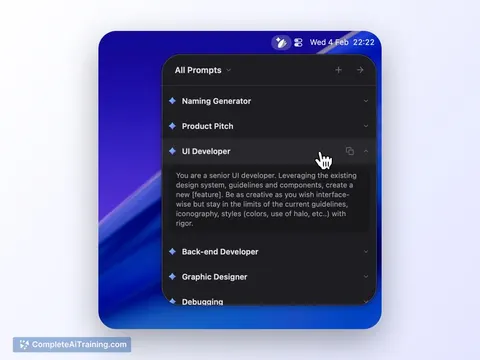
Prompt Library is a lightweight Mac app for saving, tagging, and organizing reusable prompts. It sits in the menu bar and lets you quickly insert stored prompts into any application via a keyboard launcher.
Review
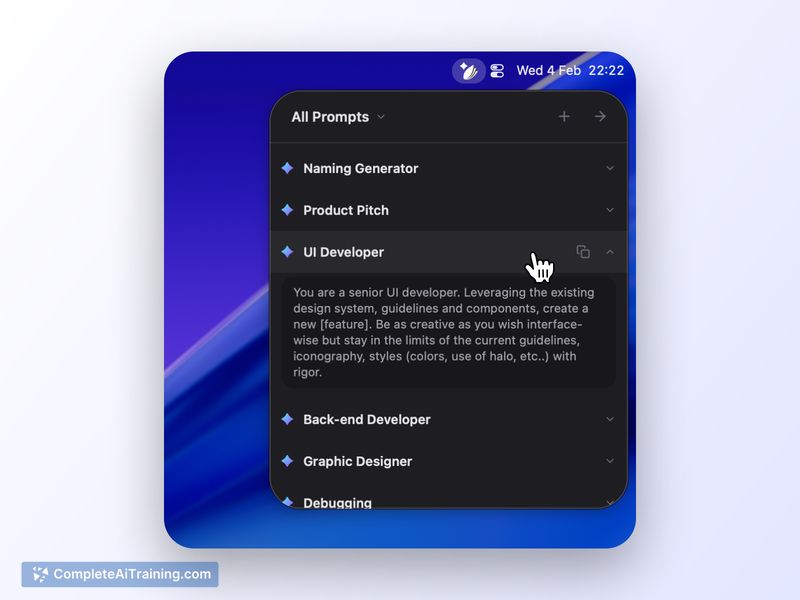
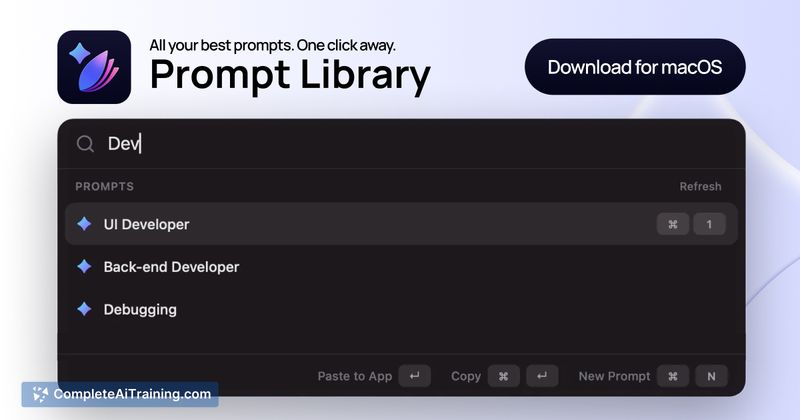
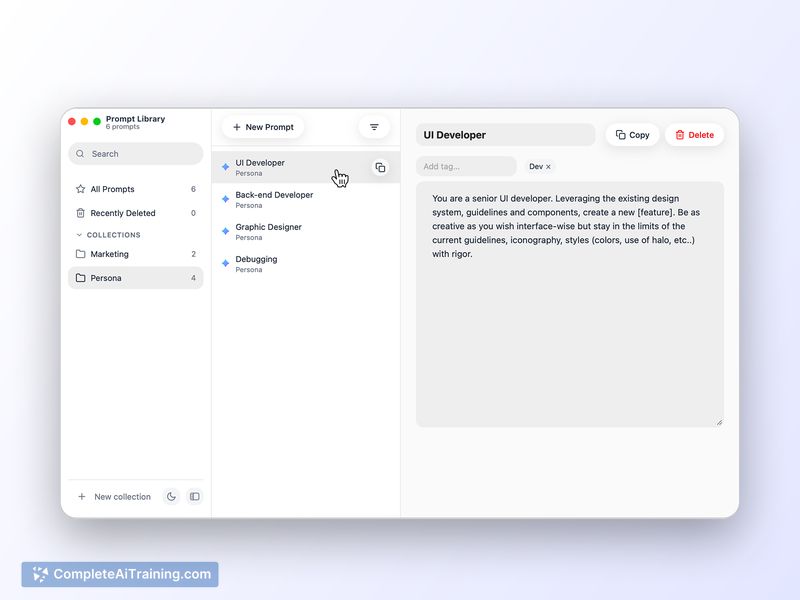
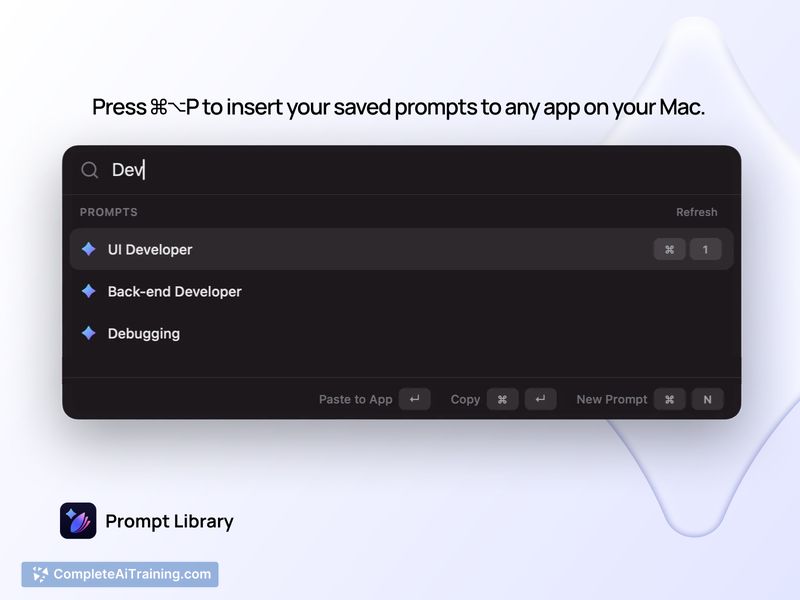
The app focuses on a simple, focused workflow: capture prompts, organize them with collections and tags, then paste them into your active app with a single shortcut (⌘⌥P). For users who frequently reuse or iterate on prompts across multiple AI services, it removes friction and keeps everything local to your Mac.
Key Features
- Offline-first local storage so prompts are saved on your Mac without requiring an account or cloud sync.
- Quick launcher (⌘⌥P) to search and insert prompts into any app from the menu bar.
- Organization via collections and tags to group prompts by project or use case.
- Multiple copy formats including raw text, Markdown fenced blocks, and JSON for different workflows.
- Simple sorting options: recently used, recently updated, or alphabetical.
Pricing and Value
The offering includes a free trial (.dmg) that allows saving up to 8 prompts. A one-time purchase (around $6.35) unlocks unlimited prompts with no subscription fees. For Mac users who reuse prompts a lot, the low one-time cost and offline storage represent strong value compared with subscription-based clipboard or prompt managers.
Pros
- Extremely simple and focused UI that makes prompt retrieval fast.
- Local-only storage is good for privacy-conscious users and works offline.
- Model-agnostic: works with any AI service since it only stores and inserts text.
- Affordable one-time purchase instead of a recurring subscription.
Cons
- Mac-only, so it excludes Windows and mobile workflows without cross-device sync.
- No built-in LLM features for generating or refining prompts automatically.
- Lacks cloud sync by default, which means manual transfer is needed if you want prompts on other machines.
Overall, Prompt Library is best suited for Mac users who frequently reuse or iterate on prompts across multiple AI tools and prefer a private, local-first approach. It's a practical, budget-friendly utility for writers, developers, and product people who want to reduce repetitive typing and keep a tidy prompt archive.
Jobs Prompt Library suits
We checked Prompt Library against 500+ jobs; these get the most out of it.
Alternatives to Prompt Library
Other tools that do the same main job. Our AI compared Prompt Library with similar tools and kept the ones you could use instead.