MCP server · Productivity
Yango Delivery MCP server
by A1-x-Tech
Let your AI check courier prices, book a delivery and track the courier for your Yango Delivery account.
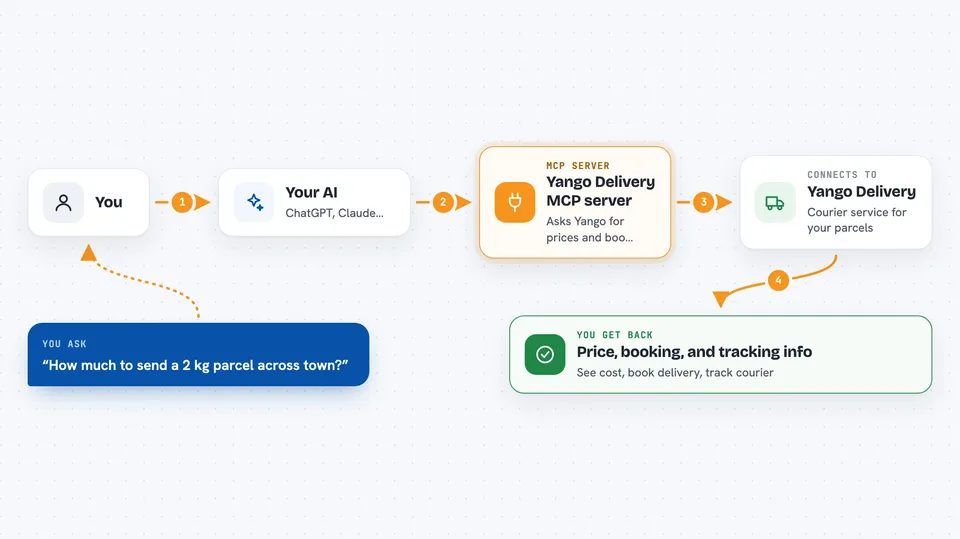
This is a small helper that connects your AI assistant to a corporate Yango Delivery account. Once it is set up, you can ask in normal words for a delivery price, book a courier and follow the route. It is handy for people who arrange same-day courier deliveries for a business and want to do it from the chat window instead of clicking around a website.
What is an MCP server? The 30-second version
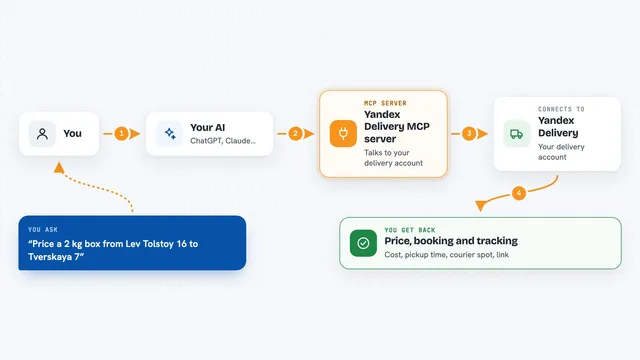
On its own, your AI can only chat with you. An MCP server is a small helper program that gives your AI one new skill or one new connection. This helper connects your AI to Yango Delivery, so the AI can look up prices, create delivery claims and check courier status in your account when you ask. You stay in the chat, and the helper does the talking to Yango behind the scenes.
What this MCP server does
You type a request in plain words, like asking for a price on a 2 kg parcel between two addresses. Your AI passes that request to this helper, and the helper asks the Yango Delivery system for the current price, distance and estimated arrival time. If you then say to go ahead, the helper creates a delivery claim in your account, and you can review it before the courier search starts. After you accept it, the helper can follow the delivery and pull back the courier's position, a contact number and a tracking link you can share with the recipient.
 Click to zoom
What you can do with it
- Check the price, distance and ETA for an express delivery before ordering anything
- Create a delivery claim with sender, recipient, addresses and parcel details
- Review the claim's price and status, then accept it to start courier search
- Find an existing claim by id, phone number, status or date
- Get the courier's current position and arrival time for each stop
- Get a public tracking link to send to the recipient
- Check whether cancelling a delivery is free, paid or no longer possible
Try asking your AI
- “Estimate delivery of a 2 kg parcel from our warehouse to the customer's address”
- “Create the claim but don't order the courier yet”
- “Accept the claim and start courier search”
- “Send me the recipient's tracking link”
What it gives back to you
You get answers right in the chat: a price, a distance, an estimated arrival time, or a claim id with its status. When a courier is on the way, you can get their position, an ETA for each stop, a temporary phone number and a tracking link. When you create, accept or cancel a claim, the helper tells you what changed in your account.
Before you start
What you need
- A corporate Yango Delivery account with a signed delivery contract
- An integration token from the Integration tab of that account (it works like a password for apps)
- Node.js 20 or newer installed on your computer
- An AI app that supports MCP servers, such as Claude Desktop, Claude Code, Cursor or VS Code
Good to know
Creating, accepting or cancelling a claim changes your real delivery account and can lead to a charge, so read the claim carefully before you confirm anything.
Install it with your AI
Add Yango Delivery MCP server to your AI, no technical skills needed
You don't install anything by hand. You copy one prompt, paste it into an AI that can work on your computer, and it checks, installs and connects the server for you, asking you when it needs something.
Sign in to get the install prompt
Members get a ready-made prompt that lets the Claude desktop app check Yango Delivery MCP server, install it and connect it for them, step by step. You don't need any technical skills: you copy, paste and answer a few questions. Your connected AI can also find and install any of the 4,361 MCP servers here for you.
Who it's for
People who arrange business courier deliveries, like office managers, logistics coordinators and small online shop owners.