MCP server · Productivity
Yango Tech Retail MCP server
by A1-x-Tech
Lets your AI check and update stores, products, prices, stock and orders in your Yango Tech Retail account.
This is a helper that connects your AI assistant to your Yango Tech Retail account. It is made for grocery retailers and darkstore teams who want to look at stores, products, prices, stock and orders without clicking through a dashboard. If you work with a retailer account and use an AI app like Claude or Codex, this lets you ask questions in plain language.
What is an MCP server? The 30-second version
On its own, your AI can only chat with you. An MCP server is a small helper program that gives your AI a new skill or a connection to an app or service. This one connects your AI to Yango Tech Retail, so it can look up your stores, products, prices and orders, and make changes when you ask. You install it once, and after that your AI can talk to your retailer account for you.
What this MCP server does
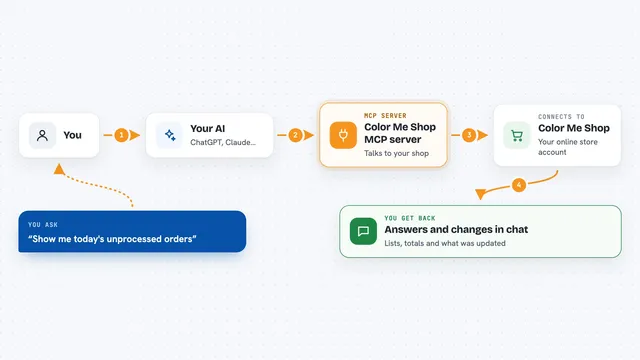
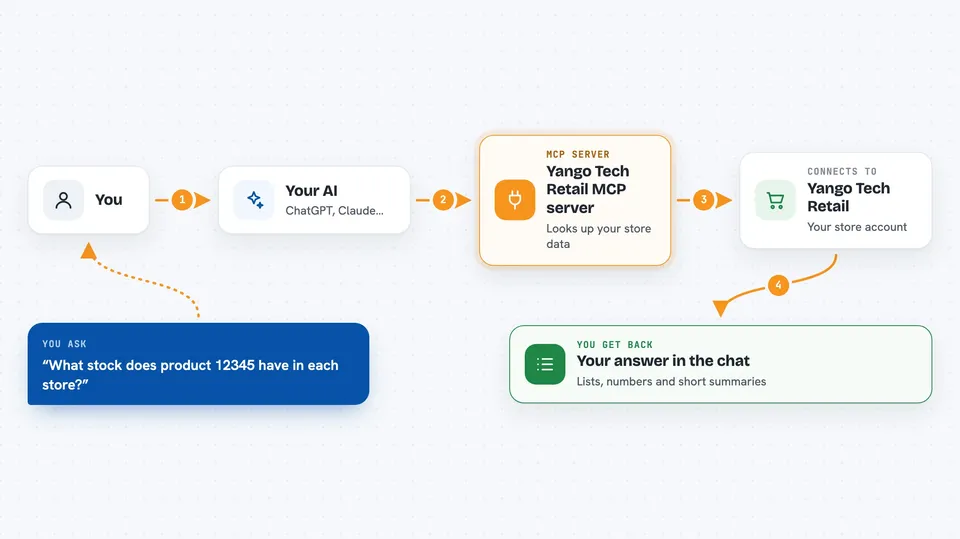
You ask your AI a question, like what stock a product has in each store. Your AI passes that request to this helper program. The helper talks to the Yango Tech Retail API using your account token, and gets the current data back. Your AI then shows you the answer in the chat, in a list or a short summary. For changes, like a new price or a new order, your AI asks you to confirm first, then the helper sends the change to your account.
 Click to zoom
What you can do with it
- List your stores with their ids, status and address
- Check the stock of a product across all your stores
- Compare a product's price in different price lists
- Create or update up to 100 products in one go
- Set prices or create store-specific discounts
- Create a new order with products, quantities and delivery details
- Read order details, order states and fiscal receipts
- Cancel an order after checking its current state
Try asking your AI
- “List our stores and show the stock of product 12345 in each.”
- “Show the price of product 12345 in every price list.”
- “Change the price to 99.90 in price list PL-001.”
- “What is the current state of order ORD-7788?”
- “Create an order for store S-01 with 10 units of product 12345, delivery tomorrow, paid by card.”
What it gives back to you
You get back lists, numbers and short answers in the chat. For example, a list of stores with their ids and stock counts, or a table of prices per price list. When you make a change, the AI tells you what it did and can read the data again to show the new value. It does not give you files or charts unless your AI app builds them from the data.
Before you start
What you need
- A Yango Tech Retail account
- A retailer Bearer token from your Yango Tech integration manager (a kind of password for the API)
- Node.js 20 or newer installed on your computer
- An AI app that supports MCP servers, like Claude Desktop, Claude Code, Codex, Cursor or VS Code
Good to know
This server can change real data in your account, including customer-facing prices, stock and orders, and there is no automatic undo, so always check the details before you confirm a change.
Install it with your AI
Add Yango Tech Retail MCP server to your AI, no technical skills needed
You don't install anything by hand. You copy one prompt, paste it into an AI that can work on your computer, and it checks, installs and connects the server for you, asking you when it needs something.
Sign in to get the install prompt
Members get a ready-made prompt that lets the Claude desktop app check Yango Tech Retail MCP server, install it and connect it for them, step by step. You don't need any technical skills: you copy, paste and answer a few questions. Your connected AI can also find and install any of the 4,361 MCP servers here for you.
Who it's for
Retail operations staff, store managers, category managers and analysts who work with a Yango Tech Retail account and want to check or update data through an AI assistant.