MCP server · Security
MikroTik RouterOS MCP server
by AliKarami
Lets your AI look at and safely change settings on your MikroTik router, with previews before anything is applied.

MikroMCP is a helper that connects your AI assistant to a MikroTik router. Once it is set up, you can ask your AI in normal words to check how the router is doing, look at firewall rules, or plan a change. It is handy for network engineers and anyone who looks after MikroTik gear and wants a safer way to work with it.
What is an MCP server? The 30-second version
On its own, your AI can only chat. An MCP server is a small helper program that gives your AI a new skill or a connection to something outside the chat. MikroMCP is that helper for your MikroTik router: it lets the AI read the router's state and, when you approve, make changes. You still ask in plain words; the helper does the technical talking to the router.
What this MCP server does
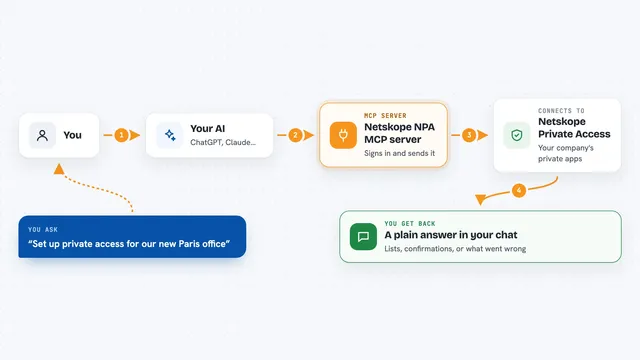
You ask your AI something about your router, like listing firewall rules or checking interface health. The AI passes that request to MikroMCP. MikroMCP talks to your MikroTik router through its API and gathers the answer. It then hands back a readable summary, and for changes it can first show you a preview of what would happen. Only after you approve does it actually apply anything, and it can roll a change back if needed.
 Click to zoom
What you can do with it
- Check router system status, version, and recent logs
- List interfaces, VLANs, IP addresses, and DHCP leases
- Review firewall filter and NAT rules for risky entries
- Preview a route or DNS change before applying it
- Look at WireGuard peers and their last handshake times
- Run ping, traceroute, or a short traffic snapshot from the router
- Plan, apply, and roll back a set of changes
Try asking your AI
- “Use MikroMCP to inspect core-01 and summarize system resources, running interfaces, and recent warning logs.”
- “List firewall filter and NAT rules on edge-01 and flag anything without comments. Do not change anything yet.”
- “Dry-run a route on core-01 for 10.20.0.0/16 via 192.168.88.1 and show me the planned diff.”
- “Show WireGuard peers on branch-02 sorted by last handshake age.”
What it gives back to you
You get back plain summaries in the chat, often with a structured list underneath. For example, a list of interfaces with their status, or a table of firewall rules with notes on anything that looks risky. For changes, you get a preview showing exactly what would be added or removed before you approve it. After applying, it reports what it changed and keeps a record you can roll back.
Before you start
What you need
- A MikroTik router with the RouterOS API turned on and a user account for MikroMCP
- Node.js 18 or newer, or Docker, or a prebuilt binary (see the Getting Started guide)
- An MCP client such as Claude Desktop, Claude Code, Cursor, or Codex
- Your router credentials stored in a local file like ~/.mikromcp/.env
Good to know
This server can change real settings on a live router, so always use the dry-run preview and keep a backup before applying anything.
Install it with your AI
Add MikroTik RouterOS MCP server to your AI, no technical skills needed
You don't install anything by hand. You copy one prompt, paste it into an AI that can work on your computer, and it checks, installs and connects the server for you, asking you when it needs something.
Sign in to get the install prompt
Members get a ready-made prompt that lets the Claude desktop app check MikroTik RouterOS MCP server, install it and connect it for them, step by step. You don't need any technical skills: you copy, paste and answer a few questions. Your connected AI can also find and install any of the 4,609 MCP servers here for you.
Who it's for
Network engineers, IT admins, and DevOps people who manage MikroTik routers and want to use an AI assistant safely.