MCP server · Security
Cloudflare MCP server
Let your AI look up your Cloudflare websites, DNS, firewall rules, and security logs for you.
This is a helper that connects your AI assistant to your Cloudflare account. Cloudflare is the service many companies use to run their websites, manage web addresses, and block bad traffic. If you work with websites or security and use Cloudflare, this lets you ask questions in plain English instead of clicking around the Cloudflare dashboard.
What is an MCP server? The 30-second version
On its own, your AI can only chat with you. An MCP server is a small helper program that gives your AI a new skill or a connection to another service. This one connects your AI to Cloudflare, so when you ask about your websites or security, the AI can actually go and look things up there for you. You do not need to understand how it works under the hood.
What this MCP server does
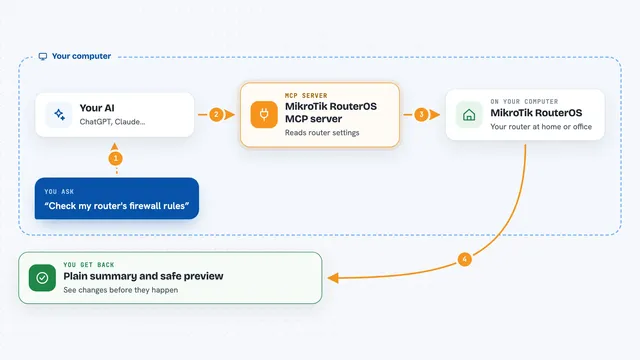
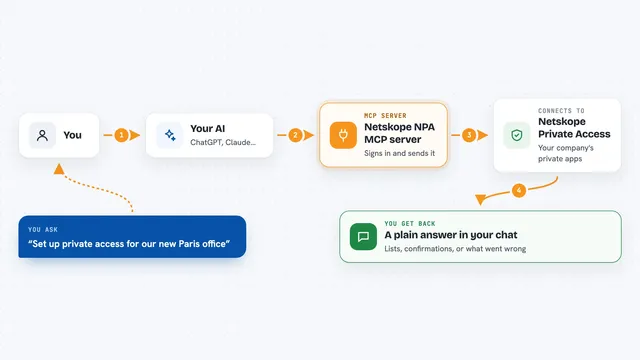
You ask your AI a question about your Cloudflare setup, like which websites you have or what firewall rules are active. The AI passes that request to this helper program. The helper talks to Cloudflare's system using a special key you provide, and Cloudflare sends back the information. The AI then reads that information and explains it to you in normal words. Right now it is set up to look at things, not change them, so it is safe for checking and investigating.
What you can do with it
- List all your websites (called zones) and their status
- Show the DNS records for a website, which are the settings that point your web address to the right place
- Look up your firewall and WAF rules that block or allow traffic
- Check your rate limiting rules that stop too many requests
- Find a specific web request using its Cloudflare Ray ID
- Review security events and Security Center insights
- Look up threat information about an IP address, domain, or network
Try asking your AI
- “List all my Cloudflare zones and tell me which ones are active”
- “What DNS records do I have for example.com?”
- “Show me the firewall rules that are currently blocking traffic”
- “Look up the request with Ray ID 8a3f... and tell me what happened”
What it gives back to you
You get back clear answers in the chat, like a list of your websites, a table of DNS records, or a summary of a firewall rule. For security questions, it can show you details about events or threats. It reads the information from Cloudflare and explains it, so you do not have to read raw data yourself.
Before you start
What you need
- A Cloudflare account with at least one website
- A Cloudflare API token (a kind of password for apps; you create it in your Cloudflare account settings)
- Go 1.25 or newer installed on your computer (a free programming tool)
- An MCP-compatible AI app like Claude
Good to know
This server is read-only by default, so it only looks at things and does not change them, but if someone turns on write mode it could then change or delete your DNS records and firewall rules.
Install it with your AI
Add Cloudflare MCP server to your AI, no technical skills needed
You don't install anything by hand. You copy one prompt, paste it into an AI that can work on your computer, and it checks, installs and connects the server for you, asking you when it needs something.
Sign in to get the install prompt
Members get a ready-made prompt that lets the Claude desktop app check Cloudflare MCP server, install it and connect it for them, step by step. You don't need any technical skills: you copy, paste and answer a few questions. Your connected AI can also find and install any of the 4,210 MCP servers here for you.
Who it's for
This is most useful for people who manage websites or security on Cloudflare, like web admins, IT staff, and security analysts.