MCP server · Research
Grounding MCP server
Search your own PDFs, EPUBs and Word files locally and get answers with page and section citations.

Grounding is a tool that turns a folder of your own documents into a searchable library your AI can read. You drop in PDFs, EPUBs, Word files or Markdown, and it builds a local index so your AI can answer questions from those documents instead of guessing. It is handy if you work with manuals, reports, papers or regulations and want answers you can trace back to a page.
What is an MCP server? The 30-second version
On its own, your AI can only chat with what it already knows. An MCP server is a small helper program that gives your AI a new skill or a connection to something, and here that something is your own document collection. Once this helper is running, your AI can search your Grounding library when you ask a question, then answer using what it finds there. Everything stays on your computer, so your documents are not sent to a cloud service.
What this MCP server does
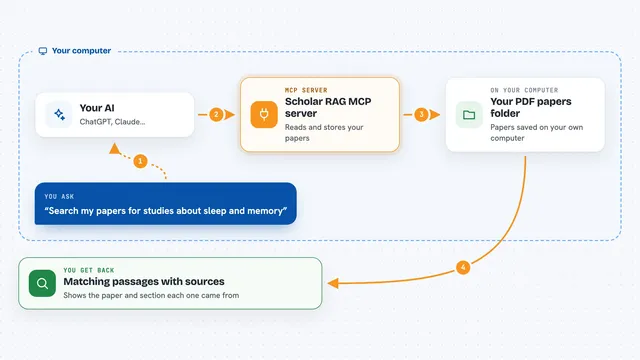
You ask your AI a question in normal words. The AI decides it needs to look something up and calls this helper. The helper searches the local index of your documents, which was built when you added them to Grounding. It hands back the most relevant passages, along with where each one came from. Your AI then writes an answer for you and points to the source, such as a document name, page range or section heading.
 Click to zoom
What you can do with it
- Ask questions and get answers drawn from your own documents
- See which document, page and section each answer came from
- Keep separate agents that each search only their own slice of the library
- Add new PDFs, EPUBs, Word files or Markdown to the library and re-index
- Search across several topic collections at once, like physics and biology
- Get answers without sending your files to any cloud service
Try asking your AI
- “What does Kuhn mean by a paradigm shift?”
- “Find the section in the safety manual about lockout procedures and summarize it”
- “Which of my documents mention incommensurability, and where?”
- “Summarize what the regulations say about reporting deadlines, with page numbers”
What it gives back to you
You get a written answer in the chat, based on passages found in your documents. The answer usually includes a source note, such as the document title and page or section. Sometimes you also see a short list of the passages that were used, so you can check them yourself. If nothing relevant is found, the AI will say so instead of making something up.
Before you start
What you need
- Python 3.10 to 3.13 installed on your computer
- The grounding-ai package installed (pip install grounding-ai)
- A local model runner such as Ollama, since the search and answers run on your machine
- Your documents added to a Grounding corpus and indexed first
Good to know
It reads the documents you add to your library, so keep private or sensitive files out of the folders you point it at unless you are fine with your AI searching them.
Install it with your AI
Add Grounding MCP server to your AI, no technical skills needed
You don't install anything by hand. You copy one prompt, paste it into an AI that can work on your computer, and it checks, installs and connects the server for you, asking you when it needs something.
Sign in to get the install prompt
Members get a ready-made prompt that lets the Claude desktop app check Grounding MCP server, install it and connect it for them, step by step. You don't need any technical skills: you copy, paste and answer a few questions. Your connected AI can also find and install any of the 4,361 MCP servers here for you.
Who it's for
People who work with a personal or team library of PDFs, reports, manuals or papers and want answers they can trace back to a source.