MCP server · Analytics
Spoor MCP server
by asinha07
Spoor tells your AI what changed in your services and where a failure started, using metrics, logs and traces.
Spoor is a small helper program that connects your AI to the VictoriaMetrics monitoring stack (VictoriaMetrics, VictoriaLogs and VictoriaTraces). When something breaks, you ask your AI what changed, and Spoor gives back a short, ranked answer that points to the service where the problem actually started. It is handy for people who look after online services and use an AI assistant to help figure out why something stopped working.
What is an MCP server? The 30-second version
On its own, your AI can only chat. It cannot see your monitoring data. An MCP server is a small helper program that gives your AI a new skill or a connection to another tool. Spoor is that helper here. It connects your AI to your VictoriaMetrics, VictoriaLogs and VictoriaTraces data, so the AI can look things up there and answer your questions about what is going wrong.
What this MCP server does
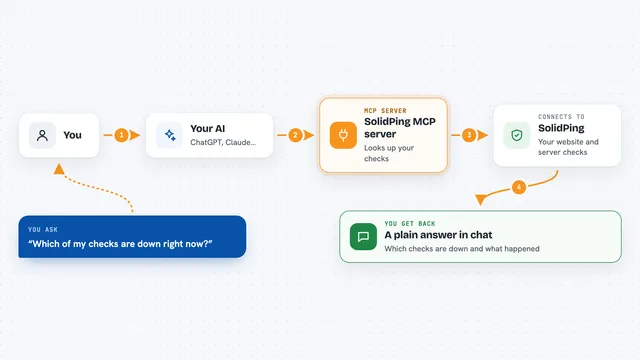
You ask your AI something like what changed in the last 30 minutes. The AI passes that question to Spoor. Spoor then queries your VictoriaMetrics, VictoriaLogs and VictoriaTraces backends, compares the recent window against a baseline, and looks at trace trees to see where failures started. It ranks the changes, separates the real cause from services that are just suffering as a result, and gives back a short digest. Your AI then explains that digest to you in plain language.
What you can do with it
- Ask what changed in the last 30 minutes across all your services
- Find out which service a failure started in, not just which one is loudest
- See new or spiking error log patterns with counts and an example
- Spot spans that got slower or started failing
- List the services in a time window and which signals have data
- Check errors that were already there so you do not chase them
- Keep the answer short by setting a limit on how much text comes back
What it gives back to you
You get a short summary sentence and a ranked list of findings. Each finding names a service, says which signal it came from (metrics, logs or traces), gives a score, and describes what changed in plain words. Some findings include a link back to the query behind them so you can check the work. There is also a coverage line that honestly says when a backend had no data or failed to answer.
Before you start
What you need
- Go 1.25 or newer to build it, or a prebuilt version from the project
- Access to a VictoriaMetrics, VictoriaLogs and VictoriaTraces setup
- The addresses of those three services (they look like web links)
- Docker if you want to try the built-in demo data
Good to know
Spoor is read-only and never changes your data, but it does read your logs and traces, so make sure you are allowed to send that data to your AI assistant.
Install it with your AI
Add Spoor MCP server to your AI, no technical skills needed
You don't install anything by hand. You copy one prompt, paste it into an AI that can work on your computer, and it checks, installs and connects the server for you, asking you when it needs something.
Sign in to get the install prompt
Members get a ready-made prompt that lets the Claude desktop app check Spoor MCP server, install it and connect it for them, step by step. You don't need any technical skills: you copy, paste and answer a few questions. Your connected AI can also find and install any of the 4,361 MCP servers here for you.
Who it's for
Engineers and on-call staff who look after online services and use an AI assistant to help find the cause of outages.