MCP server · Analytics
Chronulus AI forecasting server
by ChronulusAI
Ask your AI to run forecasts and predictions using Chronulus AI agents, right inside your chat.

This is a small helper that connects your AI assistant to Chronulus, a service that makes forecasts and predictions. Once it is set up, you can ask your AI to predict things like future sales, demand, or trends, and it will use Chronulus to do the number crunching. It is handy for anyone who needs a quick forecast without learning a statistics tool.
What is an MCP server? The 30-second version
On its own, your AI can only chat with you using what it already knows. An MCP server is a small helper program that gives your AI a new skill or a connection to another service. This one connects your AI to Chronulus, so when you ask for a forecast, your AI can send the request to Chronulus and bring the answer back to you. You do not need to understand how it works under the hood; you just talk to your AI like normal.
What this MCP server does
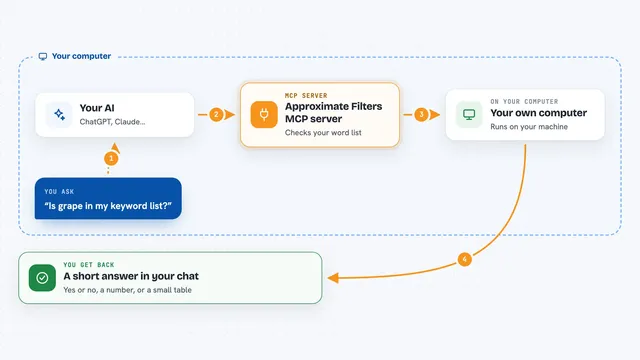
You ask your AI a question that needs a prediction, like how many units you might sell next month. Your AI passes that request to this helper, which talks to the Chronulus service. Chronulus runs its forecasting agents on your data or description and produces a prediction, often with an explanation. The helper sends the result back, and your AI shows it to you in the chat, sometimes with a chart or a written summary.
 Click to zoom
What you can do with it
- Run forecasts for future values like sales, demand, or traffic
- Get predictions with a written explanation from Chronulus agents
- Ask follow-up questions about a forecast you already ran
- Use files, PDFs, or images as input for a forecast
- See forecast results as plots inside your chat
- Compare different scenarios or time periods
Try asking your AI
- “Forecast next quarter's sales based on this spreadsheet of monthly numbers”
- “Predict how many visitors we will get next week using the data in this file”
- “Run a Chronulus forecast on this PDF report and explain the result”
- “What does Chronulus predict for our demand over the next six months?”
What it gives back to you
You get back a forecast, usually as numbers or a chart, plus a plain-language explanation from Chronulus. Your AI may also summarize the result or answer follow-up questions about it. Everything appears right in your chat window, so you do not have to open another tool.
Before you start
What you need
- A Chronulus account and API key (a kind of password for apps; you get it from Chronulus)
- The Claude desktop app on macOS or Windows
- Python or uvx or Docker installed, depending on which setup method you choose
Good to know
This server sends your data to Chronulus to run forecasts, so avoid sharing anything you would not want processed by that service.
Install it with your AI
Add Chronulus AI forecasting server to your AI, no technical skills needed
You don't install anything by hand. You copy one prompt, paste it into an AI that can work on your computer, and it checks, installs and connects the server for you, asking you when it needs something.
Sign in to get the install prompt
Members get a ready-made prompt that lets the Claude desktop app check Chronulus AI forecasting server, install it and connect it for them, step by step. You don't need any technical skills: you copy, paste and answer a few questions. Your connected AI can also find and install any of the 4,361 MCP servers here for you.
Who it's for
Anyone who needs quick forecasts or predictions, like business analysts, planners, marketers, or operations staff, without being a data scientist.