MCP server · Developer tools
Network & Proxy Helper MCP server
by Edge-Echo
Lets your AI check your internet, proxy, and GitHub connection and tell you what to fix.
This is a small helper that lets your AI run network checks on your Windows computer. You can ask it why GitHub is not loading, whether your proxy is working, or what your hosts file is doing. It is handy if you use a proxy and things keep breaking for no clear reason.
What is an MCP server? The 30-second version
On its own, your AI can only chat. It cannot look at your computer or test your internet. An MCP server is a small helper program that gives your AI a new skill. This one gives your AI the skill of checking your network and proxy settings, so it can look things up on your machine and answer you with real facts instead of guesses.
What this MCP server does
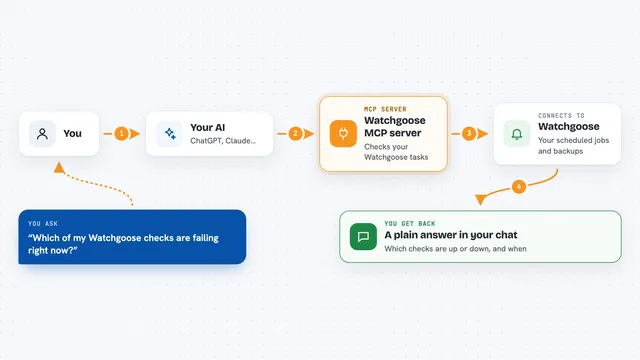
You ask your AI something like is GitHub reachable right now. Your AI sends that question to this helper. The helper runs a few checks on your Windows machine, like looking up the address, testing the connection, and reading your proxy settings. Then it sends the results back to your AI, and your AI explains them to you in plain words, along with a suggestion about what to change.
What you can do with it
- Check whether GitHub is reachable and how fast it responds
- See which proxy your system is currently using
- Test whether common local proxy ports are alive
- Run a full DNS, TCP, and HTTP check for any website
- Look for GitHub entries pinned in your hosts file
- Get a doctor report with concrete suggestions about what to fix
Try asking your AI
- “Is GitHub reachable right now?”
- “Why is my proxy not working?”
- “What proxy is my system using?”
- “Run the network doctor and tell me what to change”
What it gives back to you
You get back a short report in the chat. It lists what was checked, what passed, what failed, and any warnings, like a proxy port that is not responding or a TUN adapter that might be fighting your settings. For the doctor, you also get a suggested fix written in plain words. Everything is read-only, so nothing on your computer is changed.
Before you start
What you need
- A Windows computer
- Node.js installed (the free program that runs npx)
- An MCP client like Claude Desktop, Claude Code, or Cursor
Good to know
This tool only reads and reports; it never changes your proxy or hosts file, so you still have to make any fixes yourself.
Install it with your AI
Add Network & Proxy Helper MCP server to your AI, no technical skills needed
You don't install anything by hand. You copy one prompt, paste it into an AI that can work on your computer, and it checks, installs and connects the server for you, asking you when it needs something.
Sign in to get the install prompt
Members get a ready-made prompt that lets the Claude desktop app check Network & Proxy Helper MCP server, install it and connect it for them, step by step. You don't need any technical skills: you copy, paste and answer a few questions. Your connected AI can also find and install any of the 4,361 MCP servers here for you.
Who it's for
Anyone on Windows who uses a proxy and gets stuck when GitHub or npm stops working, especially developers and office workers in China.