MCP server · Health and learning
GeoGebra MCP server
by haison8x
Let your AI draw and fix plane geometry figures live in GeoGebra Calculator.
This is a small helper that lets your AI draw geometry figures directly in GeoGebra Calculator, the free online drawing tool at geogebra.org. You ask for a figure, the AI builds it, checks it, and fixes its own mistakes. It is handy for teachers, students, and anyone who needs a clean geometry picture without clicking every point by hand.
What is an MCP server? The 30-second version
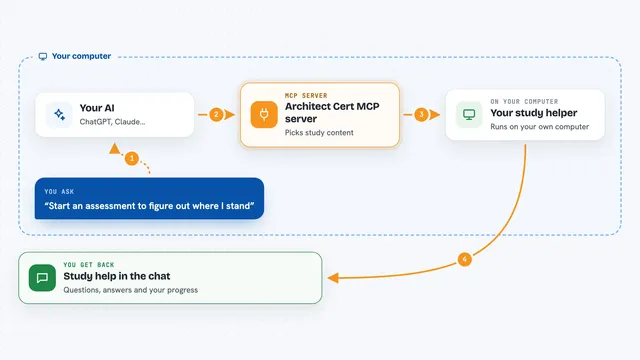
On its own, your AI can only chat, it cannot open a drawing app or move a point. An MCP server is a small helper program that gives your AI a new skill, here a live connection to GeoGebra Calculator. Once it is connected, the AI can run drawing commands, read the figure, and take a screenshot to see what it made. You just describe the figure you want, and the AI does the clicking and checking for you.
What this MCP server does
You describe a figure in plain words, like a triangle with a circle around it. Your AI turns that into GeoGebra commands and sends them to this helper. The helper opens a Chrome or Edge window on GeoGebra Calculator and runs the commands there, one by one. It reads back any errors, the list of objects, and a screenshot, so the AI can spot mistakes and fix the figure. When it is done, you see the finished figure in the browser window and can drag or edit it by hand.
What you can do with it
- Draw points, lines, circles, and polygons from a plain description
- Check properties like angles, midpoints, and whether points are in a straight line
- Take a screenshot of the figure so the AI can see and correct it
- Change colors, labels, and line styles on any object
- Delete objects or start a fresh figure
- Undo changes and save named versions of a figure
- Export the figure as a GeoGebra file or a PNG image
Try asking your AI
- “Draw triangle ABC inside circle O, with height AH and M as the midpoint of BC.”
- “Check whether points A, H, and O lie on the same line.”
- “Make point H the foot of the perpendicular from A to BC.”
- “Color the circle blue, hide the axes, and take a screenshot.”
What it gives back to you
You get the figure itself, drawn live in the GeoGebra window on your screen. In the chat, the AI can also show you lists of objects, computed values like angles or coordinates, and short notes about any command that failed. It can save a picture or a GeoGebra file for you to keep. If something went wrong, it tells you what it tried and what it changed.
Before you start
What you need
- Node.js version 20 or newer
- Google Chrome or Microsoft Edge installed (or run npx playwright install chromium)
- An MCP client like Claude Desktop, Claude Code, or Cursor
Good to know
The AI can change or delete objects in your figure, and it drives a real browser window on your computer, so keep an eye on what it does.
Install it with your AI
Add GeoGebra MCP server to your AI, no technical skills needed
You don't install anything by hand. You copy one prompt, paste it into an AI that can work on your computer, and it checks, installs and connects the server for you, asking you when it needs something.
Sign in to get the install prompt
Members get a ready-made prompt that lets the Claude desktop app check GeoGebra MCP server, install it and connect it for them, step by step. You don't need any technical skills: you copy, paste and answer a few questions. Your connected AI can also find and install any of the 4,609 MCP servers here for you.
Who it's for
Geometry teachers, students, tutors, and anyone who wants clean plane-geometry figures without drawing them point by point.