MCP server · Productivity
Excel MCP server
by haris-musa
Lets your AI create, read and edit Excel workbooks for you, without opening Excel.

This is a small helper that lets your AI assistant work with Excel files directly. You ask in plain words, and it builds the spreadsheet, fills in the cells, adds the formatting and charts. It is handy for anyone who spends time making reports, trackers or summaries in Excel.
What is an MCP server? The 30-second version
On its own, your AI can only chat. An MCP server is a small helper program that gives your AI a new skill or a connection to an app. This one connects your AI to Excel files on your computer, so it can open them, change them and create new ones when you ask. You do not need Microsoft Excel installed for it to work.
What this MCP server does
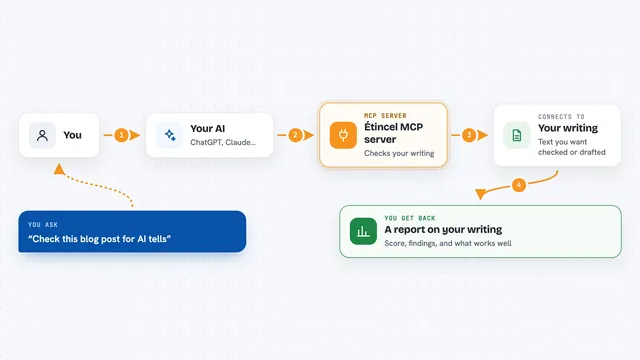
You tell your AI what you want, for example a sales report with a chart. The AI passes that request to this helper program. The helper then creates or opens the Excel file in a folder you allowed, writes the cells, adds formatting, tables or charts, and saves the file. When it is done, it tells you what it changed, and you open the file in Excel as usual.
 Click to zoom
What you can do with it
- Create a new workbook with sheets, headers and data
- Read cells, formulas and dates from an existing file
- Format fonts, colours, borders, column widths and frozen rows
- Add tables, charts and summary tables
- Set up dropdown lists and number limits for data entry
- Add conditional formatting so cells change colour by rule
- Find cells by their content and read VBA macro code from .xlsm files
Try asking your AI
- “Create a workbook called budget.xlsx with a sheet for each month and a total row”
- “Read the sales figures from report.xlsx and tell me the top five products”
- “Add a bar chart of monthly revenue to the Summary sheet”
- “Format the header row in bold with a grey background and freeze it”
What it gives back to you
You get answers in the chat, like a list of cells, a summary of what is in a sheet, or a confirmation that a file was created or changed. It can also hand you the finished workbook file itself. The changes are saved into the Excel file, so you can open it and see them.
Before you start
What you need
- The uv tool installed on your computer (a small free helper that runs this server)
- The folder path where your Excel files live, so the server knows what it may touch
- An AI app that supports MCP servers, such as Claude Desktop, Claude Code, Cursor or VS Code with Copilot
Good to know
It can change or overwrite the contents of your Excel files, so keep backups of anything important and consider the read-only setting if you only want it to look, not touch.
Install it with your AI
Add Excel MCP server to your AI, no technical skills needed
You don't install anything by hand. You copy one prompt, paste it into an AI that can work on your computer, and it checks, installs and connects the server for you, asking you when it needs something.
Sign in to get the install prompt
Members get a ready-made prompt that lets the Claude desktop app check Excel MCP server, install it and connect it for them, step by step. You don't need any technical skills: you copy, paste and answer a few questions. Your connected AI can also find and install any of the 4,361 MCP servers here for you.
Who it's for
Anyone who works with spreadsheets, like analysts, admin staff, project managers and small business owners who want reports built for them.