MCP server · Productivity
Excel MCP server
by sbroenne
Let your AI assistant open and work inside real Microsoft Excel on your Windows PC.

This is a helper that lets your AI assistant control the actual Microsoft Excel app on your Windows computer. You ask in plain words, and Excel does the work, so you can watch it happen and keep editing afterwards. It is handy for anyone who lives in spreadsheets and wishes they could just describe what they want.
What is an MCP server? The 30-second version
On its own, your AI can only chat. An MCP server is a small helper program that gives your AI a new skill or a connection to an app. This one connects your AI to Microsoft Excel on your Windows machine. Once it is set up, you can ask your AI to do things in Excel, and the AI passes those requests to Excel for you.
What this MCP server does
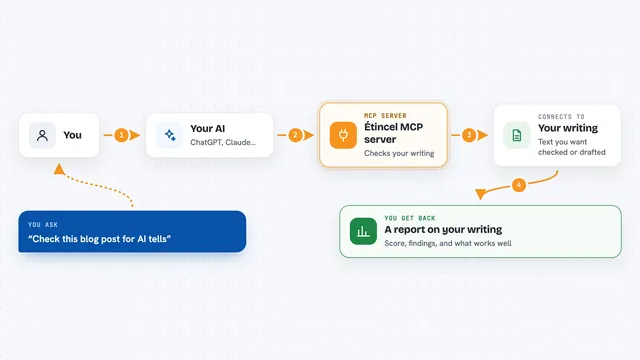
You type a request to your AI, like asking it to build a PivotTable or refresh a Power Query. The AI sends that request to this helper, and the helper talks to the real Excel app on your PC. Excel does the work, so formulas recalculate, charts appear, and macros run just like when you click around yourself. When it is done, the AI tells you what changed, and you can keep working in the same workbook.
 Click to zoom
What you can do with it
- Refresh Power Query data and load it into the Data Model
- Create PivotTables and charts from your data
- Write and run formulas, including DAX and VBA
- Format cells, ranges, and worksheets
- Use Goal Seek to find a value that hits a target
- Take screenshots of your workbook while it works
- Run Python inside Excel with the =PY() function
Try asking your AI
- “Import products.csv with Power Query and load it to the Data Model.”
- “Create a PivotTable showing revenue by region, then add a column chart.”
- “Use Goal Seek to find the price that produces $100,000 profit.”
- “Show me Excel while you work.”
What it gives back to you
You get back answers, summaries, and confirmations in your chat, like which cells were filled or which chart was added. Sometimes it sends a screenshot so you can see the result. The real changes happen inside your Excel workbook, which you can open and keep editing.
Before you start
What you need
- A Windows PC with an interactive desktop
- Microsoft Excel 2016 or later installed
- An MCP client like Claude Desktop or VS Code
- Close any open Excel workbooks before starting
Good to know
It can change, format, or delete things in your Excel workbooks, so keep a backup before letting it run.
Install it with your AI
Add Excel MCP server to your AI, no technical skills needed
You don't install anything by hand. You copy one prompt, paste it into an AI that can work on your computer, and it checks, installs and connects the server for you, asking you when it needs something.
Sign in to get the install prompt
Members get a ready-made prompt that lets the Claude desktop app check Excel MCP server, install it and connect it for them, step by step. You don't need any technical skills: you copy, paste and answer a few questions. Your connected AI can also find and install any of the 4,361 MCP servers here for you.
Who it's for
Anyone who works with Excel all day, like analysts, finance people, and operations staff who want to describe tasks instead of clicking through menus.