MCP server · Customer communication
ICTBroadcast MCP server
Let your AI check your ICTBroadcast calling campaigns and, if you allow it, start or stop them.

This is a small helper that connects your AI assistant to ICTBroadcast, the platform people use to run voice, SMS and fax campaigns. Once it is set up, you can just ask your AI things like how a campaign is going or which calls failed, instead of clicking around the dashboard. It is handy for anyone who runs outbound calling or texting campaigns and wants quick answers in plain chat.
What is an MCP server? The 30-second version
On its own, your AI can only chat. It cannot see your ICTBroadcast account or do anything inside it. An MCP server is a small helper program that gives your AI a new skill, in this case a connection to ICTBroadcast. So when you ask about a campaign, the AI passes your question to this helper, the helper talks to your ICTBroadcast server, and the answer comes back into the chat.
What this MCP server does
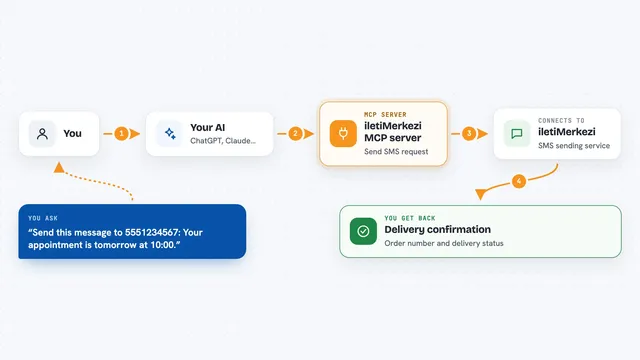
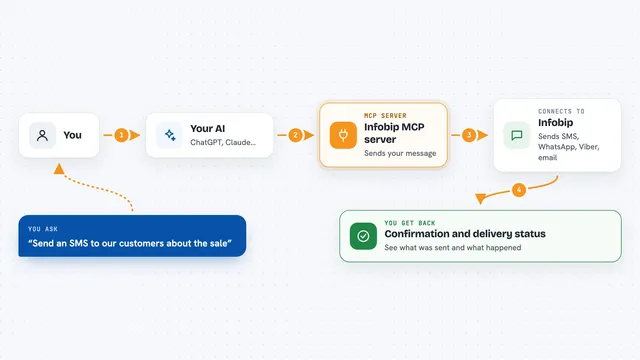
You ask your AI a question about your campaigns, like which ones are running or how many calls were answered. The AI sends that request to this helper program running on your computer. The helper logs into your ICTBroadcast server using the username and password you gave it, and asks for the information. Your ICTBroadcast server sends back the list, the status, the totals or the per-call results. The AI then turns that into a normal answer for you in the chat. If you turn on the write option, it can also start or stop a campaign for you.
 Click to zoom
What you can do with it
- List your ICTBroadcast campaigns with their id and name
- Check whether a campaign is running or stopped right now
- See totals like how many calls were answered or failed
- See how many calls reached a human versus a machine
- Read per-call results, including contact, response and do-not-call flags
- Start a campaign when you have allowed writes
- Stop a running campaign when you have allowed writes
Try asking your AI
- “List my ICTBroadcast campaigns.”
- “Is the campaign called Spring Promo still running?”
- “Give me the summary for campaign 12: how many answered, how many failed, and how many were humans?”
- “Show me the per-call results for campaign 12, especially any do-not-call contacts.”
What it gives back to you
You get back plain answers in the chat: a list of campaign names and ids, a status like running or stopped, totals such as answered and failed counts, and a table or list of individual call results. If you use the write tools, it tells you that the campaign was started or stopped. Everything appears as normal text or a small table in your conversation, not as files.
Before you start
What you need
- An ICTBroadcast account with the REST API available (it comes with the Service Provider edition)
- Your ICTBroadcast server address, username and password
- Node.js 18 or newer installed on your computer
- The Claude desktop app or another AI app that supports MCP servers
Good to know
Starting a campaign begins real outbound calls and can cost real money, so keep the write option off unless you really need it.
Install it with your AI
Add ICTBroadcast MCP server to your AI, no technical skills needed
You don't install anything by hand. You copy one prompt, paste it into an AI that can work on your computer, and it checks, installs and connects the server for you, asking you when it needs something.
Sign in to get the install prompt
Members get a ready-made prompt that lets the Claude desktop app check ICTBroadcast MCP server, install it and connect it for them, step by step. You don't need any technical skills: you copy, paste and answer a few questions. Your connected AI can also find and install any of the 4,609 MCP servers here for you.
Who it's for
People who run outbound voice, SMS or fax campaigns in ICTBroadcast and want quick answers about them without opening the dashboard.