MCP server · Productivity
Pg-Mnemosyne MCP server
by Janadasroor
Give your AI a long-term memory, a to-do list, and a shared workspace using your own PostgreSQL database.

Pg-Mnemosyne is a helper that gives your AI assistant a real memory. Instead of forgetting everything when you close the chat, it stores notes, tasks, and project details in a PostgreSQL database that you control. It is handy if you use AI for ongoing work and want it to remember where you left off.
What is an MCP server? The 30-second version
On its own, your AI can only chat. It cannot remember things between sessions or look anything up on its own. An MCP server is a small helper program that gives your AI a new skill. This one connects your AI to a PostgreSQL database, so the AI can save notes, track tasks, and look things up for you when you ask.
What this MCP server does
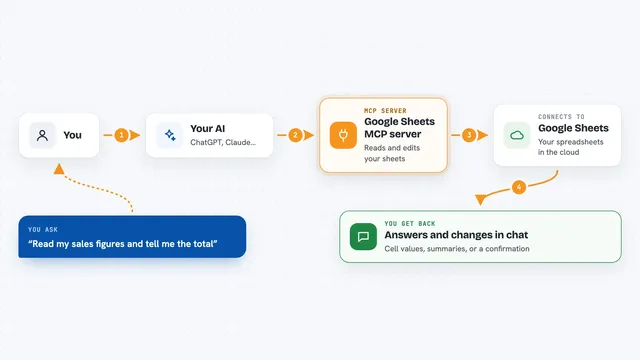
You ask your AI to remember something or check your tasks. The AI sends that request to this helper program. The helper talks to your PostgreSQL database, saves or reads the information, and sends the answer back. You see the result in your chat, like a list of tasks or a confirmation that your note was saved. It can also create separate databases for different projects and change table structures as your needs grow.
 Click to zoom
What you can do with it
- Save notes and memories with tags so you can find them later
- Track tasks with statuses like backlog, todo, in progress, blocked, and done
- Set priorities and deadlines for your tasks
- Create a separate database for each project
- Add new columns to your tables when your needs change
- Coordinate multiple AI agents working on the same project
- Run custom database queries for advanced needs
Try asking your AI
- “Remember that the client meeting is on Friday at 2pm”
- “Show me all my high priority tasks that are not done yet”
- “Create a new project database called website_redesign”
- “What are the other agents working on right now?”
What it gives back to you
You get back lists of records, task summaries, or confirmation messages. For example, when you ask for your tasks, the AI shows you a list with titles, statuses, and deadlines. When you save a memory, you see a short confirmation. The changes are saved in your database, so they are still there next time.
Before you start
What you need
- A PostgreSQL database (you can install it on your own computer or use a hosted one)
- Your PostgreSQL username and password
- Python 3.10 or newer (for installing the package)
- An AI client that supports MCP, like Claude Desktop, Cursor, or Gemini CLI
Good to know
This tool can change or delete things in your database, so be careful with delete commands and always keep a backup of important data.
Install it with your AI
Add Pg-Mnemosyne MCP server to your AI, no technical skills needed
You don't install anything by hand. You copy one prompt, paste it into an AI that can work on your computer, and it checks, installs and connects the server for you, asking you when it needs something.
Sign in to get the install prompt
Members get a ready-made prompt that lets the Claude desktop app check Pg-Mnemosyne MCP server, install it and connect it for them, step by step. You don't need any technical skills: you copy, paste and answer a few questions. Your connected AI can also find and install any of the 4,361 MCP servers here for you.
Who it's for
People who use AI for long projects and want it to remember things, track tasks, or coordinate with other AI tools.