MCP server · Productivity
Airtable MCP server
by domdomegg
Lets your AI read, search, add, update and delete records in your Airtable bases for you.

This is a small helper that connects your AI assistant to Airtable, the online spreadsheet and database tool. Once it is set up, you can ask your AI in plain English to look things up, add rows, or tidy up your tables, and it will do it for you. It is handy for anyone who keeps lists, projects, or client details in Airtable and wants to skip the clicking.
What is an MCP server? The 30-second version
On its own, your AI can only chat with you. An MCP server is a small helper program that gives your AI a new skill or a connection to an app or service. This one connects your AI to Airtable, so it can look things up and make changes there when you ask. You install it once, and after that your AI just knows how to work with your Airtable bases.
What this MCP server does
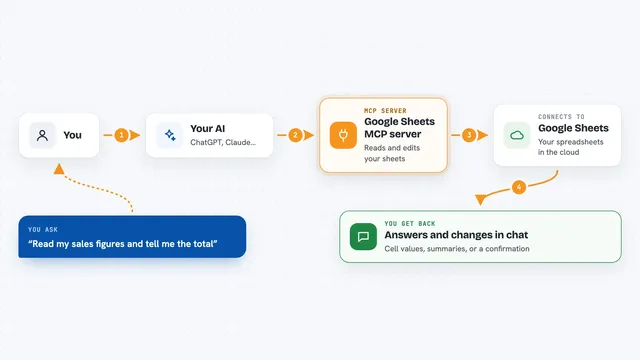
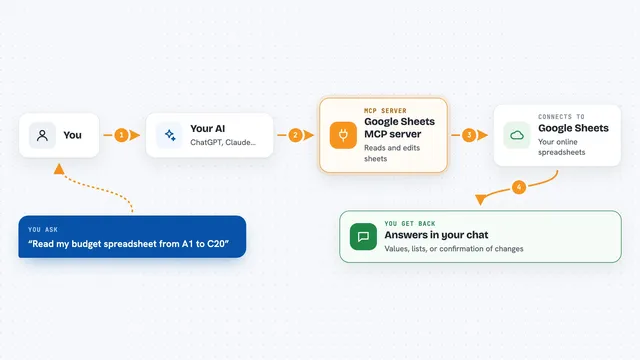
You ask your AI something like "show me the overdue tasks in my Projects base". Your AI sends that request to this helper program running on your computer. The helper talks to Airtable using your personal access token, which is like a key that proves it is allowed in. Airtable sends back the matching records, and your AI turns them into a readable answer in the chat. If you ask it to add or change something, the helper makes that change in Airtable and tells you what it did.
 Click to zoom
What you can do with it
- List all the Airtable bases you can access
- List the tables and fields inside a base so you can see its structure
- Search for records that contain a word or phrase
- Read a specific record by its ID
- Add new records to a table
- Update one or more existing records
- Delete records you no longer need
- Create a new table, field, or comment on a record
Try asking your AI
- “List my Airtable bases and tell me which ones I can edit”
- “Show me the tables in my Projects base and what fields they have”
- “Find all records in the Clients table where the name contains Acme”
- “Add a new row to the Tasks table with the title Send invoice and status To do”
- “Update the status of record rec123 in the Tasks table to Done”
What it gives back to you
You get back plain answers in the chat: lists of bases, tables, or records, and short summaries of what was found. When you ask it to change something, it tells you which records it added, updated, or deleted. For searches, it shows the matching rows with their field values. Comments come back with the author, the text, and the time they were posted.
Before you start
What you need
- An Airtable account
- An Airtable personal access token (a kind of password for apps; you create one on the Airtable site for free)
- Node.js installed on your computer (the helper runs through a tool called npx)
Good to know
This helper can add, change, and delete records and even whole tables in your Airtable bases, so be careful with what you ask it to do and check the results before trusting them.
Install it with your AI
Add Airtable MCP server to your AI, no technical skills needed
You don't install anything by hand. You copy one prompt, paste it into an AI that can work on your computer, and it checks, installs and connects the server for you, asking you when it needs something.
Sign in to get the install prompt
Members get a ready-made prompt that lets the Claude desktop app check Airtable MCP server, install it and connect it for them, step by step. You don't need any technical skills: you copy, paste and answer a few questions. Your connected AI can also find and install any of the 4,361 MCP servers here for you.
Who it's for
Anyone who keeps lists, projects, or client data in Airtable and wants to ask their AI to read or update it instead of clicking around.