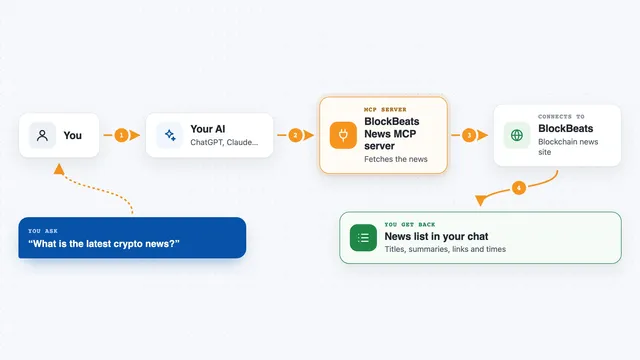
MCP server · Finance and crypto
Crypto News MCP server
by kukapay
Lets your AI pull fresh cryptocurrency headlines and search crypto news by keyword for you.
This is a small helper that connects your AI assistant to a live cryptocurrency news feed. Once it is set up, you can just ask your AI for the latest Bitcoin headlines or for news about a specific coin, and it will go fetch them. It is handy if you follow crypto markets and want quick updates without opening a dozen news sites.
What is an MCP server? The 30-second version
On its own, your AI can only chat with you using what it already knows. An MCP server is a small helper program that gives your AI one extra skill or connection. This particular helper connects your AI to NewsData, a news service, so it can look up current crypto news when you ask. You stay in the chat, and the helper does the fetching in the background.
What this MCP server does
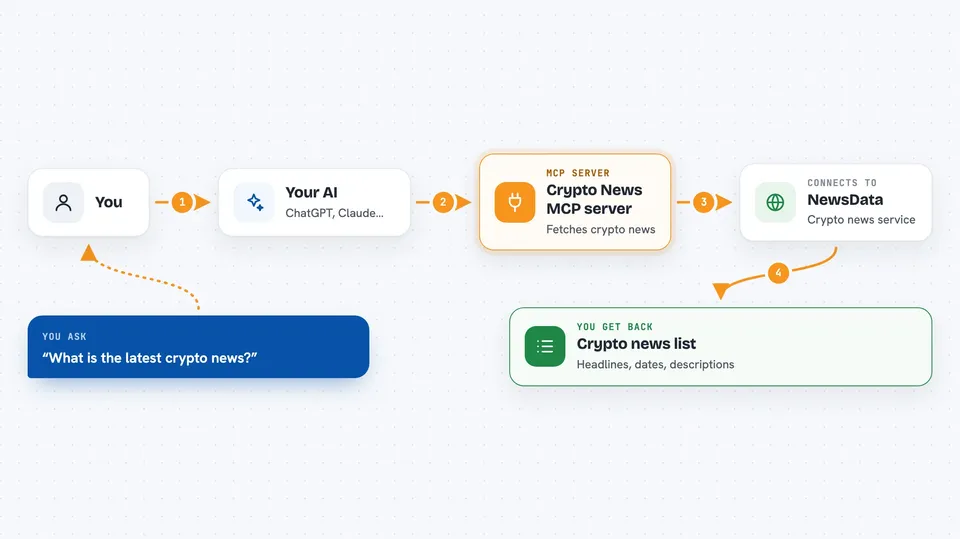
You ask your AI something like what is the latest crypto news, and it passes that request to this helper. The helper then talks to NewsData, the news service behind it, and asks for recent cryptocurrency articles. NewsData sends back headlines, dates, and short descriptions. The helper tidies that up and hands it back to your AI, which shows it to you in the chat. If you want news about one coin, you can name it and the helper will search for that instead.
 Click to zoom
What you can do with it
- Get the newest cryptocurrency headlines with their publication dates
- Search for news about a specific coin, like bitcoin or ethereum
- Search by any keyword, not just a coin name
- Fetch more than one page of results when you want a wider look
- Ask your AI to summarize the news it just pulled for a topic
Try asking your AI
- “What are the latest cryptocurrency news headlines?”
- “Find me recent news about bitcoin.”
- “Search for news about ethereum and give me two pages of results.”
- “Summarize the latest news about solana for me.”
What it gives back to you
You get back a list of news items: the headline, the date it was published, and often a short description. For a search, you get the same kind of list but focused on your keyword. If you ask for a summary, your AI reads those items and writes a short overview in the chat. Everything shows up as plain text you can read right there.
Before you start
What you need
- Python 3.10 or newer installed on your computer
- A NewsData.io API key (a kind of password for apps; you get one by signing up on their site, and there is a free tier)
- An MCP-compatible app such as the Claude desktop app
- Git, if you follow the manual install steps
Good to know
It needs your NewsData API key, and free NewsData plans have usage limits, so heavy searching may run out of your daily allowance.
Install it with your AI
Add Crypto News MCP server to your AI, no technical skills needed
You don't install anything by hand. You copy one prompt, paste it into an AI that can work on your computer, and it checks, installs and connects the server for you, asking you when it needs something.
Sign in to get the install prompt
Members get a ready-made prompt that lets the Claude desktop app check Crypto News MCP server, install it and connect it for them, step by step. You don't need any technical skills: you copy, paste and answer a few questions. Your connected AI can also find and install any of the 4,609 MCP servers here for you.
Who it's for
Anyone who follows cryptocurrency markets and wants quick news updates through their AI assistant, including traders, analysts, and curious hobbyists.