MCP server · Analytics
Abacus MCP server
by laszlopere
Lets your AI do careful math and tell you whether each answer is exact or rounded.

Abacus is a small calculator helper that your AI can use when numbers really matter. Instead of guessing at arithmetic, your AI sends the sum to Abacus and gets back a result that says whether it is exact or rounded. It is handy for anyone who checks prices, budgets, measurements, or formulas and wants to know the answer is trustworthy.
What is an MCP server? The 30-second version
On its own, your AI can only chat. It does not have a built-in calculator, so it sometimes makes small number mistakes. An MCP server is a little helper program you connect once, and it gives your AI a new skill. Abacus is that helper here: it does the math properly and hands the result back, so your AI can tell you the real number and how precise it is.
What this MCP server does
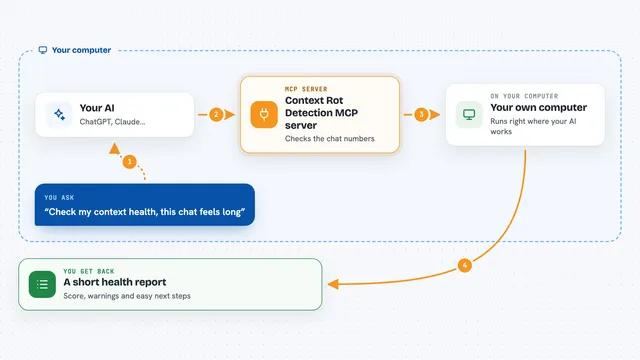
You ask your AI a question that involves numbers, like a sum, a percentage, or a formula. Your AI sends the expression to Abacus. Abacus works it out in the number style you picked, such as money-style fixed-point or exact fractions. Then it sends back the value along with a note saying whether the answer is exact or was rounded. Your AI shows you that answer in the chat, and you can ask follow-up questions about it.
 Click to zoom
What you can do with it
- Add, subtract, multiply, and divide numbers with a clear precision verdict
- Work in money-style fixed-point, exact fractions, or standard floating point
- Compute averages, medians, standard deviations, and other statistics over a list of numbers
- Find the square root or solve for a value that makes an equation true
- Fit a straight line or a curve to a set of paired data points
- Break a whole number into its prime factors
- Show the step-by-step tree of how an expression was calculated
Try asking your AI
- “What is 19.99 times 7, and is the answer exact?”
- “Use exact fractions to add 1/3 and 1/6.”
- “Find the average and standard deviation of 12, 15, 11, 14, 13.”
- “Fit a straight line to these points: x = 1, 1.5, 2 and y = 2, 5.8, 8.9.”
What it gives back to you
You get back the number itself, shown as a value, plus a short note saying whether it is exact or rounded and to how many decimals. For statistics or curve fitting, you get a list of results or a fitted equation with its error. For the analyze tool, you get a tree showing each step and the value at that step. Everything appears right in the chat as text you can read and copy.
Before you start
What you need
- The uv tool installed on your computer (a free helper for running Python programs)
- The Claude Code app or another AI tool that supports MCP servers
Good to know
It only does math and does not change anything on your computer, but always check that the number style you picked matches what you actually need, since fixed-point and floating-point can round differently.
Install it with your AI
Add Abacus MCP server to your AI, no technical skills needed
You don't install anything by hand. You copy one prompt, paste it into an AI that can work on your computer, and it checks, installs and connects the server for you, asking you when it needs something.
Sign in to get the install prompt
Members get a ready-made prompt that lets the Claude desktop app check Abacus MCP server, install it and connect it for them, step by step. You don't need any technical skills: you copy, paste and answer a few questions. Your connected AI can also find and install any of the 4,609 MCP servers here for you.
Who it's for
Anyone who checks numbers at work, such as people handling prices, budgets, invoices, measurements, or simple data analysis.