
MCP server · Generative art
mediamcp: image and video maker
by legolev
Lets your AI create and edit images, and make short videos from text or a picture, saving files on your computer.
mediamcp is a small helper that connects your AI assistant to cloud image and video models. You ask for a picture or a short clip in normal words, and it makes the file for you. It is handy for anyone who needs quick visuals for slides, a website, or a logo, without learning a design app.
What is an MCP server? The 30-second version
On its own, your AI can only chat. An MCP server is a small helper program that gives your AI a new skill or a connection to another service. This one connects your AI to cloud media models through OpenRouter or a similar service, so it can make and edit images and short videos when you ask. You stay in your chat window, and the helper does the work behind the scenes.
What this MCP server does
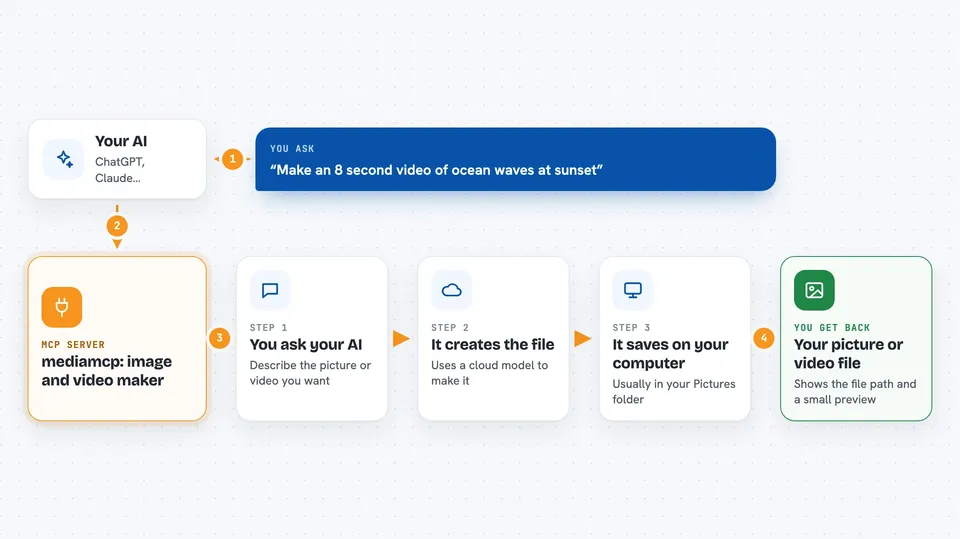
You type a request in your AI chat, like asking for a picture or a short video. The AI passes that request to mediamcp, which talks to a cloud image or video model. The model creates the file, and mediamcp saves it on your computer, usually in your Pictures folder. Then it sends the file path and a small preview back into the chat, so you can see what you got. For videos, it waits for the job to finish, which can take a few minutes.
 Click to zoom
What you can do with it
- Create one or more images from a text description
- Edit an existing image by describing the change
- Combine several images into one composition
- Make a short video from a text description
- Turn a still picture into a short video
- List available image and video models with their prices
- Check whether your setup and API key are working
Try asking your AI
- “Generate a hero image for my landing page, 16:9”
- “Remove the background from logo.png”
- “Make an 8 second video of ocean waves at sunset”
- “Animate logo.png into a 4 second video”
What it gives back to you
You get a short reply in the chat with the full path to the saved file, plus a small preview image when previews are on. For videos, you get the path to the mp4 file once the job finishes. If a video is still running when time runs out, you get a polling link so you can check again later. You can also ask for a list of models and their prices.
Before you start
What you need
- An OpenRouter account and API key (a kind of password for apps; you get it free at openrouter.ai/keys, but image and video models cost credits)
- Node.js version 20 or newer installed on your computer
- An MCP-capable AI app such as Claude Desktop, Claude Code, Cursor, Windsurf, or VS Code with Copilot
Good to know
Image and video models cost money on your OpenRouter account, and the helper saves files to a folder on your computer, so check your balance and where files land.
Install it with your AI
Add mediamcp: image and video maker to your AI, no technical skills needed
You don't install anything by hand. You copy one prompt, paste it into an AI that can work on your computer, and it checks, installs and connects the server for you, asking you when it needs something.
Sign in to get the install prompt
Members get a ready-made prompt that lets the Claude desktop app check mediamcp: image and video maker, install it and connect it for them, step by step. You don't need any technical skills: you copy, paste and answer a few questions. Your connected AI can also find and install any of the 4,361 MCP servers here for you.
Who it's for
People who need quick images or short videos for work, like marketers, teachers, designers, and anyone writing content, without opening a design tool.




