
MCP server · Notes
memini MCP server
Give your AI a memory of past mistakes in your project, so it warns you before repeating them.
memini is a memory helper for AI coding agents. It remembers what went wrong in a project, like a file edit that broke the build, and warns the agent before it tries the same thing again. It is handy if you use an AI assistant to write or change code and you are tired of fixing the same problem twice.
What is an MCP server? The 30-second version
On its own, your AI can only chat. It forgets everything when the session ends. An MCP server is a small helper program that gives your AI a new skill or a connection to something outside the chat. Here, memini connects your AI to a memory store that lives inside your project folder, so the AI can look up past mistakes and record new lessons as you work.
What this MCP server does
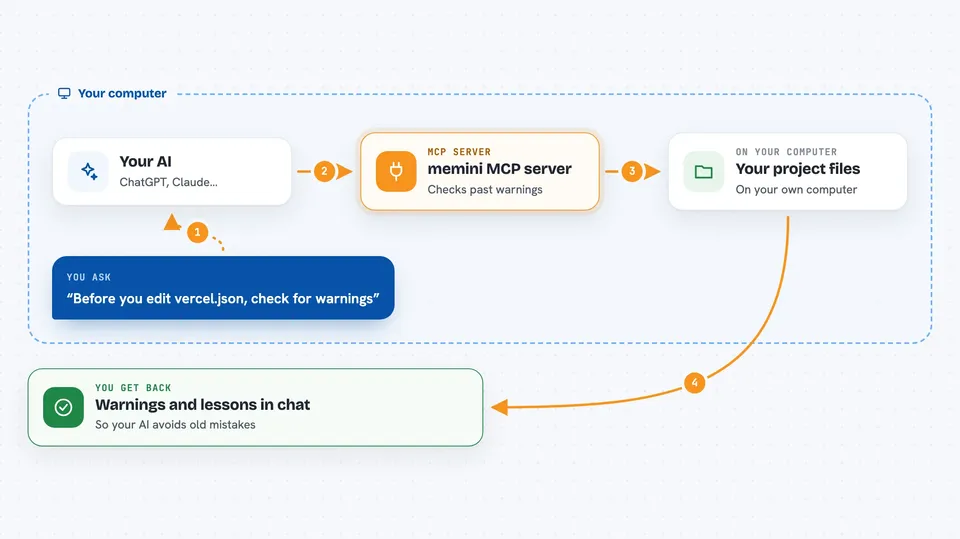
You ask your AI to change a file in your project. Before the change happens, memini checks whether that file has any recorded warnings. If it does, memini shows the warning to your AI, like 'editing this file broke the build last time.' Your AI can then avoid the mistake or ask you first. After the session, memini can also save what your AI learned, so the next session starts smarter.
 Click to zoom
What you can do with it
- Warn your AI before it edits a file that caused problems before
- Block edits to files marked as dangerous until a person reviews them
- Record failed attempts, fragile files, and important decisions in your project
- Show a short summary of past lessons at the start of each AI session
- Search your project memory for notes about a specific file or topic
- Check whether a memory is still valid after the code has changed
- Share rules across all projects in a folder or across your whole computer
Try asking your AI
- “Before you edit vercel.json, check if there are any warnings about it.”
- “Remember that changing the database connection string broke the deploy last week.”
- “What fragile files should I avoid touching in this project?”
- “Give me a summary of the decisions we made about the checkout flow.”
What it gives back to you
You get warnings, short summaries, and lists of past lessons shown right in your chat. When your AI records something new, memini saves it as a note in a .memini folder inside your project. You can also run simple commands to see stats, review your notes, or check which warnings are still active.
Before you start
What you need
- Node.js installed on your computer (the free program that runs npx commands)
- A project folder where you use an AI coding agent
- An MCP client like Claude Code, Cursor, or GitHub Copilot
Good to know
It can block or warn about edits to your files, and a blocked file stays blocked until a person reviews and archives the memory.
Install it with your AI
Add memini MCP server to your AI, no technical skills needed
You don't install anything by hand. You copy one prompt, paste it into an AI that can work on your computer, and it checks, installs and connects the server for you, asking you when it needs something.
Sign in to get the install prompt
Members get a ready-made prompt that lets the Claude desktop app check memini MCP server, install it and connect it for them, step by step. You don't need any technical skills: you copy, paste and answer a few questions. Your connected AI can also find and install any of the 4,609 MCP servers here for you.
Who it's for
Developers and technical teams who use AI coding agents and want to stop repeating the same mistakes in their projects.


