MCP server · Developer tools
Ollama Handoff MCP server
Let your AI send everyday writing and review tasks to a model running on your own computer.

Ollama Handoff is a small helper that lets your AI hand off simple text jobs, like summaries, drafts, and first-pass code reviews, to a model running on your own machine instead of the cloud. It is handy if you already use Ollama and want to save on paid usage for routine work. You still use your normal AI assistant; this just gives it one extra skill.
What is an MCP server? The 30-second version
On its own, your AI can only chat with you. An MCP server is a small helper program that gives your AI a new skill or a connection to another tool. This one connects your AI to Ollama, a program that runs AI models on your own computer. So when you ask for a summary or a draft, your AI can quietly pass that job to your local model and bring the answer back into the chat.
What this MCP server does
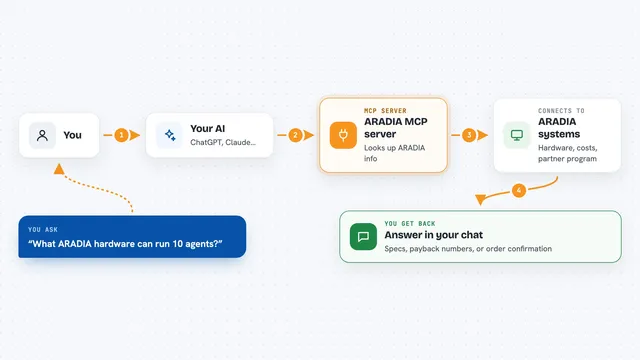
You ask your AI for something simple, like a summary of some text or a first look at a piece of code. Your AI then uses this helper to send that text to the Ollama model running on your computer. Ollama writes the summary, draft, or review and sends it back. The helper passes the result to your AI, and your AI shows it to you in the chat. It also has small tools to check which local models you have installed and whether the setup is working.
 Click to zoom
What you can do with it
- Summarize a block of text, optionally focused on one topic
- Get a first-pass review of code or a diff
- Draft a commit message from a diff
- Extract items like URLs, names, or error codes from text
- Ask a one-off question to your local model
- Have a short back-and-forth conversation with your local model
- List which Ollama models are installed on your machine
Try asking your AI
- “Summarize this log and tell me why the build failed”
- “Give me a first-pass review of this code and flag anything odd”
- “Write a commit message for this diff”
- “Pull all the error codes out of this text”
What it gives back to you
You get back plain text in your chat: a summary, a draft message, a short review, or a list of extracted items. For setup checks, you get a short report about your configuration and which models are installed. The wording depends on the local model you use, so it may read a little differently each time. Nothing is saved to a file unless you ask your AI to do that separately.
Before you start
What you need
- Ollama installed and running on your computer
- At least one model downloaded, for example llama3.1:8b
- uv installed (a small tool that runs Python programs)
- An MCP client such as Claude Code or the Claude desktop app
Good to know
The text you send is passed to whatever Ollama address is configured, so if you point it at a remote address that text leaves your machine, and your AI client may still send prompts to its own cloud provider.
Install it with your AI
Add Ollama Handoff MCP server to your AI, no technical skills needed
You don't install anything by hand. You copy one prompt, paste it into an AI that can work on your computer, and it checks, installs and connects the server for you, asking you when it needs something.
Sign in to get the install prompt
Members get a ready-made prompt that lets the Claude desktop app check Ollama Handoff MCP server, install it and connect it for them, step by step. You don't need any technical skills: you copy, paste and answer a few questions. Your connected AI can also find and install any of the 4,361 MCP servers here for you.
Who it's for
People who already use Ollama and want their AI assistant to offload routine writing, summarizing, and code-review tasks to a local model.