MCP server · Analytics
MaxMindDB MCP server
by oschwald
Lets your AI look up where an IP address is, which network it belongs to, and search your IP databases.
This is a helper that connects your AI assistant to MaxMind database files on your own computer. Those files are like a big phone book for internet addresses: they tell you roughly what country or city an IP belongs to, and which company or network owns it. It's handy if you deal with IP addresses at work, like checking logs, dealing with suspicious traffic, or looking up where visitors come from.
What is an MCP server? The 30-second version
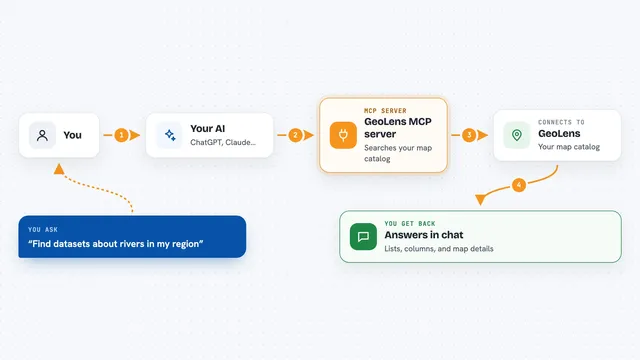
On its own, your AI can only chat. An MCP server is a small helper program that gives your AI a new skill. This helper adds the skill of reading MaxMind IP database files on your machine. So when you ask your AI about an IP address, it can actually look it up in those files and give you a real answer instead of guessing.
What this MCP server does
You ask your AI a question about an IP address, like where it is or who owns it. The AI passes that question to this helper, which reads the .mmdb database files sitting on your computer. The helper finds the matching entry and sends the details back to your AI. Your AI then explains the result to you in the chat. It can also search whole network ranges, compare two databases side by side, and, if you set it up with your MaxMind login, download and update databases for you in the background.
What you can do with it
- Look up the country or city for an IP address
- Find which network or company (ASN) an IP belongs to
- Search a whole IP range for networks belonging to a specific ASN
- Compare entries between two different database files
- List which databases you have and when each was built
- Download and update MaxMind databases using your MaxMind account
Try asking your AI
- “Using MaxMindDB, identify the country and autonomous system for 8.8.8.8.”
- “Find the networks belonging to AS13335 within 1.0.0.0/8 in my ASN database.”
- “Which databases are available, and when were they built?”
- “Compare what my City database and my ASN database say about 1.1.1.1.”
What it gives back to you
You get plain answers in the chat: for a single IP, the country, city, and network owner if the database has them. For searches, you get a list of matching networks or a short summary. For database checks, you get a list of your files with build dates. If it downloads a new database, it tells you the status in the chat.
Before you start
What you need
- A MaxMind account ID and license key (free GeoLite2 access is available on the MaxMind website), or your own .mmdb database files
- Claude Desktop (the easiest route), or another app that supports local MCP servers
- For the Claude Desktop route: just download the provided .mcpb file, no terminal needed
Good to know
IP location from these databases is an estimate, not the exact spot where a device is, and ASN data tells you who owns a network, not who a person is.
Install it with your AI
Add MaxMindDB MCP server to your AI, no technical skills needed
You don't install anything by hand. You copy one prompt, paste it into an AI that can work on your computer, and it checks, installs and connects the server for you, asking you when it needs something.
Sign in to get the install prompt
Members get a ready-made prompt that lets the Claude desktop app check MaxMindDB MCP server, install it and connect it for them, step by step. You don't need any technical skills: you copy, paste and answer a few questions. Your connected AI can also find and install any of the 4,361 MCP servers here for you.
Who it's for
This is most useful for IT support, security, network, and data people who work with IP addresses and logs, and anyone curious about where an IP comes from.