MCP server · Productivity
Spreadsheet MCP server
by PSU3D0
Lets your AI read, edit, and recalculate Excel files safely, without you opening Excel.

This is a helper that connects your AI assistant to Excel workbooks (.xlsx and .xlsm files). It lets the AI look inside a spreadsheet, understand its layout, make careful changes, and recalculate formulas to check the results. It is handy for anyone who works with spreadsheets and wants the AI to do the digging and the editing for them.
What is an MCP server? The 30-second version
On its own, your AI can only chat. It cannot open your files or change anything. An MCP server is a small helper program that gives your AI a new skill. This one gives it the skill of working with Excel spreadsheets, so it can read your workbook, make edits, and recalculate formulas when you ask.
What this MCP server does
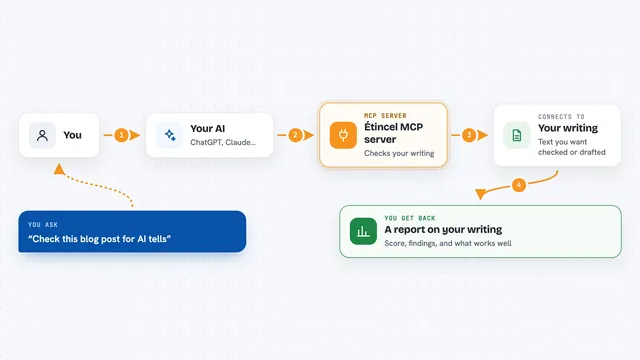
You point your AI at a spreadsheet file and ask it a question or give it a task. The AI sends that request to this helper program running on your computer. The helper opens the workbook, finds the right sheet and cells, and reads or changes what you asked for. If you asked for a change, it can recalculate the formulas and show you what moved and why. Then it sends the answer back to your AI, which explains it to you in the chat.
 Click to zoom
What you can do with it
- List all the sheets in a workbook and what each one contains
- Read specific cells or ranges and show you the values and formulas
- Find a value or label anywhere in the workbook
- Make edits to cells and recalculate the whole workbook
- Compare two versions of a workbook and show what changed
- Clone rows or append data into a table safely
- Preview risky changes before actually making them
Try asking your AI
- “Open budget.xlsx and tell me what is in the Summary sheet”
- “Find every cell that mentions Net Income in this workbook”
- “In draft.xlsx, change cell B2 on the Inputs sheet to 500 and recalculate”
- “Compare original.xlsx and draft.xlsx and show me what changed”
What it gives back to you
You get answers in plain language in your chat: lists of sheets, values from cells, the formulas behind numbers, or a summary of what changed. When it edits a file, it can show you a before-and-after comparison. It can also save a new version of the workbook for you to open in Excel.
Before you start
What you need
- An AI assistant that supports MCP servers, like Claude Desktop
- A spreadsheet file in .xlsx or .xlsm format
- The helper program installed on your computer (the page shows how)
Good to know
It can change and save your spreadsheet files, so keep a backup or work on a copy until you trust the results.
Install it with your AI
Add Spreadsheet MCP server to your AI, no technical skills needed
You don't install anything by hand. You copy one prompt, paste it into an AI that can work on your computer, and it checks, installs and connects the server for you, asking you when it needs something.
Sign in to get the install prompt
Members get a ready-made prompt that lets the Claude desktop app check Spreadsheet MCP server, install it and connect it for them, step by step. You don't need any technical skills: you copy, paste and answer a few questions. Your connected AI can also find and install any of the 4,361 MCP servers here for you.
Who it's for
Anyone who works with Excel files and wants an AI to read, search, or edit them without doing it by hand.