MCP server · Research
Pylon MCP server
by pylonapi
Give your AI 20 handy web tools like screenshots, scraping, search, translation and PDF making, paid per use.

Pylon is a helper that plugs into your AI and gives it a big box of everyday web tools. You can ask your AI to take a screenshot of a page, pull the text off a website, translate something, or turn a document into a PDF. It is handy if you often need small web jobs done without opening lots of separate apps.
What is an MCP server? The 30-second version
On its own, your AI can only chat with you. An MCP server is a small helper program that gives your AI a new skill or a connection to another service. This one connects your AI to Pylon, a web service that does tasks like screenshots, scraping and file conversion. Once it is connected, you just ask in plain words and the AI uses Pylon to get it done.
What this MCP server does
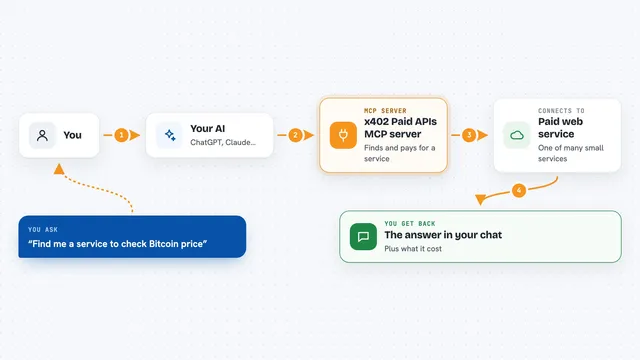
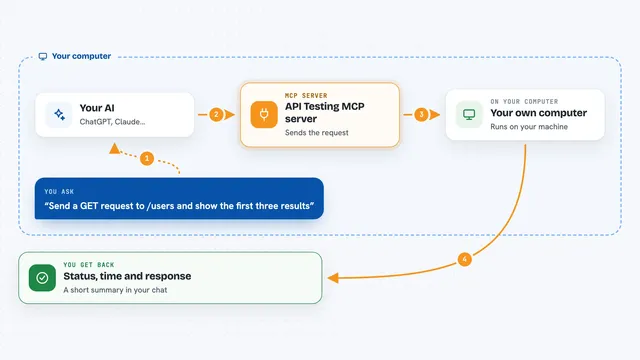
You ask your AI for something, like a screenshot of a page or the text from a PDF. The AI passes your request to this Pylon helper. The helper sends it to the Pylon service online, which does the actual work. The result comes back and your AI shows it to you in the chat. Each request costs a tiny amount of money, a fraction of a cent, paid automatically.
 Click to zoom
What you can do with it
- Take a full-page screenshot of any website
- Scrape the text and content from a web page
- Search the web and get titles, links and short snippets
- Pull the text out of a PDF or an image
- Translate text between more than 30 languages
- Turn markdown or HTML into a finished PDF
- Generate QR codes, shorten links and convert data files
Try asking your AI
- “Take a screenshot of example.com and show it to me”
- “Scrape the main text from this news article and summarise it”
- “Translate this paragraph into Spanish”
- “Turn this markdown into a PDF I can download”
What it gives back to you
You get back whatever the task produces: an image file for screenshots, plain text or markdown for scraping and translation, a PDF file for document jobs, or short lists and numbers for things like DNS lookups. Your AI shows this in the chat, often with a link to download the file. For small jobs like a QR code or a translation, the answer just appears right there.
Before you start
What you need
- Node.js installed on your computer so the npx command works
- A small amount of USDC cryptocurrency on the Base network to pay for each request
- An MCP-compatible app like Claude Desktop or Cursor
Good to know
Every request costs a small amount of real cryptocurrency, so keep an eye on how often you use it.
Install it with your AI
Add Pylon MCP server to your AI, no technical skills needed
You don't install anything by hand. You copy one prompt, paste it into an AI that can work on your computer, and it checks, installs and connects the server for you, asking you when it needs something.
Sign in to get the install prompt
Members get a ready-made prompt that lets the Claude desktop app check Pylon MCP server, install it and connect it for them, step by step. You don't need any technical skills: you copy, paste and answer a few questions. Your connected AI can also find and install any of the 4,609 MCP servers here for you.
Who it's for
People who often need quick web chores done, like researchers, marketers, writers and anyone who copies text or takes screenshots all day.