MCP server · Developer tools
Skillselion MCP server
by skillselion
Lets your AI search a big catalog of community skills and load the best one for your task.

Skillselion is a helper that plugs into your AI and gives it access to a large catalog of ready-made skills made by other people. When you ask your AI to do something, it can look up a matching skill and follow its instructions instead of guessing. It is handy if you use Claude Code, Claude Desktop, Cursor, or Codex and want your AI to reuse proven patterns.
What is an MCP server? The 30-second version
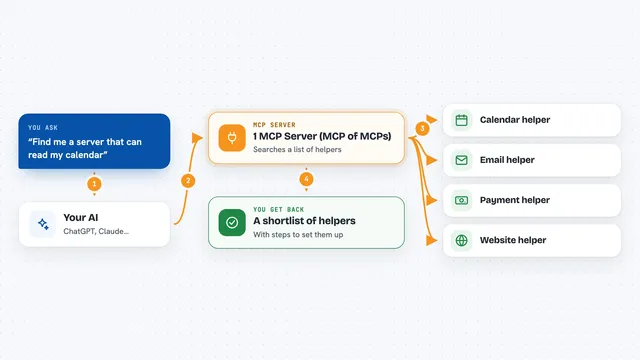
On its own, your AI can only chat with you using what it already knows. An MCP server is a small helper program that gives your AI a new skill or a connection to an outside service. This one connects your AI to Skillselion, a catalog of community skills, MCP servers, and marketplaces. Once connected, your AI can search that catalog and pull a skill's instructions into your session when you ask.
What this MCP server does
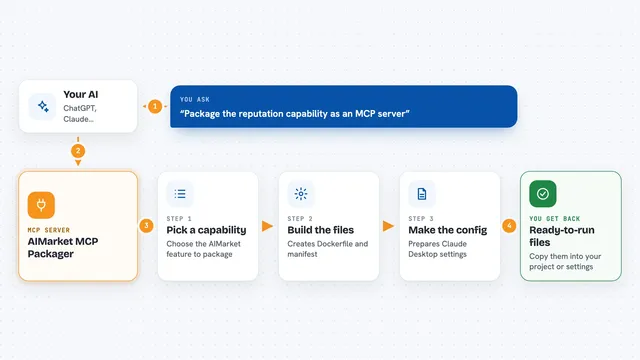
You ask your AI to do a task, like build a login form or set up a deploy script. The AI uses this helper to search the Skillselion catalog for skills that match what you asked. The helper finds the best match and brings back that skill's instructions, plus any files that come with it. Your AI then follows those instructions to do the work. You can also ask it to compare several skills and give you a combined summary.
 Click to zoom
What you can do with it
- Find the best-matching skill for whatever task you are working on
- Load a skill's full instructions and bundled files into your session
- Merge the key rules from several top skills into one summary
- Search the catalog by keyword or task
- See the leaderboard of most-installed skills and top MCP servers
- Filter results by skill, MCP server, or marketplace
Try asking your AI
- “Find a good skill for building a React login form and load it”
- “What are the most popular skills for backend work right now”
- “Synthesize the top skills about writing tests into one playbook”
- “Search the catalog for skills about handling CSV files”
What it gives back to you
You get back a short answer in the chat, usually naming the skill it picked and why. If it loaded a skill, the instructions show up in the session and any extra files land on disk for your AI to use. Search results come back as a ranked list. The synthesis tool returns one combined summary with notes on which skills it came from.
Before you start
What you need
- An MCP client like Claude Code, Claude Desktop, Cursor, or Codex
- Node.js installed on your computer (so npx can run)
- Optional: a read-only GitHub token to raise a rate limit for full skill loads
Good to know
It only reads from the catalog and does not change your files, but it does send a scrubbed search query and which skill matched unless you set DO_NOT_TRACK=1.
Install it with your AI
Add Skillselion MCP server to your AI, no technical skills needed
You don't install anything by hand. You copy one prompt, paste it into an AI that can work on your computer, and it checks, installs and connects the server for you, asking you when it needs something.
Sign in to get the install prompt
Members get a ready-made prompt that lets the Claude desktop app check Skillselion MCP server, install it and connect it for them, step by step. You don't need any technical skills: you copy, paste and answer a few questions. Your connected AI can also find and install any of the 4,609 MCP servers here for you.
Who it's for
Developers and technical users who use an AI coding assistant and want it to reuse skills other people have already figured out.