MCP server · Analytics · official
Spanlens MCP server
by spanlens · official
Ask your AI about your LLM spend, request logs, traces and anomalies, and get real answers from your Spanlens workspace.

This is a small helper that connects your AI assistant to Spanlens, a service that tracks how much you spend on AI models and how they perform. Once it is set up, you can just ask questions in plain words instead of clicking around a dashboard. It is handy for anyone who pays the AI bill or keeps an eye on how AI features behave.
What is an MCP server? The 30-second version
On its own, your AI can only chat with you. An MCP server is a small helper program that gives your AI a new skill or a connection to an app or service. This one connects your AI to Spanlens, so it can look up your cost, request and trace data for you. You ask a question, and the AI quietly uses this helper to fetch the answer.
What this MCP server does
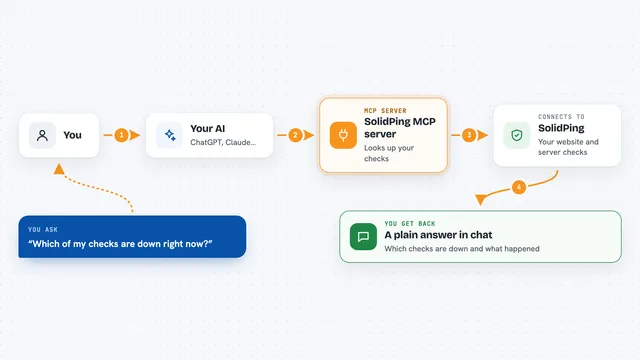
You type a question in your AI assistant, like how much you spent on AI models this week. The assistant passes that question to this helper, which talks to your Spanlens workspace over the internet. Spanlens sends back the numbers, and the helper hands them to your AI. Your AI then writes the answer in the chat, in normal sentences or a small table. You never leave the chat window.
 Click to zoom
What you can do with it
- Check how much you spent on AI models this week or this month
- Break the cost down by model or by provider
- Spot cost, latency or error-rate anomalies the platform has found
- List recent requests, including errors and slow calls
- Browse your recent agent runs and open one to see every step
- See which models you could swap to save money
- Find out which end user is driving the most spend
Try asking your AI
- “How much have we spent on LLMs this week?”
- “Break down cost by model for the last 30 days”
- “Any cost or latency anomalies?”
- “Show me the 10 most recent error calls on gpt-4o”
- “Which end-user is driving the most spend?”
What it gives back to you
You get answers written in the chat: totals, counts, token usage, latency and error rates, sometimes as a short table. It can also list individual requests with their cost and error message, or walk you through one agent run step by step. For savings, it gives you model-swap suggestions with projected monthly savings. Everything is read-only, so nothing in your workspace changes.
Before you start
What you need
- A Spanlens account with some data in it
- A public-scope Spanlens key (starts with sl_live_pub_), which you can create for free on your Spanlens projects page
- An AI app that supports MCP servers, such as Cursor, Continue or Claude Desktop
- Node.js installed on your computer, so the npx command can run
Good to know
The key you paste sits in a plain text file on your computer, so keep it a public-scope key (it is read-only) and avoid sharing that file or committing it anywhere.
Install it with your AI
Add Spanlens MCP server to your AI, no technical skills needed
You don't install anything by hand. You copy one prompt, paste it into an AI that can work on your computer, and it checks, installs and connects the server for you, asking you when it needs something.
Sign in to get the install prompt
Members get a ready-made prompt that lets the Claude desktop app check Spanlens MCP server, install it and connect it for them, step by step. You don't need any technical skills: you copy, paste and answer a few questions. Your connected AI can also find and install any of the 4,361 MCP servers here for you.
Who it's for
Anyone who watches AI costs or reliability, like engineering leads, finance-minded team members, and developers who run AI features in production.