
MCP server · Developer tools
Sourcerer MCP server
by st3v3nmw
Lets your AI search your code by meaning, not just by text, so it finds the right bits fast.
Sourcerer is a helper for your AI that searches through a code project and finds the parts that matter. Instead of your AI reading whole files, it can look up just the function or class you asked about. It is handy if you work with code and want your AI to answer questions about a project without drowning in it.
What is an MCP server? The 30-second version
On its own, your AI can only chat with you using what you paste in. An MCP server is a small helper program that gives your AI a new skill or a connection to something else. This one connects your AI to your code project, so it can search and look things up there when you ask. You set it up once, and then your AI can use it during your conversation.
What this MCP server does
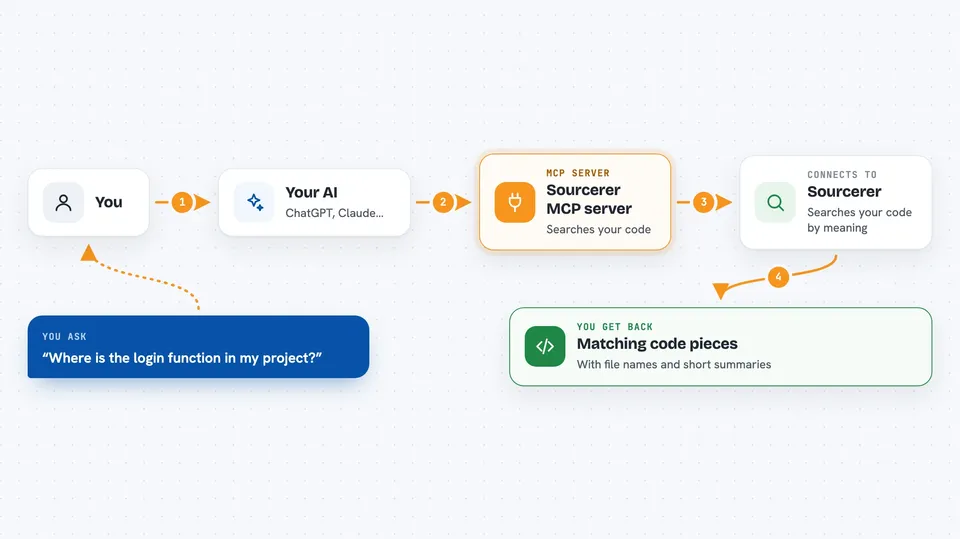
You ask your AI a question about your code, like where something is defined. Your AI passes that question to Sourcerer. Sourcerer has already read through your project and built an index, a kind of map of your code by meaning. It finds the matching functions, classes, or chunks and hands them back. Your AI then uses those pieces to answer you, without reading every file.
 Click to zoom
What you can do with it
- Search your code by meaning, not just exact words
- Jump straight to a specific function, class, or method
- Find code chunks similar to one you already have
- Re-index your project when files change
- Check how far along the indexing is
Try asking your AI
- “Where is the function that handles user login in this project?”
- “Find code similar to this function I just pasted.”
- “Show me the class that manages database connections.”
- “Re-index my project and tell me when it is done.”
What it gives back to you
You get back the matching code chunks, with their file names and locations, plus short summaries. It can also tell you how many chunks were found or how the indexing is going. In the chat, this shows up as snippets of code and plain answers from your AI.
Before you start
What you need
- An OpenAI API key (a kind of password for apps; you get one from OpenAI's website)
- Your project must be a Git repository
- The Sourcerer program installed (see install notes)
Good to know
It sends your code to OpenAI to build the search index, and it needs your OpenAI API key, which can cost money to use.
Install it with your AI
Add Sourcerer MCP server to your AI, no technical skills needed
You don't install anything by hand. You copy one prompt, paste it into an AI that can work on your computer, and it checks, installs and connects the server for you, asking you when it needs something.
Sign in to get the install prompt
Members get a ready-made prompt that lets the Claude desktop app check Sourcerer MCP server, install it and connect it for them, step by step. You don't need any technical skills: you copy, paste and answer a few questions. Your connected AI can also find and install any of the 4,609 MCP servers here for you.
Who it's for
Developers and anyone who asks an AI questions about a code project and wants fast, focused answers.




