MCP server · Generative art
MeiGen AI Design MCP server
by jau123
Create and edit images, videos, and product photos by asking your AI in plain words.

This is a helper that lets your AI assistant make pictures, short videos, and product photos for you. You describe what you want in normal language, and it handles the technical parts in the background. It is handy for anyone who needs visuals for work but does not want to learn design software.
What is an MCP server? The 30-second version
On its own, your AI can only chat. An MCP server is a small helper program that gives your AI a new skill or a connection to an app or service. This one connects your AI to MeiGen, a service that creates and edits images and videos, plus it can also use other image tools like ComfyUI or OpenAI-style services. Once connected, your AI can send your request to that service and bring the result back to you.
What this MCP server does
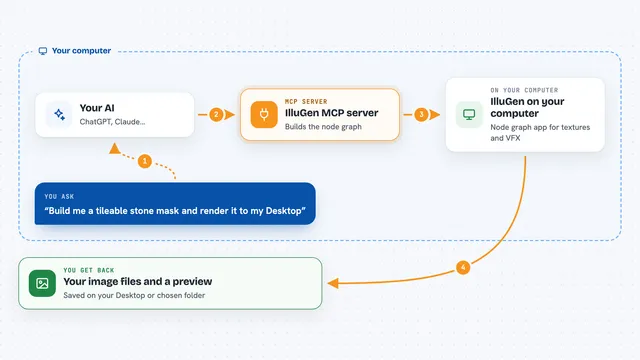
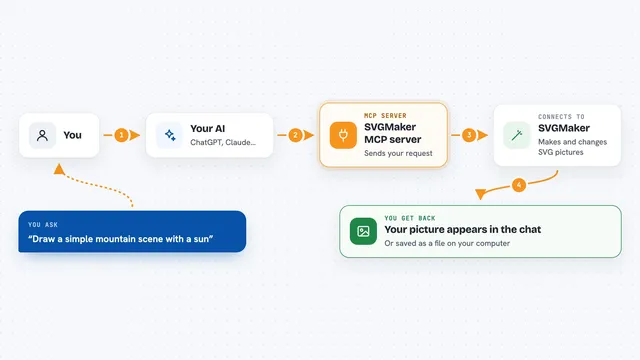
You ask your AI for a picture, a video, or a product photo in everyday words. The AI picks the right tool from this helper, prepares your request, and sends it to the image service. The service creates the image or video and sends it back. Your AI then shows you the result, usually as a link or a preview right in the chat. It can also remove backgrounds, upscale photos, and make marketing posters.
 Click to zoom
What you can do with it
- Generate images from a written description
- Remove the background from a product photo
- Create product detail images for an online shop
- Make a marketing poster for an event or brand
- Put your product on a new AI-generated background
- Upscale a blurry photo to make it clearer
- Generate short videos from text or reference clips
Try asking your AI
- “Create a product photo of this perfume on a marble table.”
- “Remove the background from this image and give me a transparent PNG.”
- “Make a marketing poster for a weekend coffee tasting on Saturday at 10am.”
- “Upscale this product photo so it looks sharper.”
What it gives back to you
You get back images, videos, or edited files, usually shown as a link or a preview in the chat. For product detail batches, you might get several images at once. The AI can also tell you the cost before it starts, so you know what you are spending. If something goes wrong, it will let you know.
Before you start
What you need
- A MeiGen account with purchased credits (free daily credits do not work for MCP generation)
- An API key from MeiGen (a kind of password for apps; you can create one on their website) or an OAuth sign-in if your client supports it
- An AI client that supports MCP, like Claude Code, Cursor, Codex, or similar
- For local use: Node.js installed on your computer
Good to know
Generating images and videos uses paid credits, so check the price before you start, and be careful not to share your API key with anyone.
Install it with your AI
Add MeiGen AI Design MCP server to your AI, no technical skills needed
You don't install anything by hand. You copy one prompt, paste it into an AI that can work on your computer, and it checks, installs and connects the server for you, asking you when it needs something.
Sign in to get the install prompt
Members get a ready-made prompt that lets the Claude desktop app check MeiGen AI Design MCP server, install it and connect it for them, step by step. You don't need any technical skills: you copy, paste and answer a few questions. Your connected AI can also find and install any of the 4,361 MCP servers here for you.
Who it's for
Small business owners, marketers, and anyone who needs product photos or social media images without hiring a designer.