MCP server · Research
OpenCloudCosts MCP server
by x7even
Lets your AI look up live AWS, GCP and Azure prices and compare costs across clouds.

OpenCloudCosts is a helper that connects your AI assistant to real, current cloud pricing from Amazon Web Services, Google Cloud and Microsoft Azure. Instead of guessing from old training data, your AI can look up actual prices when you ask. It is handy for anyone who has to explain or compare cloud bills, like a finance person, a manager, or an engineer doing cost planning.
What is an MCP server? The 30-second version
On its own, your AI can only chat with what it already learned, and cloud prices change all the time, so its answers about costs can be out of date or simply made up. An MCP server is a small helper program that gives your AI a new skill or a connection to a service. This one connects your AI to the live pricing systems of AWS, GCP and Azure. When you ask a cost question, your AI calls this helper, the helper fetches the real numbers, and your AI explains them back to you.
What this MCP server does
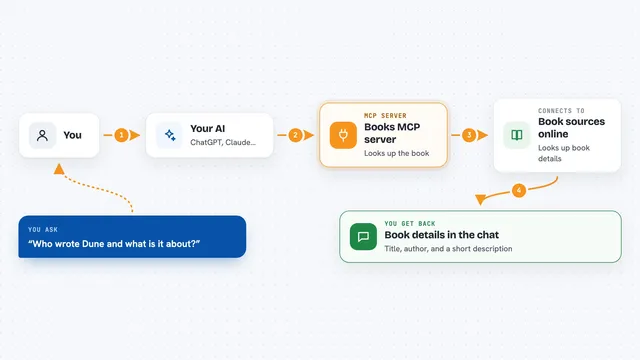
You ask your AI a pricing question in normal words, like what an instance costs or which cloud is cheaper. Your AI passes that request to OpenCloudCosts. The helper then talks to the official pricing services of AWS, GCP and Azure, sometimes all three at the same time, and collects the current numbers. It can also work out totals for a whole setup, like servers plus storage plus a database, and show on-demand versus committed prices. Then your AI gives you a clear breakdown in the chat.
 Click to zoom
What you can do with it
- Look up the live price of a specific cloud resource in a specific region
- Compare the same workload across AWS, GCP and Azure at once
- Estimate the total monthly cost of a full setup with servers, storage and databases
- Find the cheapest region for a resource by checking many regions in parallel
- Work out cost per user or cost per request for a product
- Check AI model token prices, like Gemini on Vertex AI versus GPT-4o on Azure
- See your effective rate after discounts such as Reserved Instances or Savings Plans
Try asking your AI
- “What does an m5.2xlarge cost in ap-southeast-2 right now?”
- “Compare the monthly cost of 4 app servers, a managed PostgreSQL database and 500 GB of storage on AWS, GCP and Azure”
- “Find the 5 cheapest AWS regions for a c6a.4xlarge running all the time”
- “What is the cost per user if I have 50,000 monthly active users on this setup?”
What it gives back to you
You get back clear numbers and short breakdowns in the chat, like a price per hour, a monthly total, or a side by side table of the three clouds. For bigger questions it returns a per provider, per commitment term summary with the savings compared to on-demand. It can also return sorted lists, for example the cheapest regions first. Everything comes back as text your AI can explain, not as a file you have to open.
Before you start
What you need
- An AI assistant that can use MCP servers, like the Claude desktop app
- Python installed if you use the pip install option (the package includes everything else)
- A free GCP API key if you want Google Cloud prices (the site gives you one, no credit card needed)
- AWS credentials only if you want your own discounted rates from Reserved Instances or Savings Plans
Good to know
If you turn on AWS Cost Explorer access, each lookup costs a small amount of money, so use it only when you really need your own discounted rates.
Install it with your AI
Add OpenCloudCosts MCP server to your AI, no technical skills needed
You don't install anything by hand. You copy one prompt, paste it into an AI that can work on your computer, and it checks, installs and connects the server for you, asking you when it needs something.
Sign in to get the install prompt
Members get a ready-made prompt that lets the Claude desktop app check OpenCloudCosts MCP server, install it and connect it for them, step by step. You don't need any technical skills: you copy, paste and answer a few questions. Your connected AI can also find and install any of the 4,361 MCP servers here for you.
Who it's for
Finance and FinOps people, cloud engineers, and managers who need to compare or explain cloud costs without opening three separate pricing calculators.