MCP server · Productivity
Magzdown MCP server
by xarl3z
Turn your AI's Markdown notes into a shareable link that opens as a clean, paginated document.

Magzdown takes the Markdown text your AI writes and turns it into a link. When someone opens that link, they see a nicely typeset document with tables, diagrams, and page breaks, not a wall of plain text. It is handy if you often ask your AI for reports, summaries, or write-ups and want to share them with other people.
What is an MCP server? The 30-second version
On its own, your AI can only chat with you in the chat window. An MCP server is a small helper program that gives your AI one extra skill. This helper gives your AI a way to talk to Magzdown, a website that renders Markdown as a proper document. So when you ask for a shareable version of something, your AI can call this helper and hand you back a link.
What this MCP server does
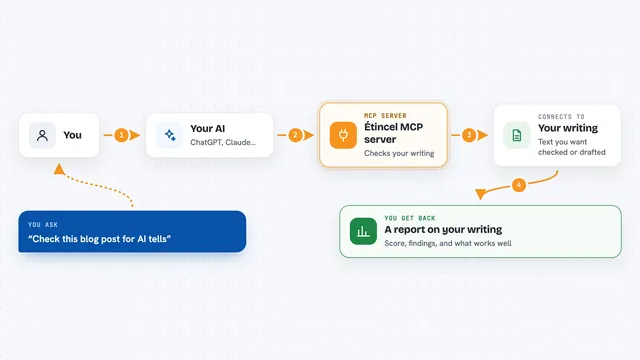
You ask your AI to make a document readable or shareable. The AI takes the Markdown it just wrote and passes it to this helper. The helper packs the text into a web link and sends the link back to your AI. You click the link, and your browser shows the document as a typeset, paginated page. Nothing is uploaded anywhere, because the text travels inside the link itself.
 Click to zoom
What you can do with it
- Turn a Markdown report into a link you can send to a colleague
- Render tables, Mermaid diagrams, and math formulas in a readable layout
- Get a paginated document instead of one long chat message
- Share a document without creating an account or uploading a file
- Open the result straight in your browser if you turn on auto-open
Try asking your AI
- “Turn this report into a Magzdown link I can share”
- “Make this Markdown readable and give me the link”
- “Open this summary in Magzdown”
- “Give me a shareable link for the document you just wrote”
What it gives back to you
You get back a single web link in the chat. When you open it, you see your Markdown turned into a typeset document with pages. The content is the same text your AI wrote, just laid out nicely. Nothing is stored on a server, so the link itself carries the document.
Before you start
What you need
- Node.js installed on your computer (the README says npm install and npm run build)
- The Claude Code, Cursor, or Claude Desktop app to add the MCP server
Good to know
Keep documents under about 100 KB, or the link may get cut off and not open correctly.
Install it with your AI
Add Magzdown MCP server to your AI, no technical skills needed
You don't install anything by hand. You copy one prompt, paste it into an AI that can work on your computer, and it checks, installs and connects the server for you, asking you when it needs something.
Sign in to get the install prompt
Members get a ready-made prompt that lets the Claude desktop app check Magzdown MCP server, install it and connect it for them, step by step. You don't need any technical skills: you copy, paste and answer a few questions. Your connected AI can also find and install any of the 4,609 MCP servers here for you.
Who it's for
Anyone who asks an AI for reports or write-ups and wants to share them as a clean document instead of pasting Markdown into chat.