MCP server · Design tools
Maya MCP server
by Xxx91n
Let your AI look at, plan, and build things inside your Autodesk Maya 3D scene.
This is a helper that connects your AI assistant to Autodesk Maya, the program people use to build 3D models and scenes. Once it is set up, you can just describe what you want in normal words and the AI can look at your scene, measure things, place objects, and check its own work. It is handy for 3D artists, modelers, and anyone who spends a lot of time clicking around inside Maya.
What is an MCP server? The 30-second version
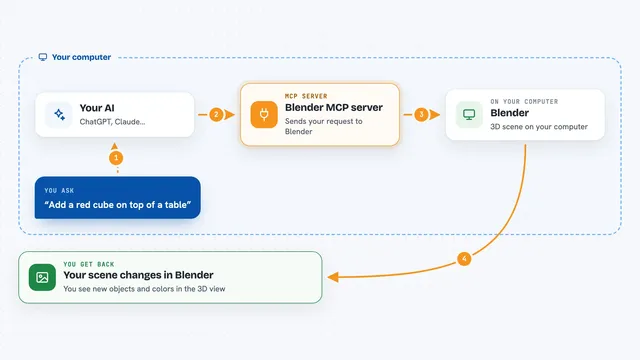
On its own, your AI can only chat. It cannot see your Maya scene or touch anything in it. An MCP server is a small helper program that gives your AI a new skill, and here that skill is a live connection to Autodesk Maya. So when you ask for something, the AI can actually look at your scene and make changes there for you.
What this MCP server does
You ask your AI something in plain words, like to look at your scene or add a shelf. The AI uses this helper to talk to Maya running on your own computer. The helper sends your request into Maya, Maya does the work, and the result comes back. You then see a summary in the chat, and your Maya scene has changed. The AI can also take a screenshot of the viewport so you can both check how it looks.
What you can do with it
- Look at your whole scene and describe what is in it
- Measure distances, gaps, and overlaps between objects
- Plan where new objects should go and warn about clashes
- Create cameras for standard shot types and orbit animations
- Save a checkpoint before big changes and roll back if something goes wrong
- Run an audit that scores your scene from 0 to 100
- Search and import free Poly Haven 3D models
- Export your scene as FBX, OBJ, or USD
Try asking your AI
- “Look at what's in my Maya scene, then create a display shelf at the entrance”
- “Check the clearance between the north wall and the counter, it should be at least 180”
- “Save a checkpoint called before_renovation, then tidy up the clutter on the bench”
- “Find me a camera model on Poly Haven and import it at 1k resolution”
What it gives back to you
You get answers in the chat: a description of your scene, measurements with numbers, a list of problems found, or an audit score. When it changes something, it tells you what it did. On GUI sessions you can also get a screenshot of the viewport or a single rendered preview frame so you can see the result yourself.
Before you start
What you need
- Autodesk Maya installed and running on your computer
- Python and pip, or the uvx tool, to install the helper
- The command port opened inside Maya (the setup guide walks you through it)
- An MCP client like Codex or Claude that can talk to local servers
Good to know
This helper runs Python code inside Maya, so it can change or delete parts of your scene; save a checkpoint before big changes and keep backups of important files.
Install it with your AI
Add Maya MCP server to your AI, no technical skills needed
You don't install anything by hand. You copy one prompt, paste it into an AI that can work on your computer, and it checks, installs and connects the server for you, asking you when it needs something.
Sign in to get the install prompt
Members get a ready-made prompt that lets the Claude desktop app check Maya MCP server, install it and connect it for them, step by step. You don't need any technical skills: you copy, paste and answer a few questions. Your connected AI can also find and install any of the 4,609 MCP servers here for you.
Who it's for
3D artists, modelers, and technical designers who work in Autodesk Maya and want to plan, build, and check scenes by talking instead of clicking.