AI agent for service managers
Clinical Equipment Calibration and Service Agent
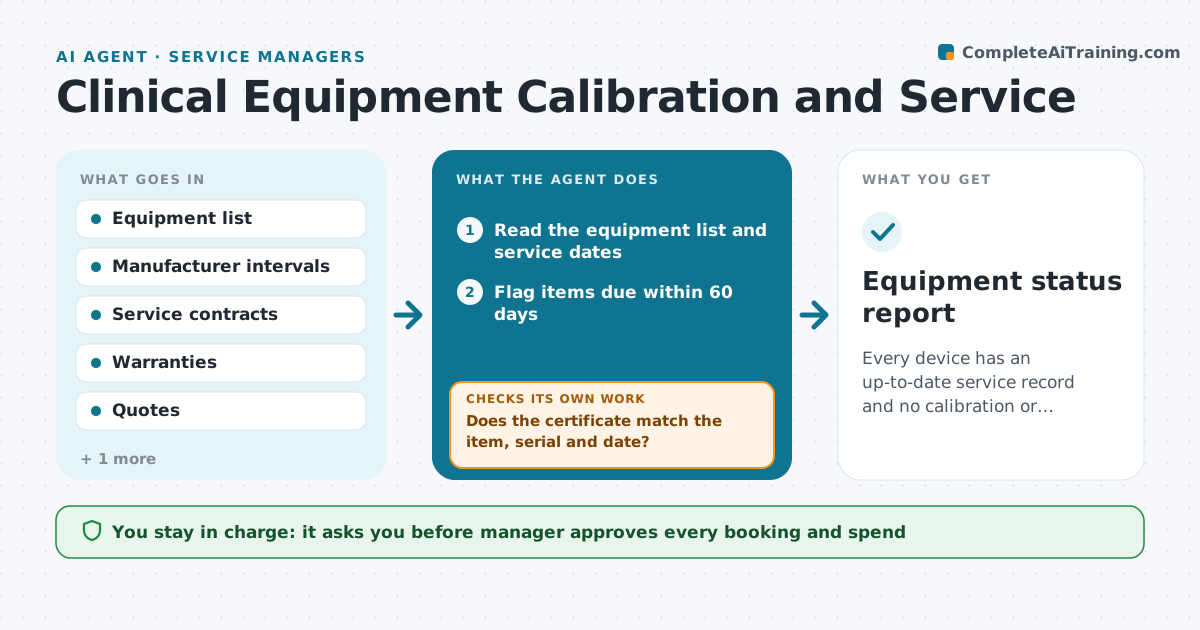
Every device has an up-to-date service record and no calibration or contract lapses unnoticed.
What it does
Calibration stickers, service contracts and warranties lapse because nobody has the whole equipment list in one place. The agent keeps one list of devices with install date, last service, manufacturer interval, contract and warranty end. Each week it flags anything due in the next 60 days. It drafts a service request to the right vendor, compares quotes against the warranty and contract terms, and checks that a returned certificate matches the item and serial number and records the new due date. If a certificate is wrong or missing it asks again. The manager approves each booking and spend. Edge case: a device out of warranty by two days, where the agent asks the vendor whether the work is still covered.
How it works
Follow the arrows from top to bottom. The orange dashed arrow is the loop: when a check fails, the agent goes back and tries again.
Read the steps as a list
- Weekly equipment check
- Read the equipment list and service dates
- Flag items due within 60 days
- Check warranty and contract terms for each
- Draft service requests to the right vendor
- Manager approves each booking and spendThe agent waits here for your OK.
- Book the service and read the certificate when it arrives
- Does the certificate match the item, serial and date?If not: Request a corrected certificate from the vendor. Back to step 3.
- Update the next due date in the list
- Are any items still overdue or without a booking?If not: Return to the flag step with a shorter window. Back to step 2.
- Equipment status report
How it decides
It flags an item when the due date falls within 60 days and picks the service route that is covered by warranty or contract before the paid one.
- Flag items 60 days before due
- Prefer covered service over paid service
- Compare at least two quotes above $500
- Mark overdue devices for restricted use until serviced
Make it yours
Every agent is a starting point. You choose these settings for your own situation.
- Lead time for flags (default 60 days)
- Quote threshold for comparison (default $500)
- Vendors for each device type
- Who receives the weekly report
What keeps you in control
It always asks you first
- Manager approves every booking and spend
Hard limits
- Never book or pay without approval
- Do not remove a device from the list without the manager
It stops when
- Done: all due items booked and certificates checked
- Stop: a vendor will not service a device and the manager must choose a replacement
Set it up
We guide you through the set-up, step by step
Members get the full set-up guide for this agent. No technical skills needed: you copy, paste and upload.
- One set of instructions to paste into your AI, with the clicks for ChatGPT, Claude, Microsoft 365 Copilot, Gemini and Grok
- The agent then walks you through connecting your own data, one source at a time
- A downloadable copy with the flow chart, the rules and the full guide