AI agent for art directors
Design Review Action Follow-through Agent
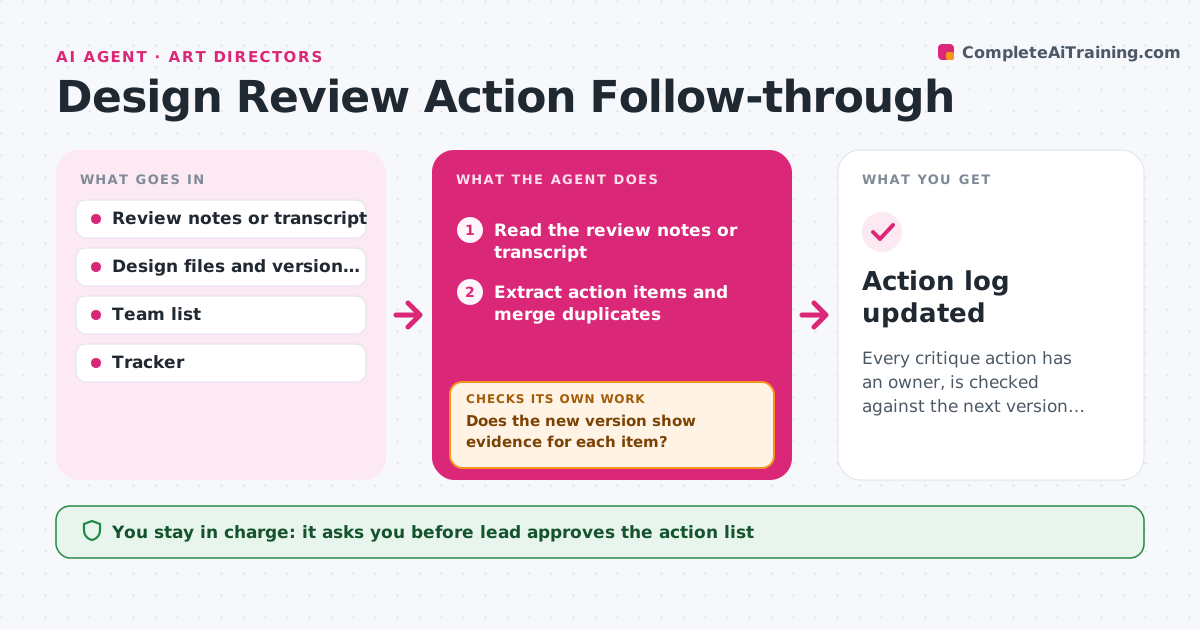
Every critique action has an owner, is checked against the next version and is closed with the lead's approval
What it does
A design critique ends with a dozen comments, and two weeks later half of them have not been touched and nobody remembers who owned what. After each review, this agent extracts the action items from the notes or the recording transcript, assigns an owner and a due date for each, and sets them in the tracker. When the next design version appears, it checks it against each item, looking at the files and the change notes for evidence that the action was done. Items not addressed loop back to the owner with a reminder and the original comment. It ignores duplicates and merges items that say the same thing in different words. The lead approves what is closed. Edge case: an action addressed by a decision not to change something is closed only if the lead agrees.
How it works
Follow the arrows from top to bottom. The orange dashed arrow is the loop: when a check fails, the agent goes back and tries again.
Read the steps as a list
- Design review ends
- Read the review notes or transcript
- Extract action items and merge duplicates
- Assign an owner and due date to each item
- Lead approves the list and ownersThe agent waits here for your OK.
- Read the next design version and its change notes
- Compare each item with the new version
- Does the new version show evidence for each item?If not: Send the owner a reminder with the original comment and wait for the next version. Back to step 6.
- List items for closing and items needing a decision
- Lead approves what is closedThe agent waits here for your OK.
- Action log updated
How it decides
It treats an item as done only when the new version shows a change that matches the comment or the owner records a reasoned decision that the lead accepts.
- Extract an action only if it asks for a change or a decision
- Merge items that refer to the same element
- Send a reminder 3 days before the due date and again on it
- Close a no-change item only with the lead's agreement
Make it yours
Every agent is a starting point. You choose these settings for your own situation.
- Where the notes come from
- Reminder timing
- Tracker used
- Who approves closing
- Types of comments that count as actions
What keeps you in control
It always asks you first
- Lead approves the action list
- Lead approves each item before it is closed
Hard limits
- Never mark an action done without evidence
- Never contact people outside the team
It stops when
- Done: All actions are closed or deliberately declined
- Stop: Owners are unclear for an item, so the agent asks the lead
Set it up
We guide you through the set-up, step by step
Members get the full set-up guide for this agent. No technical skills needed: you copy, paste and upload.
- One set of instructions to paste into your AI, with the clicks for ChatGPT, Claude, Microsoft 365 Copilot, Gemini and Grok
- The agent then walks you through connecting your own data, one source at a time
- A downloadable copy with the flow chart, the rules and the full guide