AI agent for research and development engineers
Hardware Test Plan and Results Agent
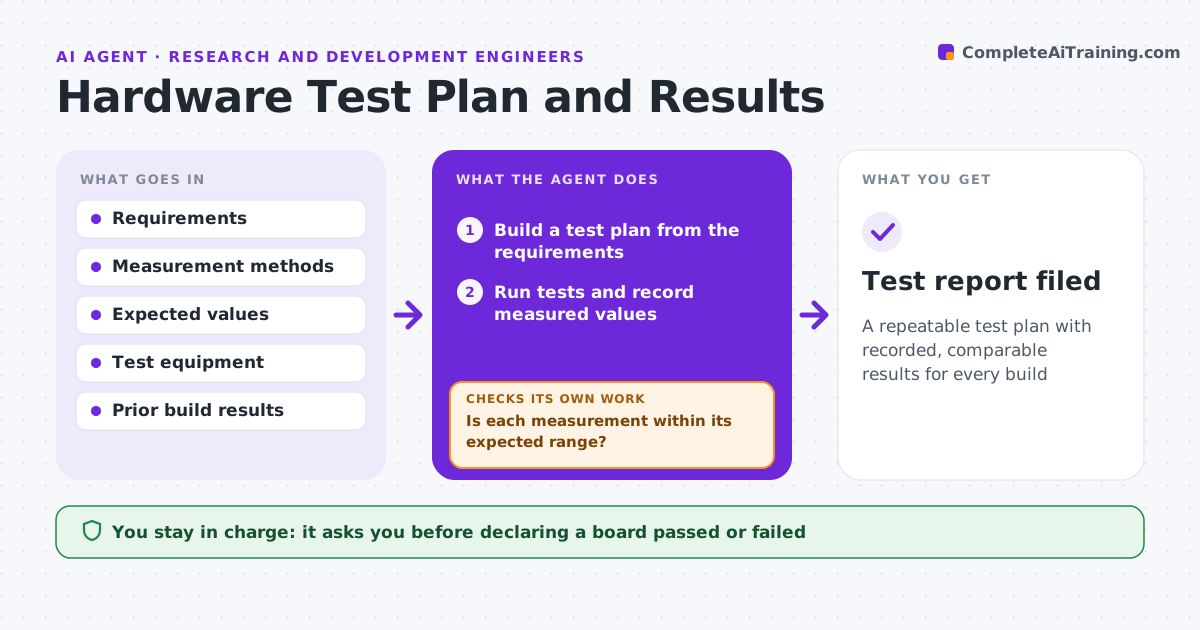
A repeatable test plan with recorded, comparable results for every build
What it does
When a prototype arrives, testing is often scattered probing, so coverage is uneven and builds are hard to compare. This agent reads the requirements and builds a test plan covering each one, with the measurement, the expected value and the pass range. It guides the test run, records each measured value and compares it with the range. For a failing test it first checks the setup, such as probes, jig and supply, before calling the board bad. Then it flags the requirement that failed with the measured value. It also compares results with earlier builds to spot drift that still passes. It drafts a test report. You approve the board as passed or failed. Edge case: a reading out of range because of a known faulty jig is excluded and the jig is flagged for repair.
How it works
Follow the arrows from top to bottom. The orange dashed arrow is the loop: when a check fails, the agent goes back and tries again.
Read the steps as a list
- New build ready to test
- Build a test plan from the requirements
- Run tests and record measured values
- Is each measurement within its expected range?If not: verify the test setup, then flag the failed requirement with the value. Back to step 3.
- Compare results with prior builds for drift
- Draft the test report
- Engineer approves pass or failThe agent waits here for your OK.
- Test report filed
How it decides
Each test passes only when the measured value is within the expected range, after confirming the test setup is valid.
- Pass only within the expected range
- Rule out a bad test setup before failing a board
- Flag drift between builds
Make it yours
Every agent is a starting point. You choose these settings for your own situation.
- Tests and expected ranges
- Equipment to use
- Drift threshold between builds
- Report format
What keeps you in control
It always asks you first
- Declaring a board passed or failed
Hard limits
- Does not approve a board on its own
- Excludes results from faulty equipment and flags it
It stops when
- Done: all tests run and reported
- Stop: test equipment is uncalibrated
Set it up
We guide you through the set-up, step by step
Members get the full set-up guide for this agent. No technical skills needed: you copy, paste and upload.
- One set of instructions to paste into your AI, with the clicks for ChatGPT, Claude, Microsoft 365 Copilot, Gemini and Grok
- The agent then walks you through connecting your own data, one source at a time
- A downloadable copy with the flow chart, the rules and the full guide