AI agent for chiropractors
Payer Credentialing and Contract Tracker Agent
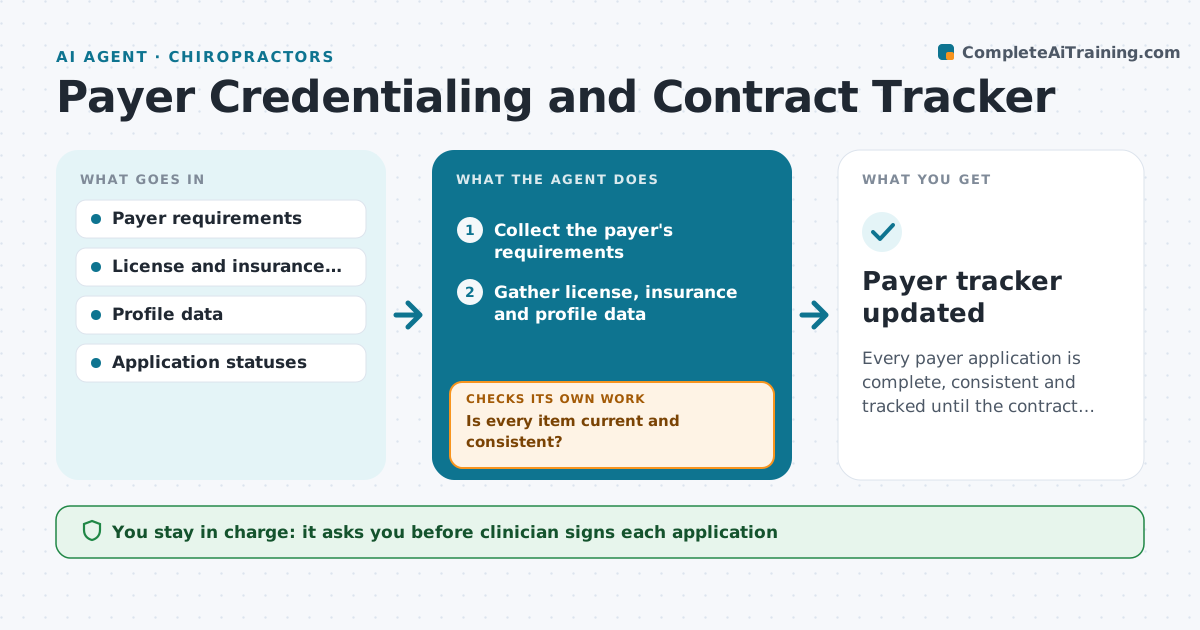
Every payer application is complete, consistent and tracked until the contract is active.
What it does
Enrolling with each insurance payer and renewing credentials takes many documents and long waits, and applications quietly stall. The agent builds a checklist for each payer, collects license, malpractice insurance and profile data, and checks every field for expiry or mismatches, such as an address that differs between forms. It tracks each application's status, drafts follow-ups when a payer is overdue, and repeats the checks when a document is rejected. The clinician signs the application before it is submitted. Edge case: a payer rejecting a form because the license number was entered with the wrong state prefix, which the agent corrects and rechecks across all payers.
How it works
Follow the arrows from top to bottom. The orange dashed arrow is the loop: when a check fails, the agent goes back and tries again.
Read the steps as a list
- New payer application or re-credentialing due
- Collect the payer's requirements
- Gather license, insurance and profile data
- Check each field for expiry and mismatches
- Is every item current and consistent?If not: Request the corrected document and recheck. Back to step 4.
- Clinician reviews and signs the applicationThe agent waits here for your OK.
- Submit and log the date
- Check payer status weekly
- Is the application on time and not rejected?If not: Draft a follow-up or correct the rejected item and resubmit after approval. Back to step 8.
- Record the effective date and contract terms
- Payer tracker updated
How it decides
It compares each document and field against the payer's checklist, treats expiry within 90 days as a risk, and marks an application late after the payer's stated time.
- Flag documents that expire within 90 days
- Use one master record for every payer's form
- Follow up when a payer is 10 days past its stated time
- Check all payers after fixing one error
Make it yours
Every agent is a starting point. You choose these settings for your own situation.
- Payers being tracked
- Expiry warning window (default 90 days)
- Follow-up days (default 10)
- Who receives status reports
What keeps you in control
It always asks you first
- Clinician signs each application
- Clinician approves any follow-up sent in their name
Hard limits
- Never submit an application without the clinician's signature
- Do not store license numbers in messages
It stops when
- Done: contract active or renewal confirmed
- Stop: payer closes its panel or requests a change the clinician must decide
Set it up
We guide you through the set-up, step by step
Members get the full set-up guide for this agent. No technical skills needed: you copy, paste and upload.
- One set of instructions to paste into your AI, with the clicks for ChatGPT, Claude, Microsoft 365 Copilot, Gemini and Grok
- The agent then walks you through connecting your own data, one source at a time
- A downloadable copy with the flow chart, the rules and the full guide