
Learning path
Learning AI as a Midwife
Learn how AI can help with prenatal visits, birth plans, labor notes, and parent education. This path fits midwifery work and keeps your clinical judgment at the center.
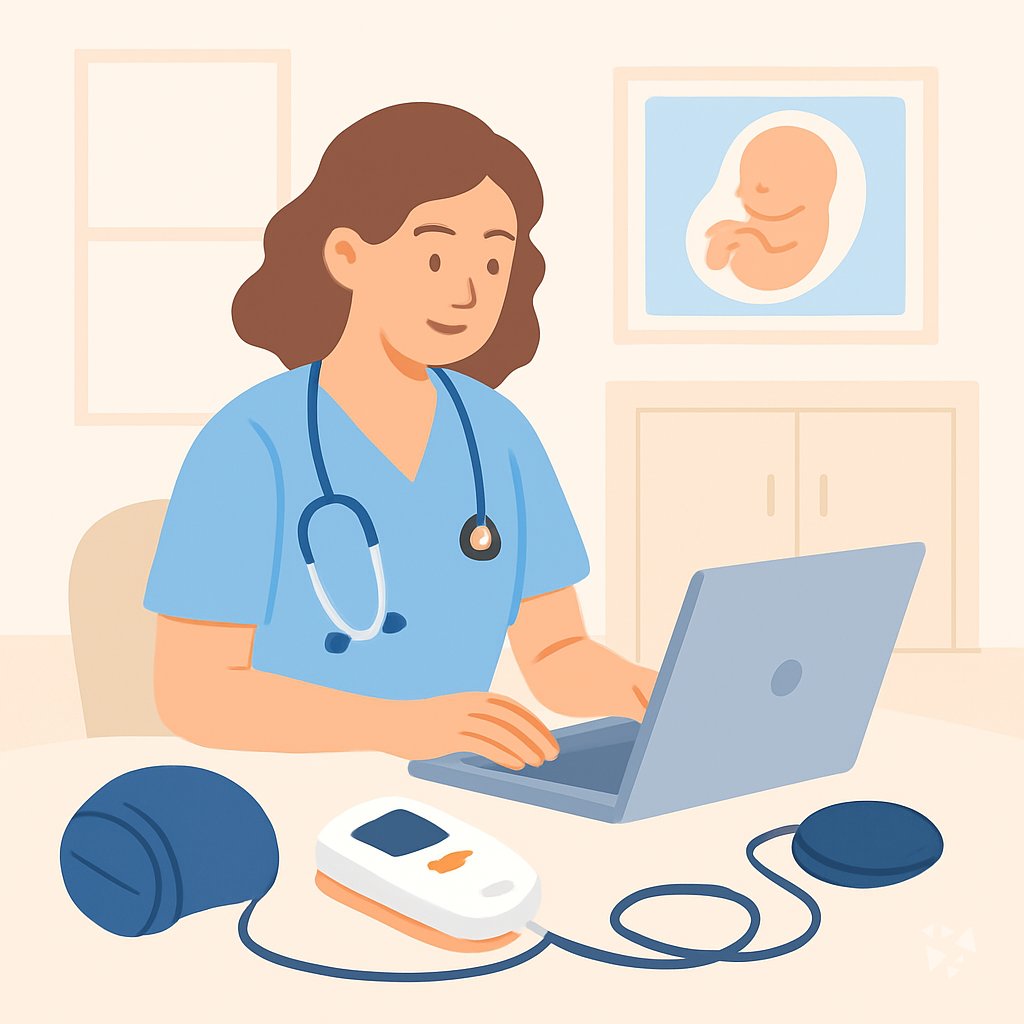
Your path
Everything in the Midwife AI kit, in the order that makes sense. Members tick off each step and see their progress.
Set up your AI
We guide you through each click.
Let skills do your everyday tasks
Connect your apps and pick your AI apps
Hand whole tasks to AI agents
Build your own tools
Keep growing
Everything for midwifes
All the courses, certifications, AI tools, MCP servers and apps for midwifes, most relevant first. Open any list to see more.
Take the prompt courses
A short framework course to learn how to ask, then 9 lessons with ready-to-use prompts for midwifes.
Start with this framework: how to talk to AI
CARE fits your case-based midwifery work: for a laboring patient with fetal distress, record context, action, result, and one model example.
Then your prompt course for midwifes- 1Prenatal Checkup Basics3 prompts
- 2Birth Plan Support2 prompts
- 3Labor Support Communication3 prompts
- 4Fetal Monitoring Support3 prompts
- 5Postpartum Recovery Care3 prompts
- 6Breastfeeding Support3 prompts
- 7Newborn Care Education2 prompts
- 8High-Risk Referral Coordination3 prompts
- 9Practice Admin & Clients2 prompts
Watch the video courses or add them to your Favorites for later
83 video courses our AI picked for midwifes, most useful first. Save the ones you want to watch later with the heart.
Favorites are saved to your account: sign in or get your AI kit first.
Show all 83 video courses
Get certified, or add certifications to your Favorites
Every course ends in an exam and a certificate you can add to LinkedIn. Save the certifications you are aiming for with the heart.
Favorites are saved to your account: sign in or get your AI kit first.
More certifications for midwifesShow all 24 certifications
Try the AI tools for midwifes
15 AI tools our AI matched to the work of midwifes, best fit first. Each review shows what it does, its alternatives and the jobs it suits.
Favorites are saved to your account: sign in or get your AI kit first.
Show all 15 AI tools
Connect your AI to the apps midwifes use
MCP servers let ChatGPT, Claude or Copilot look things up and get work done in other apps, like your email, calendar or bookkeeping software. These 12 fit the work of midwifes best, well-known apps first.
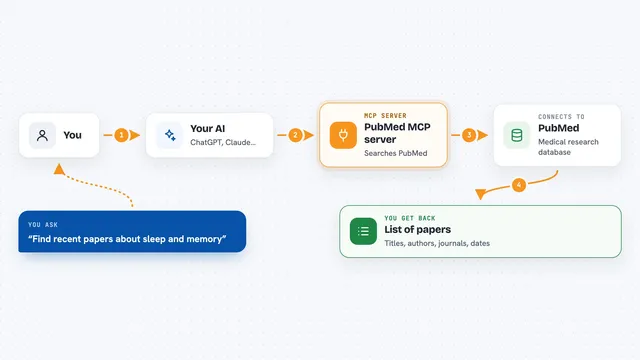
PubMed MCP server
by andybrandtLets your AI search medical and life sciences papers on PubMed and read their abstracts and full text.

PubMed Search MCP Server
by pubsproLet your AI search medical research papers on PubMed and give you plain-English summaries.

Practice Fusion MCP server
by kushaimLets your AI look up patients, visits, medications and lab results in a Practice Fusion health record.

Medical MCP server
by JamesANZLets your AI look up drugs, health stats, and medical studies from trusted public sources.

CallChatSyn MCP server
by oneappsworldLet your AI answer customer questions from your business FAQs and book appointments for you.
Customer communication Official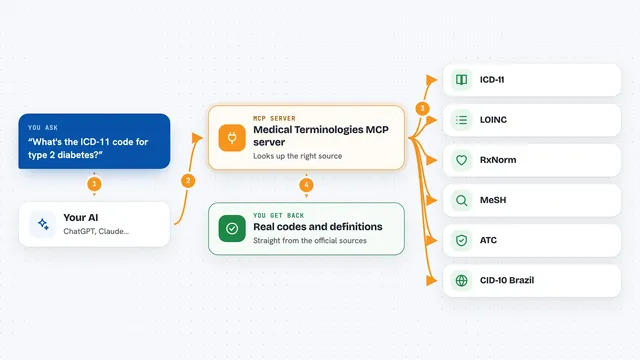
Medical Terminologies MCP server
by SidneyBissoliLook up real medical codes and terms from ICD-11, LOINC, RxNorm, MeSH, ATC and Brazil's CID-10 right inside your AI chat.
ResearchNo installShow all 12 MCP servers

NCBI PubMed MCP server
by vitorpavinatoSearch PubMed's millions of research articles and get summaries, authors, and related papers through your AI.

ICDwise MCP server
by qinisolabsYour AI can look up real ICD-10-CM medical codes and get the official description instead of a guess.
ResearchNo install
Taiwan NHI billing MCP server
by tatsujuLets your AI look up Taiwan NHI rejection codes, drug rules, fee points and audit notes for you.
ResearchNo install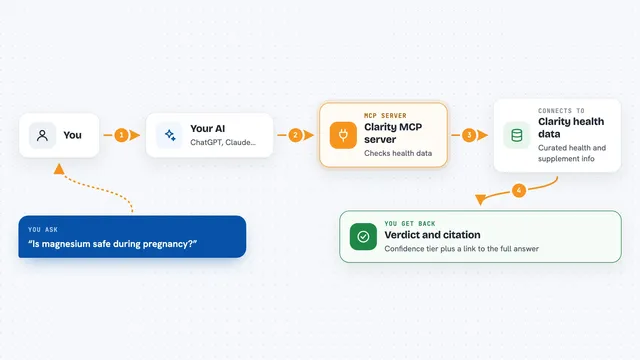
Clarity MCP server
by thehealthaiLets your AI check ingredients, supplements and health claims against conditions like pregnancy or allergies, with sources.
Health and learningResearchNo install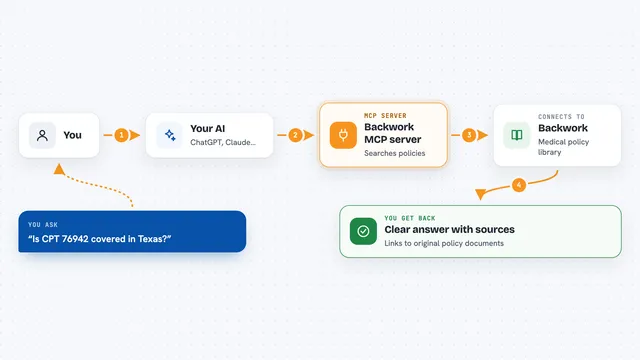
Backwork MCP server
by tylergibbs1Lets your AI look up Medicare and insurance medical policies, check prior authorization, and validate claims with cited sources.
ResearchNo install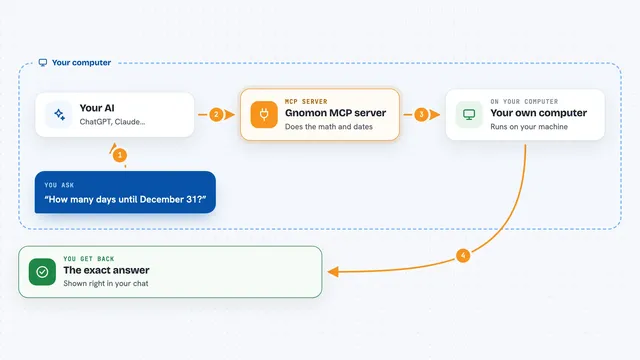
Gnomon MCP server
by lihtnessGives your AI a reliable calculator and calendar so dates, math, and unit conversions stop being guesses.

















































































About this learning path
6 topicsAI for Midwives: Practical Support for Everyday Care
Midwifery care is personal and busy. Between prenatal checks, labor support, and postpartum visits, there is little time for paperwork or repeated explanations. AI can help you prepare clear information, draft notes, and answer common questions while you stay focused on the person in front of you.
This learning path starts with simple setup questions, then shows you how to connect an AI tool like ChatGPT, Claude, or Gemini. You will practice job-specific skills, take this prompt course, and watch short video courses chosen for midwives. Each video course includes its certification so you can keep a record of your learning.
Why AI Matters for Midwives
Families often arrive with questions they found online. You can use AI to help explain options in plain language, prepare handouts, and keep your notes organized. It does not replace your training or your hands-on care. It gives you a faster starting point for the words and plans you already know how to make.
What the Path Includes
You begin with setup questions that help you choose a tool and set privacy habits. Then you connect your AI, practice skills for midwifery work, and move through this prompt course. The path also includes video courses picked for the job, along with the certifications that come with each course.
How This Path Saves Time
AI can draft parent education, visit summaries, and appointment reminders in seconds. You still review and edit every word. The time you save can go back into listening, teaching, or resting between visits.
How It Protects Your Career
The path teaches you to keep private details out of public tools and to check every AI output for accuracy. You learn to use AI as a helper, not as a decision maker. That protects your clients, your license, and your professional judgment.
How to Start the Path
Set aside a quiet hour. Answer the setup questions, pick one AI tool, and try the first prompt with a made-up example. Then add one lesson at a time to your week. Small practice sessions build confidence quickly.
Frequently asked questions
Do I need to be technical to use this path?
No. The path starts with plain setup questions and simple examples. You only need to be able to type a question and read the answer. If you can send an email, you can do this.Will AI make decisions about my clients?
No. AI can help you draft words, organize notes, and explain common topics. You remain the midwife. Every clinical decision stays with you and your team.What if I already use ChatGPT or another tool?
That is helpful. The path will show you midwifery-specific prompts and privacy habits. You can skip ahead to the lessons that match your work.How long does the path take?
You can move at your own pace. Many learners finish the prompt course in a few short sittings and then add video courses over several weeks. The goal is steady practice, not speed.