
Learning path
Learning AI as a Social Worker
This learning path helps social workers use AI for intake, referrals, care plans, and documentation. It combines setup help, job-specific skills, this prompt course, and short video lessons with certificates.

Your path
Everything in the Social Worker AI kit, in the order that makes sense. Members tick off each step and see their progress.
Set up your AI
We guide you through each click.
Let skills do your everyday tasks
Connect your apps and pick your AI apps
Hand whole tasks to AI agents
Build your own tools
Keep growing
Everything for social workers
All the courses, certifications, AI tools, MCP servers and apps for social workers, most relevant first. Open any list to see more.
Take the prompt courses
A short framework course to learn how to ask, then 9 lessons with ready-to-use prompts for social workers.
Start with this framework: how to talk to AI
CARE fits social work because client cases need context, action, result, and one model example, like a housing referral that secured shelter.
Then your prompt course for social workersWatch the video courses or add them to your Favorites for later
83 video courses our AI picked for social workers, most useful first. Save the ones you want to watch later with the heart.
Favorites are saved to your account: sign in or get your AI kit first.
Show all 83 video courses
Get certified, or add certifications to your Favorites
Every course ends in an exam and a certificate you can add to LinkedIn. Save the certifications you are aiming for with the heart.
Favorites are saved to your account: sign in or get your AI kit first.
More certifications for social workersShow all 24 certifications
Try the AI tools for social workers
10 AI tools our AI matched to the work of social workers, best fit first. Each review shows what it does, its alternatives and the jobs it suits.
Favorites are saved to your account: sign in or get your AI kit first.
Show all 10 AI tools
Connect your AI to the apps social workers use
MCP servers let ChatGPT, Claude or Copilot look things up and get work done in other apps, like your email, calendar or bookkeeping software. These 12 fit the work of social workers best, well-known apps first.

MCP Emails server
by AlbretsenLet your AI read, search, send and organize email in your own mailbox.
EmailNo install
Fluxmail MCP server
by churichardLet your AI read, search, draft, send and organize email across your mailboxes.
Email Official
Temporal Cortex MCP server
by temporal-cortexLet your AI check calendars, find free slots, and book meetings without double-booking.
ProductivityMeetingsNo install
Google Drive MCP server
by A1-x-TechLet your AI search, organize, upload, download, export and share your Google Drive files for you.

Bing Search MCP server
by leehanchungLets your AI search the web, news, and images through Microsoft Bing while you chat.

DuckDuckGo Search MCP server
by zhsamaLets your AI search the web through DuckDuckGo and bring back results for you.
Show all 12 MCP servers

Google Workspace MCP server
by taylorwilsdonLets your AI read and write your Gmail, Calendar, Drive, Docs, Sheets and more, all from one chat.

Gmail MCP server
by A1-x-TechLet your AI read, search, draft and send your Gmail, and keep labels and trash tidy, from the chat.

Outlook Assistant MCP server
by littlebearappsLets your AI read, search, send, and organise your Outlook email, calendar, and contacts from the chat.

Brave Search MCP server
by braveLets your AI search the web, news, images, and places through Brave Search.

Google Search MCP server (AceDataCloud)
by AceDataCloudLets your AI run Google searches for web, images, news, videos, places and maps, and hand you the results.
ResearchNo install
Google MCP server
by vakharwalad23Lets your AI read and send Gmail, manage Calendar events, browse Drive files and handle Tasks for you.
Build your own AI apps for social workers
Apps you build yourself with your own AI, no coding needed and no monthly fee. Our AI picked the 3 that fit the work of social workers.
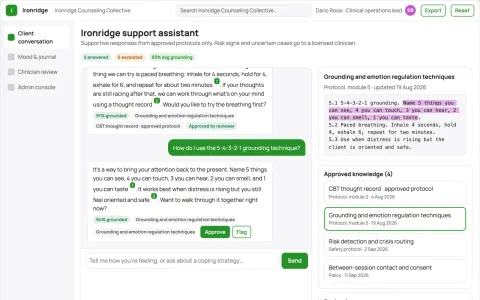
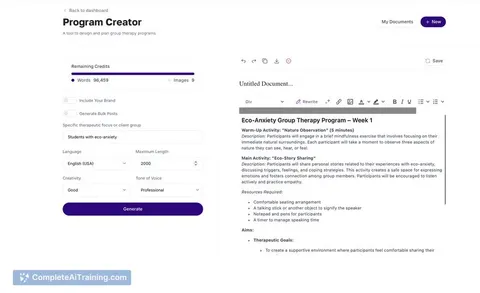
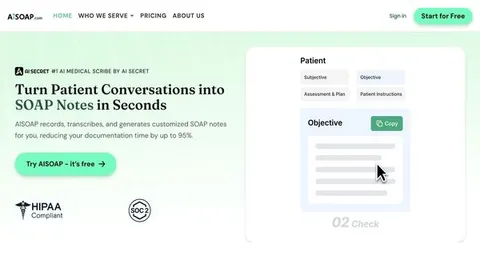
Source-linked mental health support assistant and administrator console
Extend provider-approved support between sessions while keeping every conversation source-linked and reviewable.
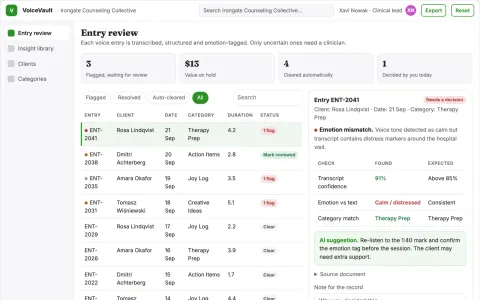
Voice journal to structured health insight library
Turn spoken reflections into an organized, searchable library while keeping the client in control of their data.
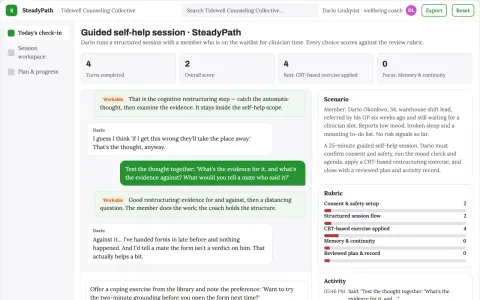
Guided self-help and daily planning companion
Give one owned, reviewable place for guided self-help sessions, coping exercises and daily planning.





















































































About this learning path
6 topicsA Practical AI Path for Social Workers
Social workers carry heavy loads: intake notes, referrals, care plans, and crisis calls. AI can help you draft and organize that work so you spend more time with people.
This path starts with setup questions and connects your AI tool. Then you learn job skills inside your AI, take this prompt course, and watch short video lessons chosen for social work. Each video course comes with a certificate.
Why AI Matters Now
Caseloads are growing and paperwork takes time away from clients. AI can help you write faster, find resources, and prepare for hard conversations. It does not replace your judgment or your care.
What the Path Includes
You get setup questions to choose the right AI tool, help connecting it, and skills for social work inside your AI. You also get this prompt course, video courses picked for your job, and certificates for those courses.
How It Saves You Time
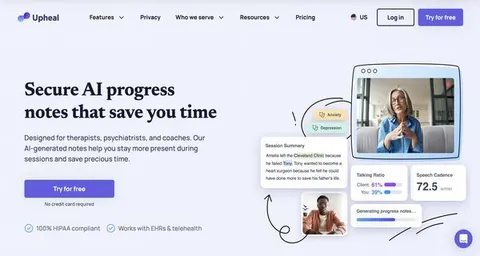
Prompts for intake summaries, referrals, and documentation cut hours of drafting. You review and edit, so the final work still sounds like you. The time you win back can go to clients, rest, or family.
How It Protects Your Career
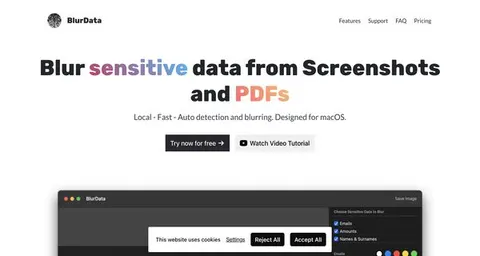
You learn privacy rules for social work and how to keep client details safe. You also build skills that agencies value, like clear writing and faster coordination. That makes you more effective, not replaceable.
How to Get Started
Begin with the setup questions and connect your AI tool. Then take the prompt course and try one prompt on a low-risk task, like a resource list. Add more prompts as you feel comfortable.
Frequently asked questions
Do I need technical skills?
No. The path starts with simple setup questions and plain language. You will learn to use AI step by step.Is client information safe?
The course covers safety and privacy for social work. You will learn what to share with AI and what to keep private. Always follow your agency rules.How long does it take?
Lessons are short and fit around visits and paperwork. You can move at your own pace and return anytime.Will AI replace my judgment?
No. AI helps with drafts, organization, and ideas. You stay in charge of every decision and relationship.