AI agent for full-stack developers
Stack Trace Root Cause Agent
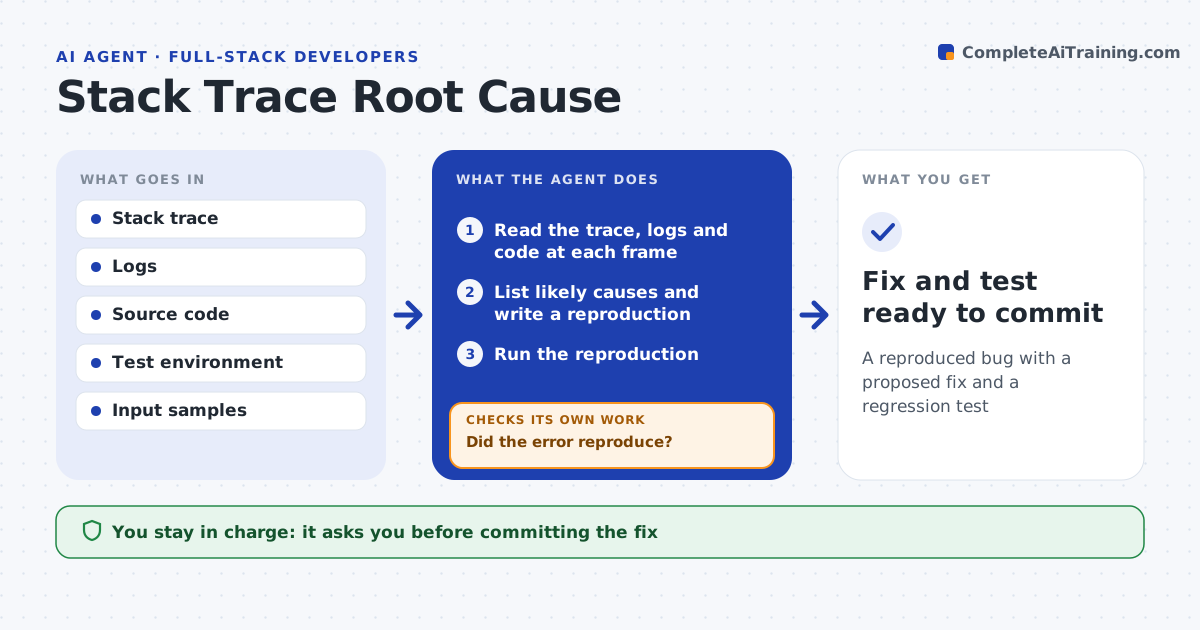
A reproduced bug with a proposed fix and a regression test
What it does
A stack trace points at a line but not the real cause, and reproducing the error can eat hours. This agent reads the trace, the surrounding logs and the code at each frame, and forms a short ranked list of likely causes. It writes a small reproduction and runs it. If the error does not reproduce, it gathers more context, such as the failing request, input data or environment settings, and tries again. Once it reproduces, it proposes a fix and a test that would have caught the bug, then runs the full suite to check nothing else broke. You approve the fix before it is committed. Edge case: an error that only appears under load is reported as a timing issue with a suggested load test, not forced into a code change.
How it works
Follow the arrows from top to bottom. The orange dashed arrow is the loop: when a check fails, the agent goes back and tries again.
Read the steps as a list
- Error reported
- Read the trace, logs and code at each frame
- List likely causes and write a reproduction
- Run the reproduction
- Did the error reproduce?If not: gather more input or environment detail and try again. Back to step 3.
- Propose a fix and a regression test
- Run the full test suite
- Developer approves the fixThe agent waits here for your OK.
- Fix and test ready to commit
How it decides
It ranks causes by how well they explain the trace and confirms only a cause it can reproduce before proposing a fix.
- Confirm a cause only when it reproduces
- Prefer the smallest fix that addresses the cause
- Report an environment issue when code is not at fault
Make it yours
Every agent is a starting point. You choose these settings for your own situation.
- Test environment to use
- How many causes to list
- Whether to auto-write the regression test
- Commit message style
What keeps you in control
It always asks you first
- Committing the fix
Hard limits
- Never commits without approval
- Does not run reproductions against production data
It stops when
- Done: bug reproduced and fix proposed
- Stop: cannot reproduce after gathering context
Set it up
We guide you through the set-up, step by step
Members get the full set-up guide for this agent. No technical skills needed: you copy, paste and upload.
- One set of instructions to paste into your AI, with the clicks for ChatGPT, Claude, Microsoft 365 Copilot, Gemini and Grok
- The agent then walks you through connecting your own data, one source at a time
- A downloadable copy with the flow chart, the rules and the full guide