AI agent for head of operations
Technology Rollout Adoption Tracker Agent
Reach full use of the new system and end the old process in every team
What it does
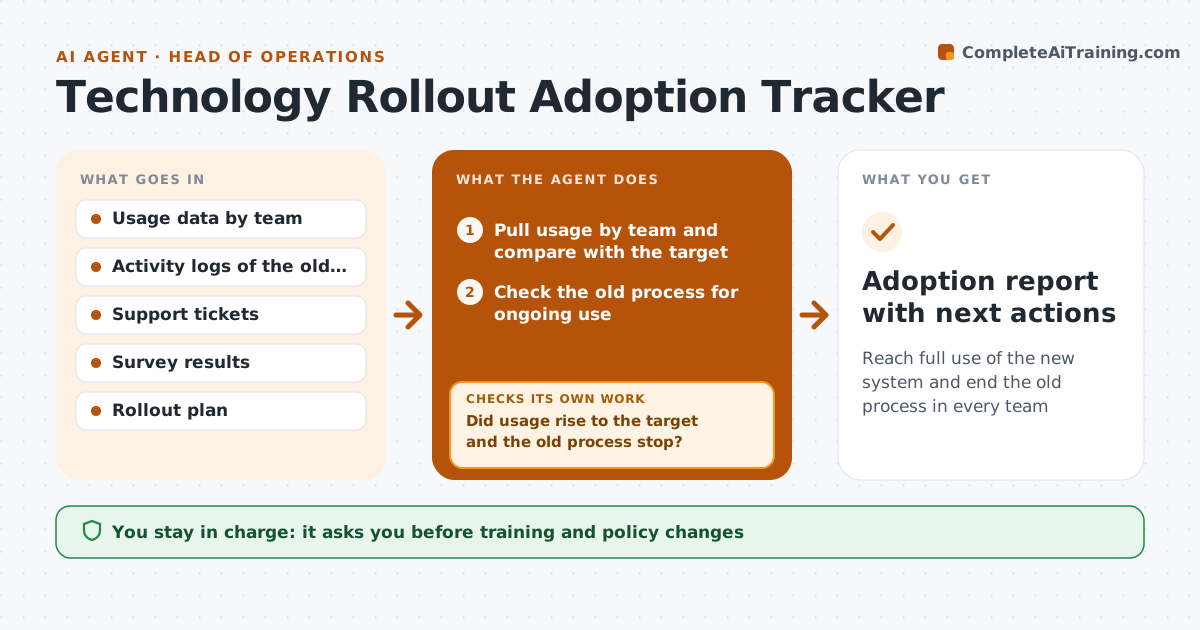
A new system goes live and then half the team keeps using the old spreadsheet. This agent tracks usage of the new system by team after go-live. It checks whether the old workaround has stopped, using data such as the old file's activity or manual entries. It then looks for blockers in support tickets and survey comments and proposes specific fixes: training for one team, a missing report, a changed rule. After each fix it measures usage again to see if it moved. If not, it looks for a different cause. The leader approves training and policy changes. Edge case: one team's low usage is caused by a missing import for their data, not a lack of training, so the agent raises a technical fix.
How it works
Follow the arrows from top to bottom. The orange dashed arrow is the loop: when a check fails, the agent goes back and tries again.
Read the steps as a list
- Weekly adoption data is ready
- Pull usage by team and compare with the target
- Check the old process for ongoing use
- Find blockers in tickets and survey comments
- Propose a fix for each team
- Leader approves training or policy changesThe agent waits here for your OK.
- Track the fix and note the date
- Measure usage again after one week
- Did usage rise to the target and the old process stop?If not: look for a different cause in the tickets and propose another fix. Back to step 4.
- Adoption report with next actions
How it decides
A team is counted adopted when usage is above the target and the old workaround shows no activity for two weeks. Blockers are linked to evidence in tickets or surveys.
- Adopted means 90 percent of expected actions in the new system
- Old process must show no activity for 2 weeks
- Link every blocker to a ticket or survey comment
- Separate training causes from system faults
Make it yours
Every agent is a starting point. You choose these settings for your own situation.
- Adoption target (default 90 percent)
- Old process quiet period (default 2 weeks)
- Teams tracked
- Report schedule
What keeps you in control
It always asks you first
- Training and policy changes
Hard limits
- Never change team policies itself
- Never publish team rankings without approval
It stops when
- Done: all teams adopted and the old process ended
- Stop: leader pauses the rollout
Set it up
We guide you through the set-up, step by step
Members get the full set-up guide for this agent. No technical skills needed: you copy, paste and upload.
- One set of instructions to paste into your AI, with the clicks for ChatGPT, Claude, Microsoft 365 Copilot, Gemini and Grok
- The agent then walks you through connecting your own data, one source at a time
- A downloadable copy with the flow chart, the rules and the full guide